Fix “Exceeds the Maximum Upload Size for This Site” in WordPress
Tested in the ShoHost fix lab on 12 October 2026: WordPress 7.1.3, PHP 8.4, Apache with MariaDB 11.8. Every screenshot below is from that lab, not from a customer site.
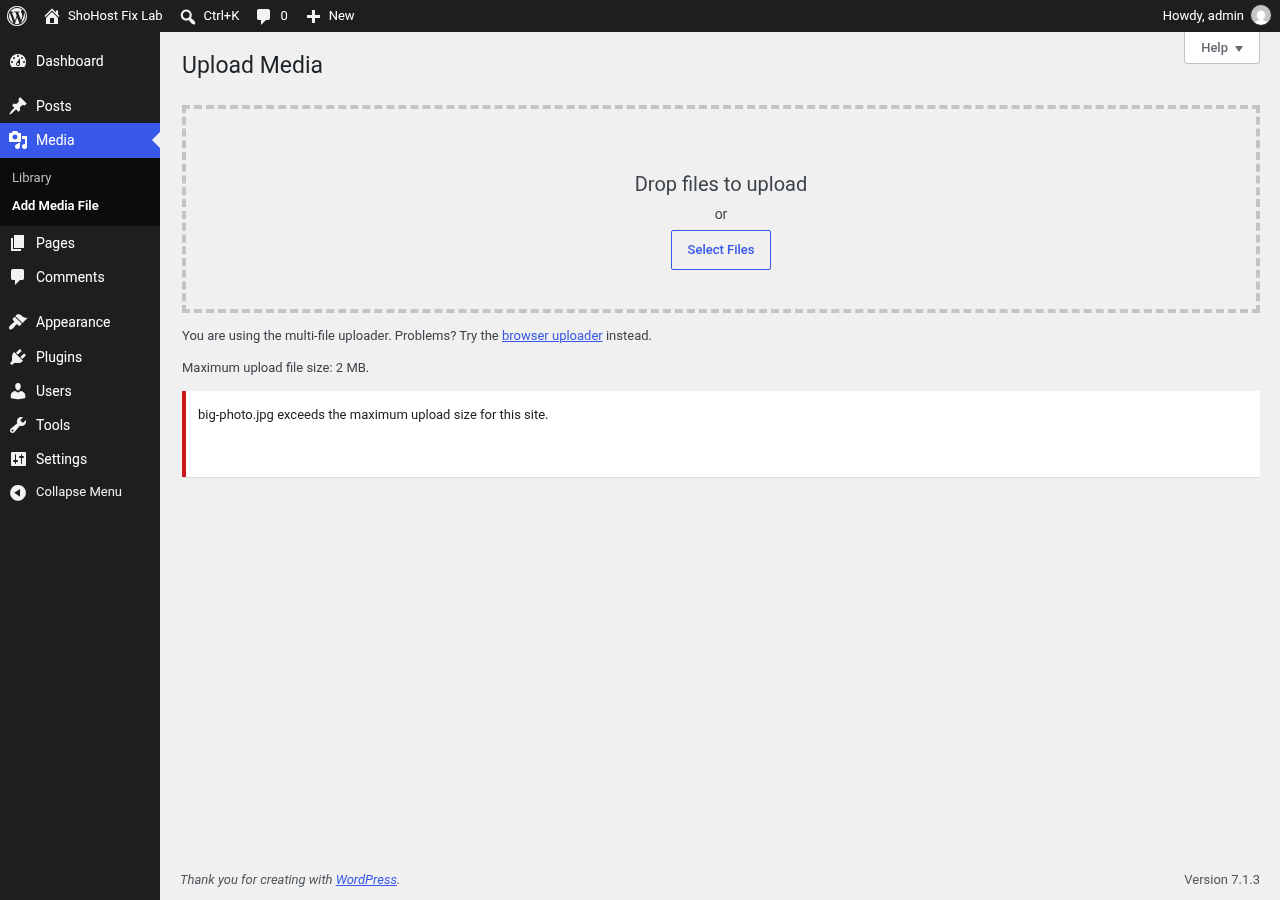
The Media uploader rejects a file with “exceeds the maximum upload size for this site”. The limit isn’t a WordPress setting. It comes from two PHP values: upload_max_filesize and post_max_size.

Fix 1: cPanel MultiPHP INI Editor (recommended)
- cPanel → Software → MultiPHP INI Editor → Basic Mode → choose your domain.
- Set
upload_max_filesizeto e.g.64M, andpost_max_sizeto the same value or higher. - Optionally raise
max_execution_time(e.g. 300) for slow uploads, then click Apply.
Fix 2: .htaccess (Apache with mod_php or LiteSpeed)
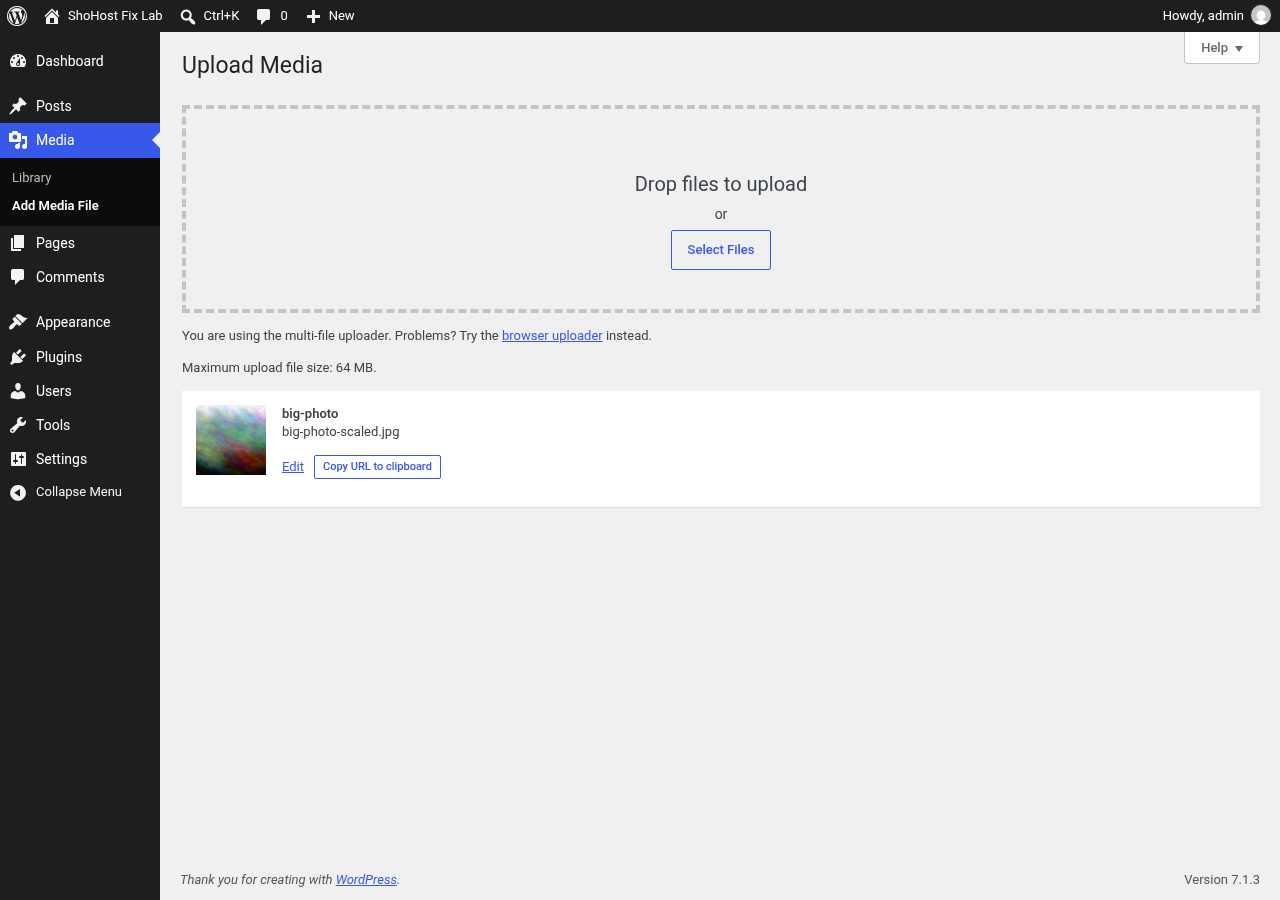
If your server allows it, add these lines to public_html/.htaccess. This is what we did in the lab. If the site shows a 500 error afterwards, your server doesn’t accept these lines; remove them and use Fix 1.
php_value upload_max_filesize 64M
php_value post_max_size 64M
php_value max_execution_time 300
Tips
- Compress images before uploading. Huge originals slow your site down whatever the limit is.
- For very large files (videos, backups), upload by FTP or File Manager instead of through the browser.
- Your hosting plan may cap the maximum value. Ask support if the new limit doesn’t take effect.
Need a hand?
Want someone to do this for you? If your site is on ShoHost, message our support team on WhatsApp at +91 94880 91432 or email [email protected] and we’ll look at the error log with you. Hosting somewhere else and tired of errors like this one? ShoHost WordPress hosting runs on LiteSpeed servers with NVMe storage and free SSL, and includes free migration.