Fix ERR_TOO_MANY_REDIRECTS in WordPress (HTTP/HTTPS Mismatch)
Tested in the ShoHost fix lab on 12 October 2026: WordPress 7.1.3, PHP 8.4, Apache with MariaDB 11.8. Every screenshot below is from that lab, not from a customer site.
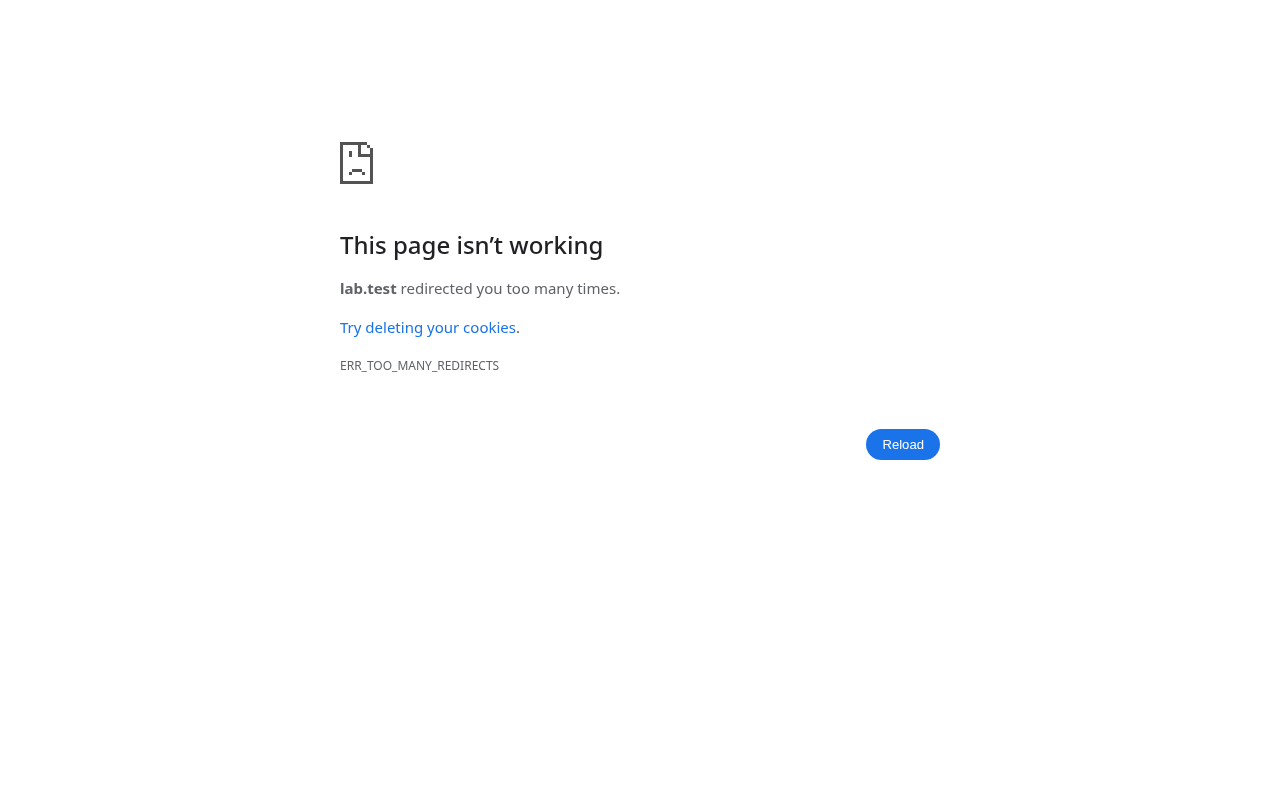
“This page isn’t working – redirected you too many times” usually appears right after you turn on SSL. WordPress and the server (or a CDN such as Cloudflare) disagree about whether the visitor is on HTTPS, so they keep sending the browser back and forth.
How we reproduced it
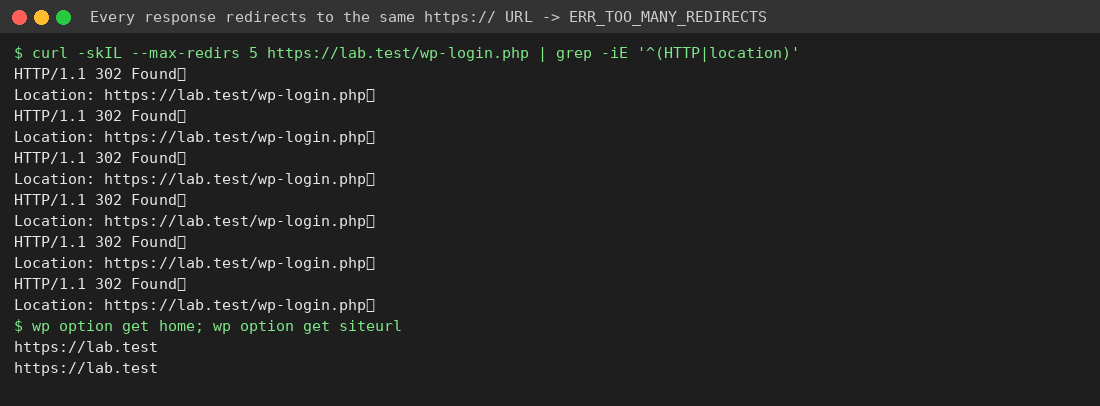
We put an SSL proxy in front of the lab site that behaves like a CDN in “Flexible” SSL mode: HTTPS for the visitor, plain HTTP to the server. Then we set WordPress Address and Site Address to https://. WordPress saw a plain-HTTP request, redirected it to https://, the proxy sent it on as HTTP again, and the loop never ended.
Fix 1: Make both site URLs use the same address
WordPress Address (siteurl) and Site Address (home) must both be the exact address visitors use: the same https:// and the same www or non-www. If you can’t reach wp-admin, open cPanel → phpMyAdmin, find the wp_options table (your prefix may differ), and edit the siteurl and home rows. Or use WP-CLI:
wp option update home 'https://example.in'
wp option update siteurl 'https://example.in'
Also check wp-config.php for WP_HOME/WP_SITEURL constants. They override the database values.
Fix 2: Behind Cloudflare or a proxy, tell WordPress it’s on HTTPS
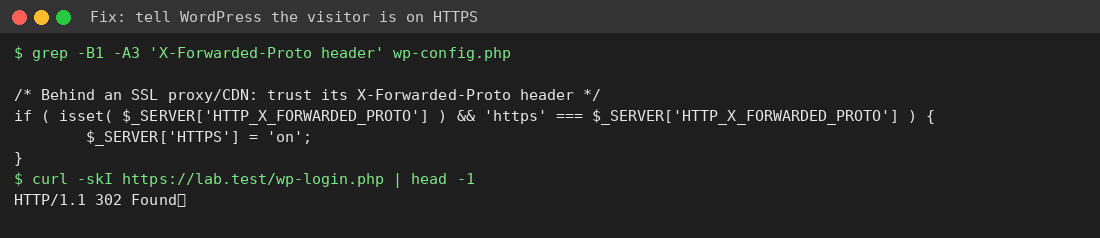
The best fix is to set Cloudflare’s SSL mode to Full (strict), which needs a certificate installed on your hosting (cPanel → SSL/TLS Status → Run AutoSSL). If you can’t do that yet, add this to wp-config.php above That’s all, stop editing!:
if ( isset( $_SERVER['HTTP_X_FORWARDED_PROTO'] ) && 'https' === $_SERVER['HTTP_X_FORWARDED_PROTO'] ) {
	$_SERVER['HTTPS'] = 'on';
}
Other things to check
- Duplicate “force HTTPS” rules: one in
.htaccess, one in a plugin (Really Simple SSL, for example), and one in your CDN. Keep just one. - Clear your browser cookies for the site and purge LiteSpeed Cache/CDN cache after each change.
- A www → non-www redirect at the server while WordPress is set to the www address (or the other way round).
Need a hand?
Want someone to do this for you? If your site is on ShoHost, message our support team on WhatsApp at +91 94880 91432 or email [email protected] and we’ll look at the error log with you. Hosting somewhere else and tired of errors like this one? ShoHost WordPress hosting runs on LiteSpeed servers with NVMe storage and free SSL, and includes free migration.