How to Spec a Custom Dedicated Server: Cores, ECC RAM and SATA vs SAS vs NVMe (2026)
A custom dedicated server lets you pay for exactly the cores, memory and disks your work needs, and nothing you don’t. The catch is that you have to choose them yourself. Pick too few cores and your VMs crawl. Skip ECC memory and a flipped bit can corrupt a database. Put a busy database on the wrong disks and every page waits on storage. This guide walks you through each choice in plain words: how many cores you need, why ECC RAM matters and how much to get, and when SATA, SAS or NVMe makes sense. It ends with three ready-made builds you can copy.
Who it’s for: developers, agencies, hosting resellers and game-server admins in India planning their first custom server, plus buyers abroad comparing Xeon builds. Reading time: about 9 minutes.
In this guide
- How to spec a custom dedicated server: the quick answer
- How many cores does a server need?
- ECC RAM: what it is and why servers need it
- SATA vs SAS vs NVMe: which storage should you choose?
- Network port and support options
- Three example custom server builds
- How to order a custom build server
- Build your SX-2600v4 custom server
- FAQ
- Related guides
How to spec a custom dedicated server: the quick answer
Start from the workload, not the parts list. Work through four questions in this order:
- Cores: how many things run at the same time? Count VMs, game servers, build jobs or PHP workers, then add room to grow.
- RAM: add up what every app or VM needs, then add 25% or so for the system and cache. Servers should always use ECC memory.
- Storage: NVMe for databases and VMs, SSD for websites and the operating system, and always two drives in a mirror for anything you can’t lose.
- Network and support: pick a port speed that fits your traffic and decide if you want ShoHost to manage the server.
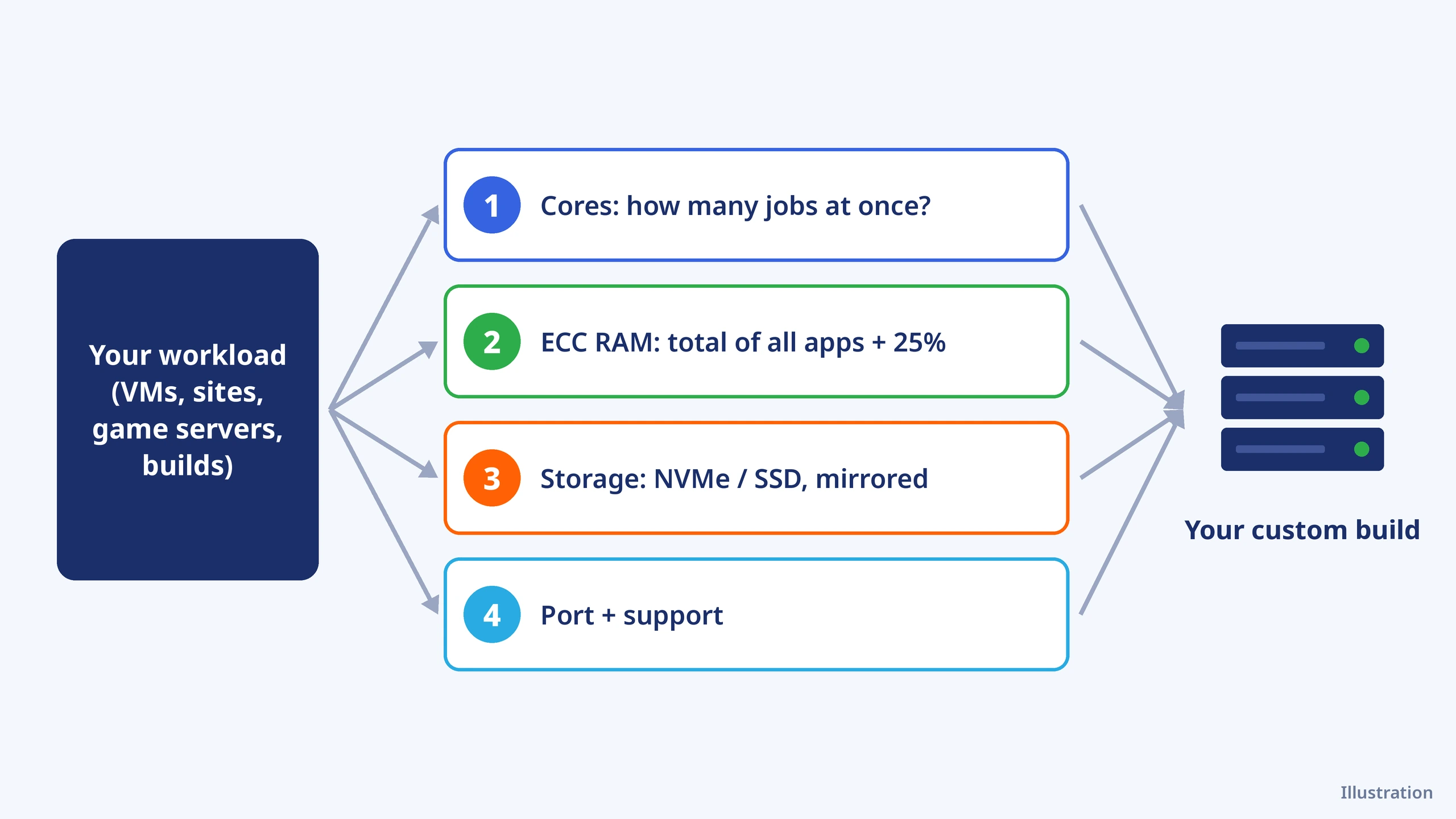
Illustration in words: your workload sits on the left. Four boxes follow it in order: cores, ECC RAM, storage and the network port. Your finished server sits on the right.
How many cores does a server need?
Cores decide how many jobs a server can run at once. Threads come from Hyper-Threading: each core runs two threads, which helps busy servers but doesn’t double the speed. Use these figures as a starting point:
| Workload | Good starting point | Why |
|---|---|---|
| cPanel or web hosting for many sites | 16–28 cores | Each PHP request uses a core while it runs; many sites means many requests at once |
| Proxmox or KVM host | Total vCPUs of all VMs, plus 2–4 cores for the host | VMs share cores, but busy VMs slow each other down if you oversell too far |
| Game servers (Minecraft and similar) | Fewer, faster cores | The main game loop runs on one thread, so clock speed matters more than core count |
| Build farm or CI runners | As many cores as your budget allows | Compilers split work across every core |
| Databases | Faster cores plus lots of RAM | Most queries are short; memory and disks matter as much as cores |
On the ShoHost SX-2600v4 every build has two Intel Xeon E5 v4 processors. You choose the model, which sets the total cores:
| CPU option (2× each) | Total cores / threads | Base / max turbo per CPU | Order-form price (monthly) |
|---|---|---|---|
| E5-2680 v4 | 28 / 56 | 2.40 / 3.30 GHz | ₹750 (default) |
| E5-2683 v4 | 32 / 64 | 2.10 / 3.00 GHz | ₹875 |
| E5-2695 v4 | 36 / 72 | 2.10 / 3.30 GHz | ₹1,500 |
| E5-2698 v4 | 40 / 80 | 2.20 / 3.60 GHz | ₹1,625 |
| E5-2699 v4 | 44 / 88 | 2.20 / 3.60 GHz | ₹2,500 |
Clock speeds are from Intel’s specification pages (for example E5-2680 v4 and E5-2699 v4). All five support AVX2, ECC DDR4 memory and 40 PCIe 3.0 lanes per CPU. For game servers, the E5-2698 v4 and E5-2699 v4 have the highest turbo (3.6 GHz). For VM hosts and build servers, more cores usually beats a small clock gain.
ECC RAM: what it is and why servers need it
ECC (error-correcting code) memory stores a few extra check bits with your data. When a single bit flips, the memory controller spots it and fixes it on the fly. Non-ECC memory can’t, so the wrong value goes straight into your database, file or VM.
This isn’t rare. Google’s large study of its own servers, DRAM Errors in the Wild, found that about a third of machines and 8.2% of memory modules had at least one correctable error each year. On a server that runs 24/7 for years, ECC is cheap insurance.
Do I need ECC RAM for my server?
For anything that stores data you care about, yes: databases, file servers, VM hosts, ZFS pools and hosting servers. A game server on its own can live without it, but most dedicated servers, including every SX-2600v4 build, come with DDR4 ECC as standard, so you don’t have to choose.
How much RAM should I get?
Add up what each app or VM needs, then add about 25% for the operating system and file cache. A rough guide:
| Workload | Suggested RAM |
|---|---|
| Web hosting, panels and small databases | 64 GB |
| Proxmox host with 8–12 small VMs | 128–256 GB |
| Several modded game servers | 64–128 GB |
| Large databases or caches | 256 GB and up |
On the SX-2600v4 order form, RAM comes in 32 GB DDR4 ECC modules at ₹1,500 a month each, from 2 modules (64 GB) up to 18 (576 GB). Once your server is live, you can confirm ECC is active:
sudo dmidecode -t memory | grep -i 'error correction'Expected result on an ECC server (the exact type can vary):
Error Correction Type: Multi-bit ECCSATA vs SAS vs NVMe: which storage should you choose?
All three can be SSDs. The difference is the connection between the drive and the server, and that sets how fast and how many requests it can handle at once.
| SATA | SAS | NVMe | |
|---|---|---|---|
| Link | 6 Gb/s, one direction at a time | 12 Gb/s, both directions at once | 4 PCIe lanes straight to the CPU |
| Real sequential read (Kioxia tests) | 550 MB/s | 1,100 MB/s | 6,900 MB/s on PCIe 4.0; PCIe 3.0 servers such as E5 v4 top out near 3.9 GB/s |
| Real random reads (Kioxia tests) | 85,000 IOPS | 210,000 IOPS | 1,400,000 IOPS |
| Command queues | 1 queue of 32 commands | Deeper than SATA | Up to 64K queues of 64K commands |
| Extra strength | Cheapest per TB | Hardware RAID, dual data paths, hot swap | Fastest by far |
| Best for | OS, websites, backups | Large RAID arrays | Databases, VMs, busy game servers |
Figures are from Kioxia’s guide Comparing SSD Interfaces in Servers, measured on enterprise drives. In short: SATA is fine for websites and the operating system, NVMe wins wherever many small reads and writes happen at once, and SAS sits in between with better RAID and reliability features.
What the SX-2600v4 offers
The order form lists SSD drives in 512 GB (₹500 a month), 1 TB (₹800) and 2 TB (₹3,124), up to 8 of each, plus one NVMe drive of 2 TB (₹5,125), 4 TB (₹9,500) or 8 TB (₹18,250). The form doesn’t name the SSD interface or show a separate SAS option, so if you need SAS drives, ask on WhatsApp before you order. Note that the default build has no drives selected, so add at least one.
RAID 1 vs RAID 10
Never run important data on a single disk. RAID 1 mirrors two drives: one can fail and the server keeps running. RAID 10 stripes across mirrored pairs (four drives or more), so you get the safety of RAID 1 with roughly double the speed. Ask on WhatsApp whether your build can have hardware RAID; otherwise Linux software RAID (mdadm) or a ZFS mirror does the job. RAID protects against a dead disk, not against deleted files, so keep an offsite backup too.
After delivery, check which drives you got and how they connect:
lsblk -d -o NAME,TRAN,ROTA,SIZE,MODELExpected result (example with two SSDs; the TRAN column shows sata, sas or nvme, and ROTA 0 means solid-state):
NAME TRAN ROTA  SIZE MODEL
sda  sata    0 953.9G <drive model>
sdb  sata    0 953.9G <drive model>
Network port and support options
Every build includes 10 TB of traffic (FUP unlimited) on an Airtel port. 100 Mbps is the default at ₹1,400 a month; 200 Mbps, 300 Mbps, 500 Mbps and 1 Gbps cost ₹1,600, ₹2,300, ₹3,400 and ₹5,100. Basic support (network and hardware) is free. Managed adds ₹1,000 and Managed + Monitoring ₹2,000 a month if you’d rather not run the server alone.
Three example custom server builds
| Build | CPU (2×) | ECC RAM | Storage | Monthly* |
|---|---|---|---|---|
| Web hosting / panel server | E5-2680 v4 (28 cores) | 64 GB | 2× 1 TB SSD (mirror) | ₹9,650 |
| Game-server box | E5-2698 v4 (40 cores, 3.6 GHz turbo) | 128 GB | 2 TB NVMe | ₹17,050 |
| Proxmox VM host | E5-2695 v4 (36 cores) | 256 GB | 4 TB NVMe + 2× 1 TB SSD | ₹28,900 |
*All with the 100 Mbps port and Basic support, all fees included. The first build is the cart’s Total Due Today on 30 Oct 2026; the other two are added up from the order-form prices that day. The order page always shows your exact total before checkout. Longer billing cycles cost less per month on the base server: annual billing shows 10% off, biennial 15% and triennial 20%.
How to order a custom build server
Step 1: Open the Custom Build Server store
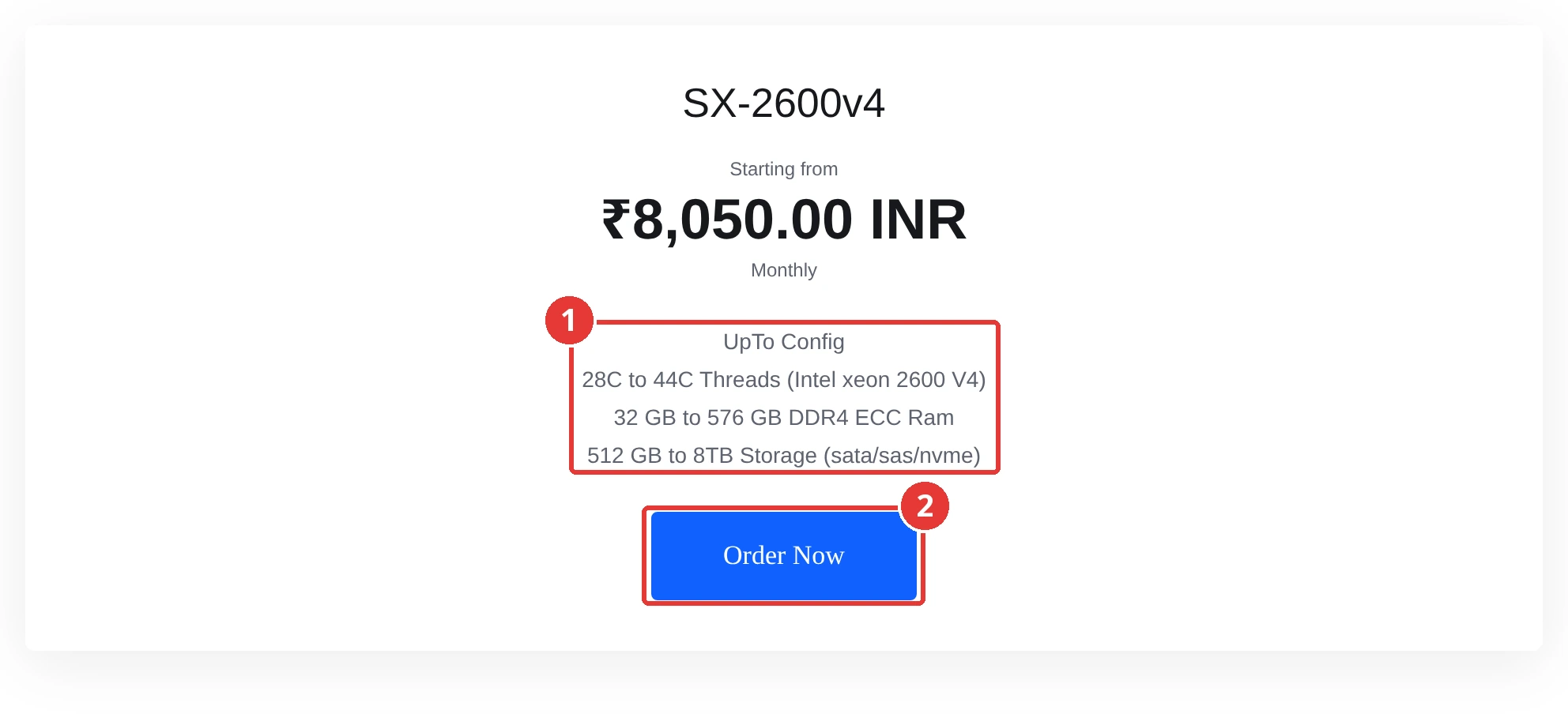
Go to root.shohost.com > Custom Build Server and click Order Now on SX-2600v4.
Step 2: Choose CPUs, RAM, drives and port
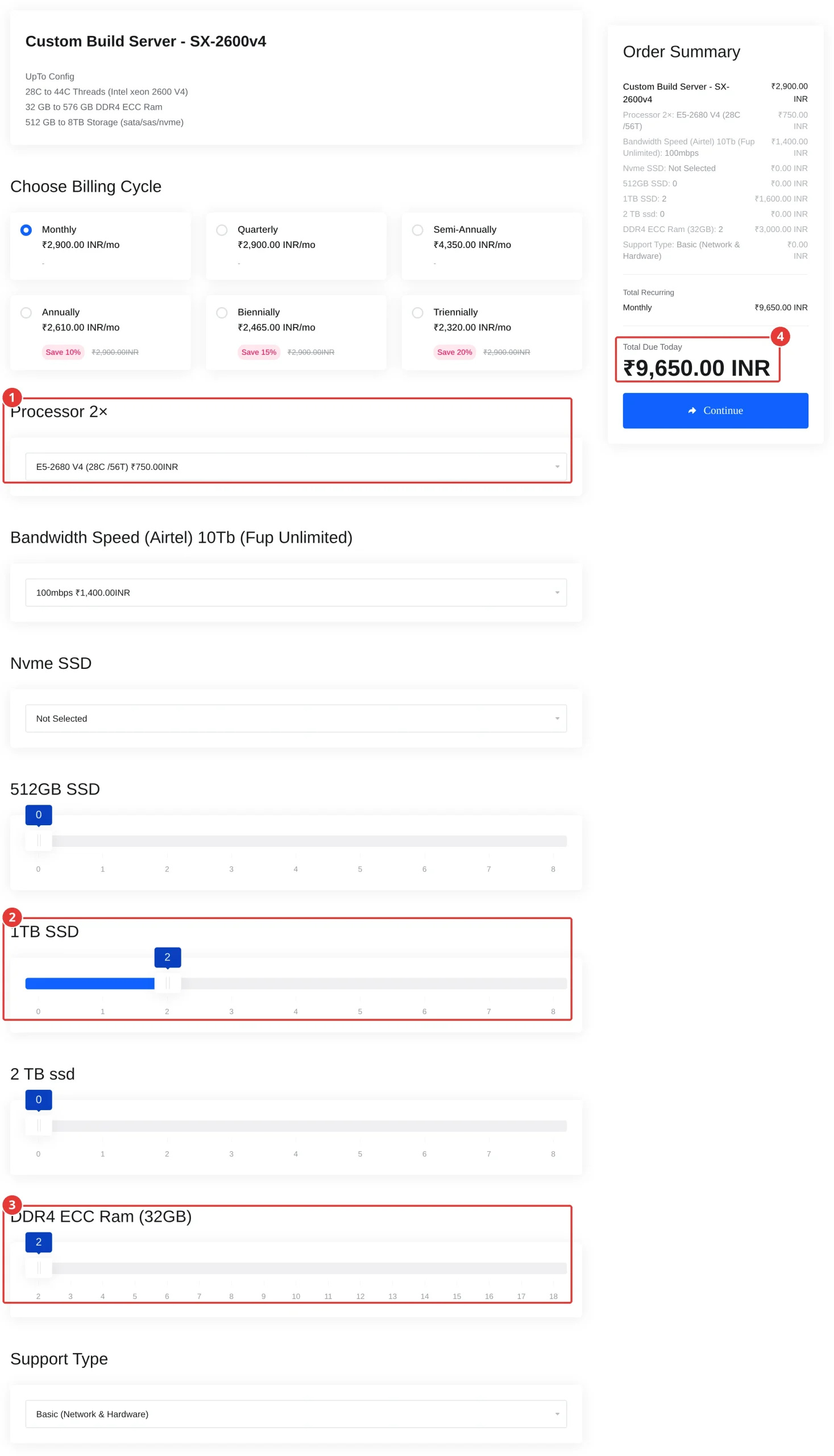
Pick a billing cycle, choose the Processor 2× model, drag the sliders for SSDs and DDR4 ECC Ram (32GB), optionally add an NVMe drive, then set the port speed and Support Type. Expected result: the Order Summary on the right updates with every change. For the web hosting build above (two 1 TB SSDs), it shows Total Due Today ₹9,650.00 INR.
Step 3: Check the cart total
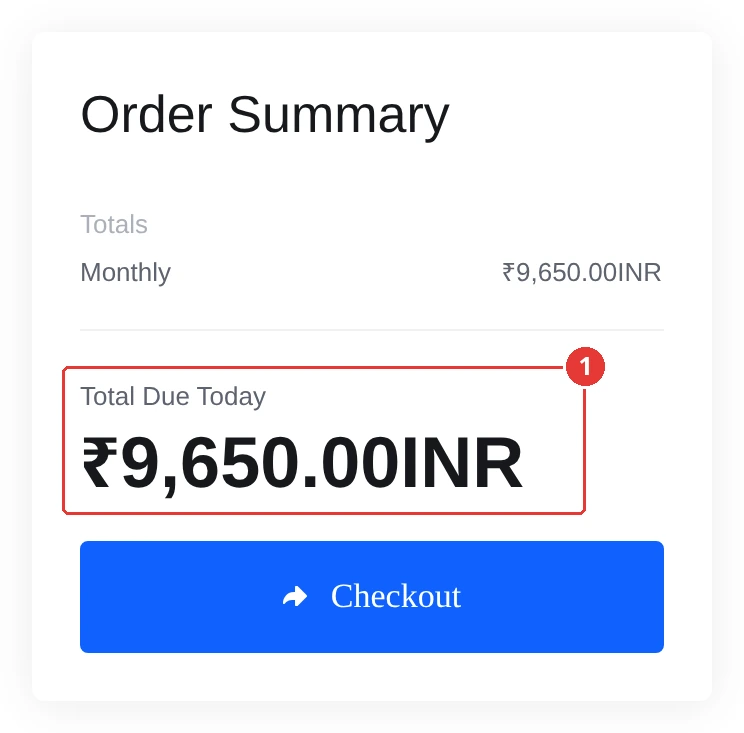
Click Continue. Expected result: the cart shows the same Total Due Today (₹9,650.00 INR for this build). Review it, then check out.
Build your SX-2600v4 custom server
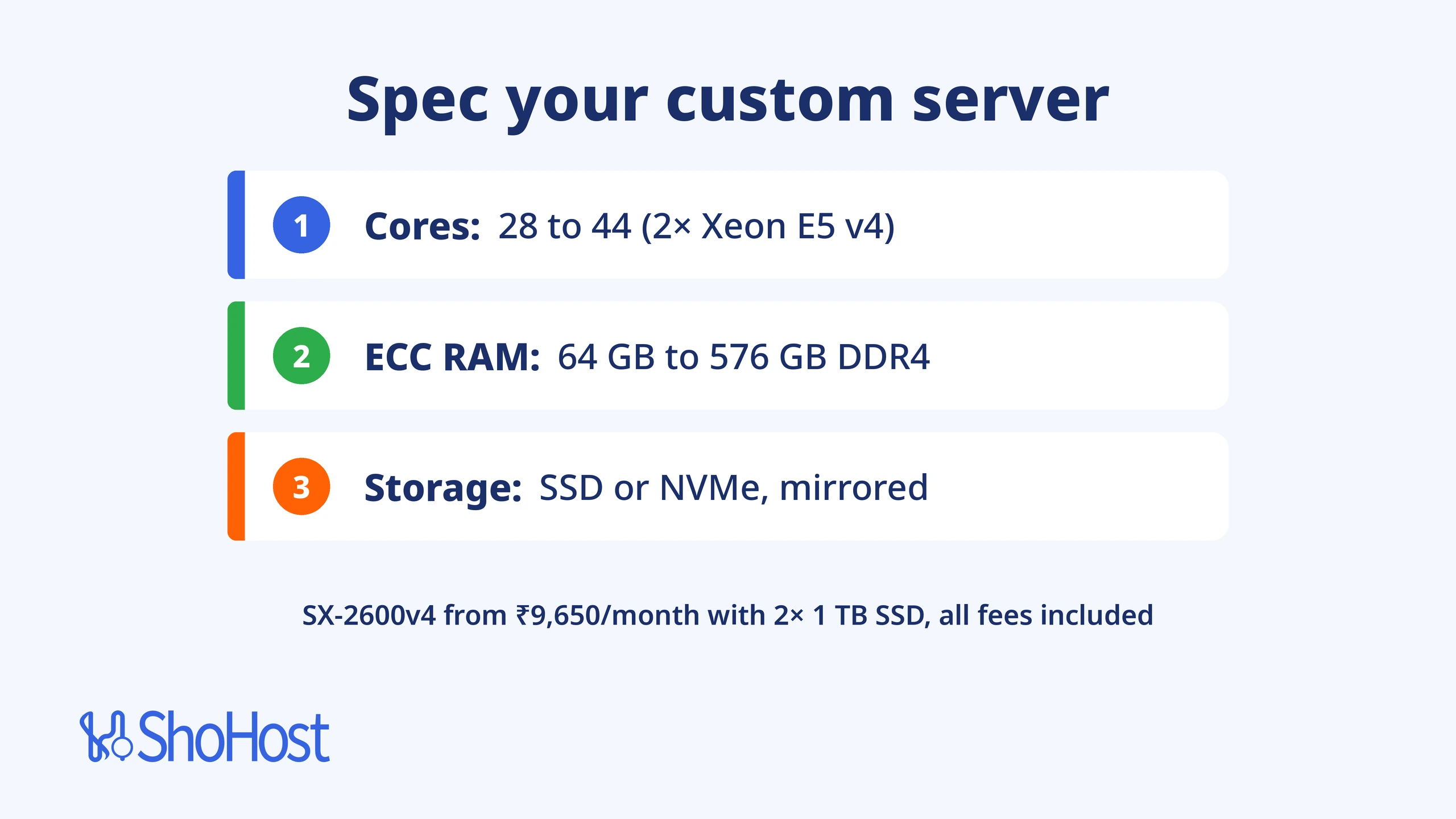
ShoHost SX-2600v4 gives you two Intel Xeon E5 v4 processors (28 to 44 cores), 64 GB to 576 GB of DDR4 ECC RAM, your choice of SSD and NVMe drives, and an Airtel port from 100 Mbps to 1 Gbps. A ready-to-use web hosting build with two 1 TB SSDs is ₹9,650 a month, all fees included. If 12 to 28 cores is enough, the Intel 2xCPU Server plans cost less.
Want a second opinion on your build? WhatsApp support on +91 94880 91432, 9 AM to 12 midnight IST.
FAQ
Do servers need ECC RAM?
Any server that stores data you care about should use ECC RAM, because it fixes single-bit memory errors before they reach your files or database. Google’s field study found a third of its servers had at least one correctable memory error a year. Every SX-2600v4 build uses DDR4 ECC memory.
Is SAS faster than SATA?
Yes. SAS-3 runs at 12 Gb/s and can send and receive at the same time, against 6 Gb/s one way at a time for SATA. In Kioxia’s tests, enterprise SAS SSDs read about twice as fast as SATA SSDs. SAS also supports hardware RAID and dual data paths. For raw speed, though, NVMe beats both.
Is NVMe worth it for a dedicated server?
For databases, VMs and busy game servers, yes. NVMe handles many requests at once with much lower latency than SATA. For the operating system, websites and backups, SSDs are usually enough and cost less per TB.
How many cores does a dedicated server need?
It depends on how many jobs run at once. Web hosting for many sites works well with 16 to 28 cores, a VM host needs the total vCPUs of its VMs plus a few for the host, and game servers care more about clock speed than core count.
Should I use RAID 1 or RAID 10?
RAID 1 mirrors two drives and is enough for most servers. RAID 10 needs four or more drives and adds speed on top of the mirror, which helps busy databases and VM hosts. Neither replaces an offsite backup.