phpMyAdmin Errors: #1045 Access Denied, #1071, Import Too Large
Tested on 12 October 2026 in a ShoHost sandbox with MariaDB 11.8 and PHP 8.4. phpMyAdmin shows the database server’s own error codes, so we reproduced each error with the MariaDB command-line client using test users and tables. phpMyAdmin itself isn’t shown.
phpMyAdmin passes on errors straight from MySQL or MariaDB, prefixed with #. The most common ones on cPanel hosting are #1045 Access denied, #1071 Specified key was too long and imports that are too large. Each has a clear fix.
#1045 and #1044: Access denied
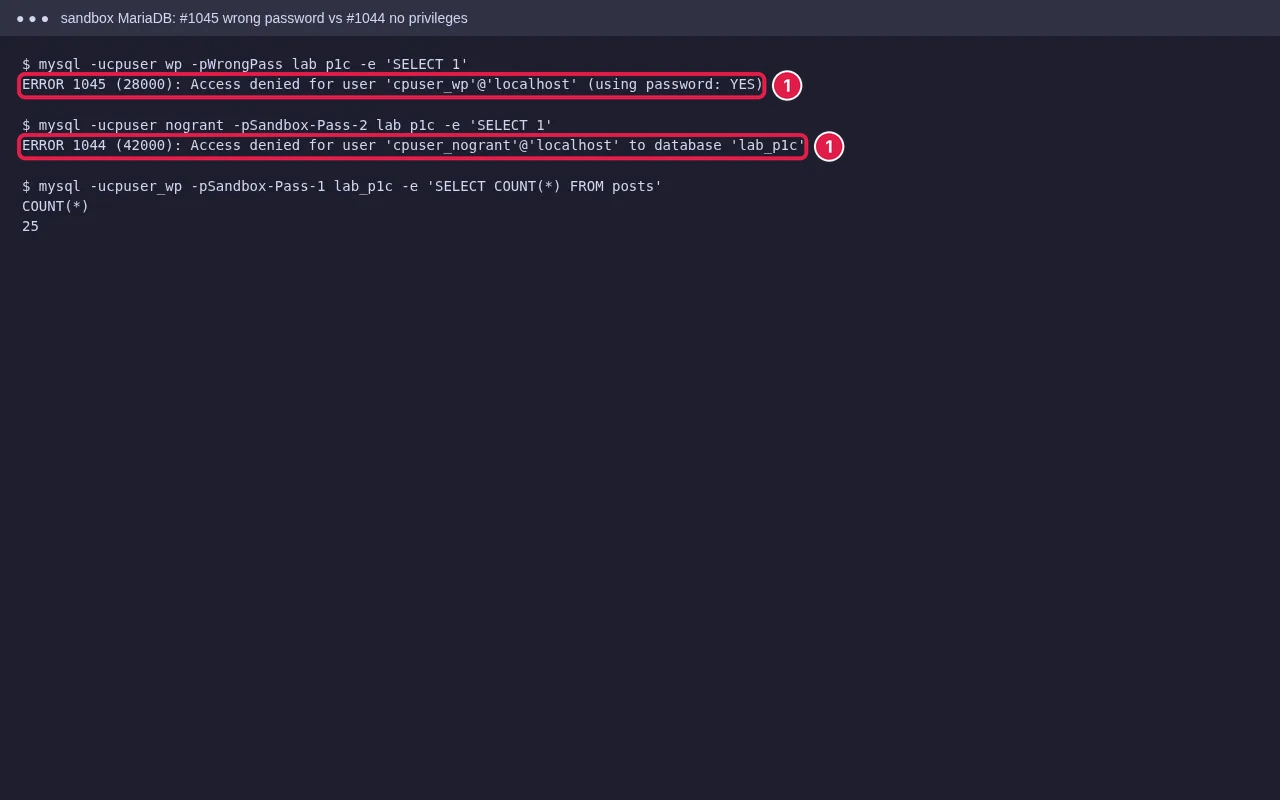
- #1045 … (using password: YES): the database user’s password is wrong. In cPanel open Databases → MySQL Databases, find the user under Current Users, and click Change Password. Update the same password in your app’s config file (
wp-config.php,.env). - #1044 … to database: the password is right but the user has no rights on that database. In MySQL Databases, use Add User To Database and tick ALL PRIVILEGES.
- Opening phpMyAdmin from cPanel logs you in automatically. If you get #1045 there, contact your host.
For a site that can’t connect at all, see our Error Establishing a Database Connection guide.
#1071: Specified key was too long
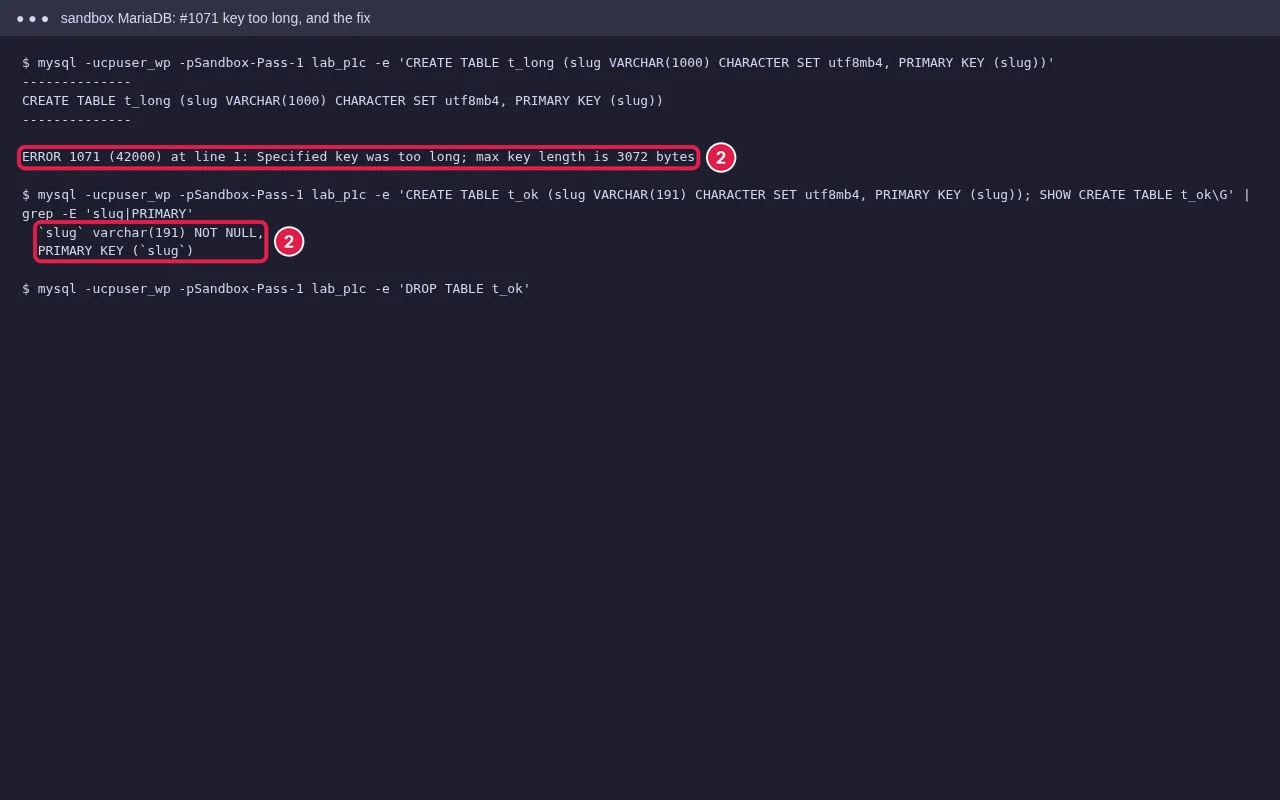
Usually seen when importing a database from a newer server, or installing an app that creates long indexes. With utf8mb4, each character can take 4 bytes, so a long text column in an index goes over the server’s index size limit (3072 bytes in our test; older settings allow only 767). Fixes:
- Shorten the column in the index, for example
VARCHAR(191)instead ofVARCHAR(255)on older servers. - Use a prefix index:
KEY k (slug(191)). - If the dump came from a newer MySQL or MariaDB, ask your host which version you are on; the app may need a newer server.
- For WordPress, this is handled by core; the error usually comes from an old plugin’s table.
Import file too large
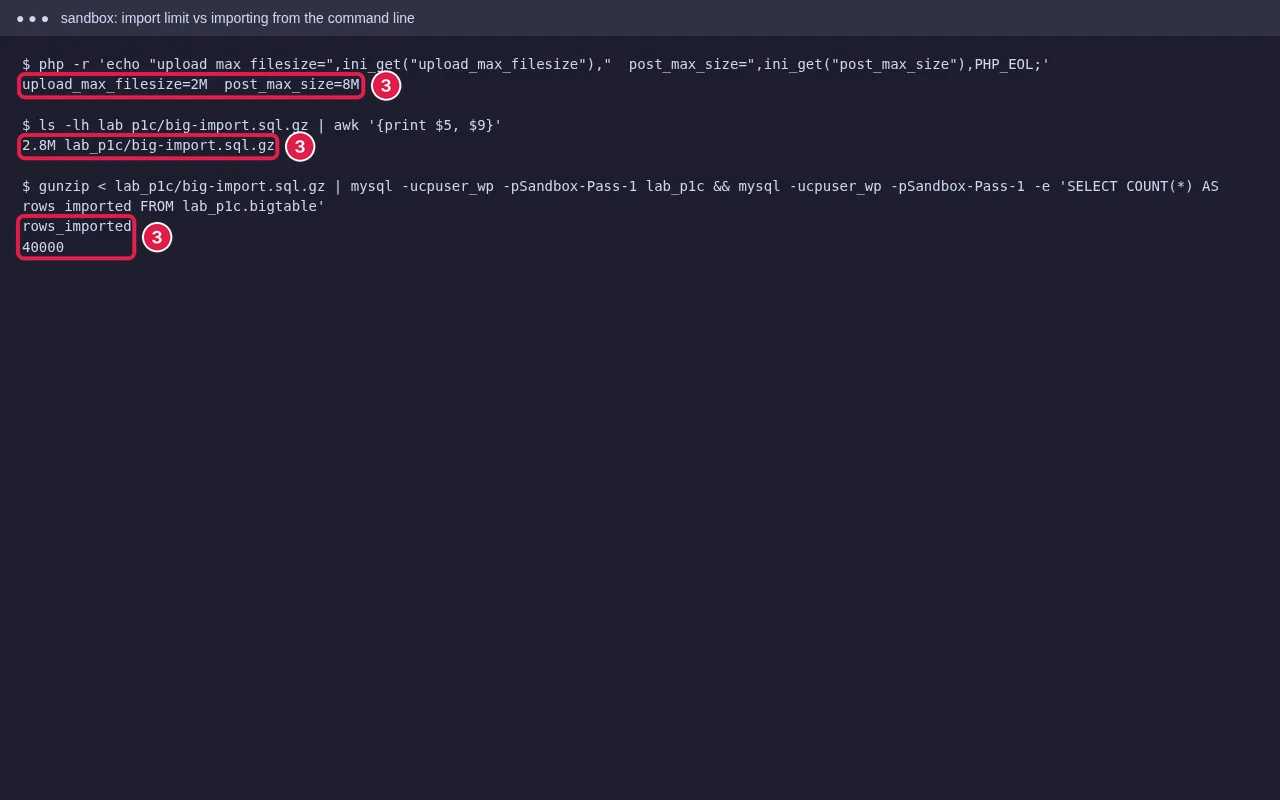
phpMyAdmin uploads the file through PHP, so upload_max_filesize and post_max_size cap it. The import page shows the limit (Max: 2,048KiB and so on). Options:
- Compress the dump to
.sql.gzor.zip. phpMyAdmin imports compressed files and they are much smaller. - Raise the limits in MultiPHP INI Editor or Select PHP Version → Options (see our PHP limits guide).
- Use cPanel’s Backup → Restore a MySQL Database Backup, or Terminal:
gunzip < dump.sql.gz | mysql -u USER -p DBNAME. - Split very large dumps, or ask your host to import it.
Other errors you may see
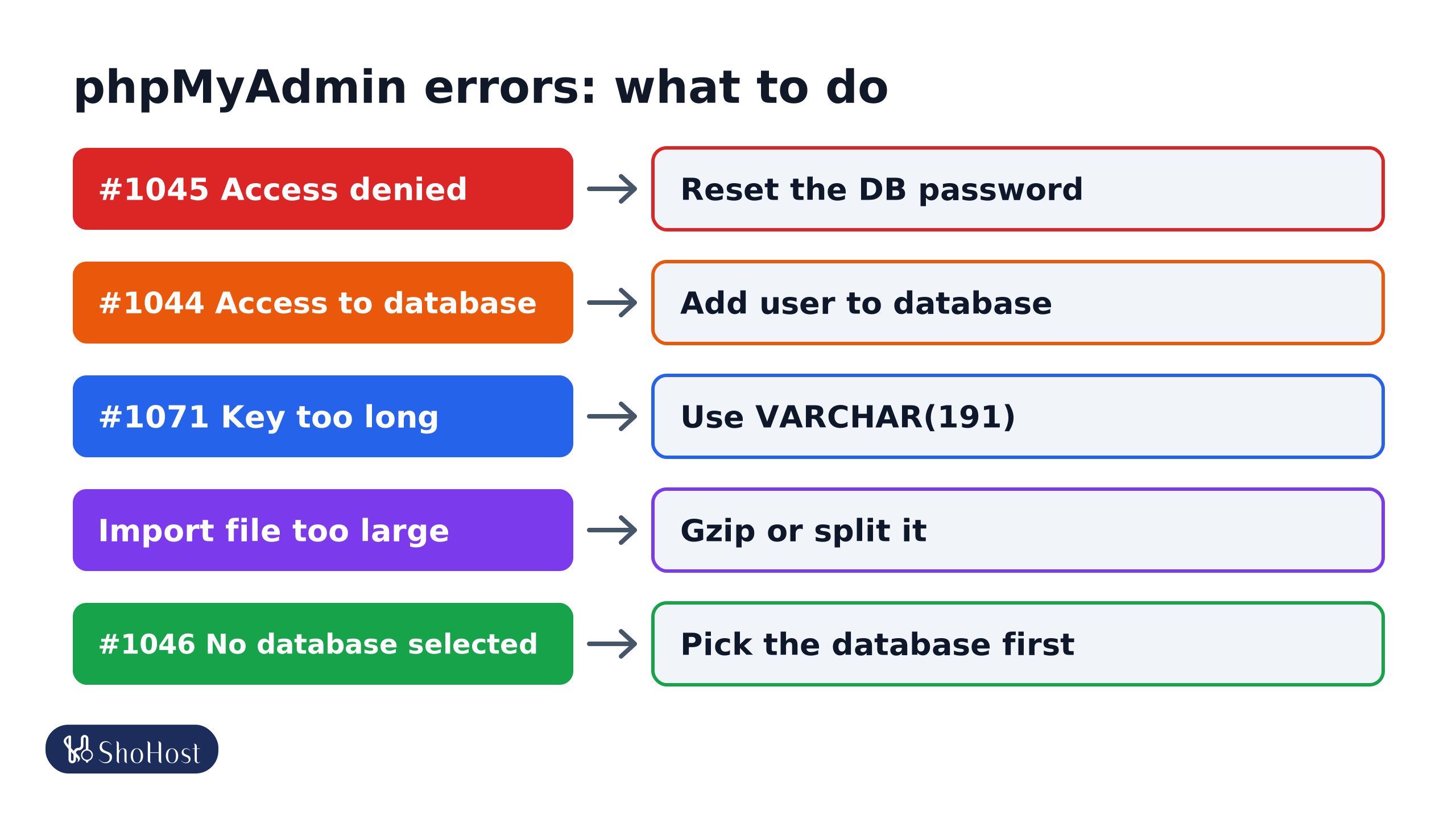
- #1046 No database selected: click the database in the left panel before importing.
- #1050 Table already exists: you are importing into a database that already has those tables. Drop them first, or import into an empty database.
- #1227 Access denied; you need SUPER privilege: the dump contains
DEFINERlines from another server. Remove theDEFINER=…parts and import again.
FAQ
Why does phpMyAdmin time out on a big import?
Large imports can hit PHP’s max_execution_time. Compress the file, or import with the command line or cPanel’s Backup page instead.
Can I change the root MySQL password on shared hosting?
No. Shared hosting gives you database users, not root. Manage them in MySQL Databases.
Is it safe to edit data directly in phpMyAdmin?
Yes, if you export the table first. A wrong edit or delete can’t be undone otherwise.
phpMyAdmin still throwing an error code? If your database is on ShoHost, WhatsApp +91 94880 91432 and we’ll import or fix it with you.