ERR_CONNECTION_TIMED_OUT: Firewall Block, DNS or Server?
Tested on 12 October 2026 from a ShoHost sandbox (Debian, curl). The sandbox’s own network does not allow outgoing mail ports, which gave us a real dropped connection to compare with a refused one. We could not capture Chrome’s error page there because the sandbox network handles unreachable addresses differently from a home connection, so it is not shown.
ERR_CONNECTION_TIMED_OUT means your browser sent a connection request and got no reply at all within its time limit. Nothing said yes or no; the packets were dropped somewhere. That points to a firewall, a wrong IP address, a network block or a server that is down, not to a problem in your website’s code.
Timed out vs refused
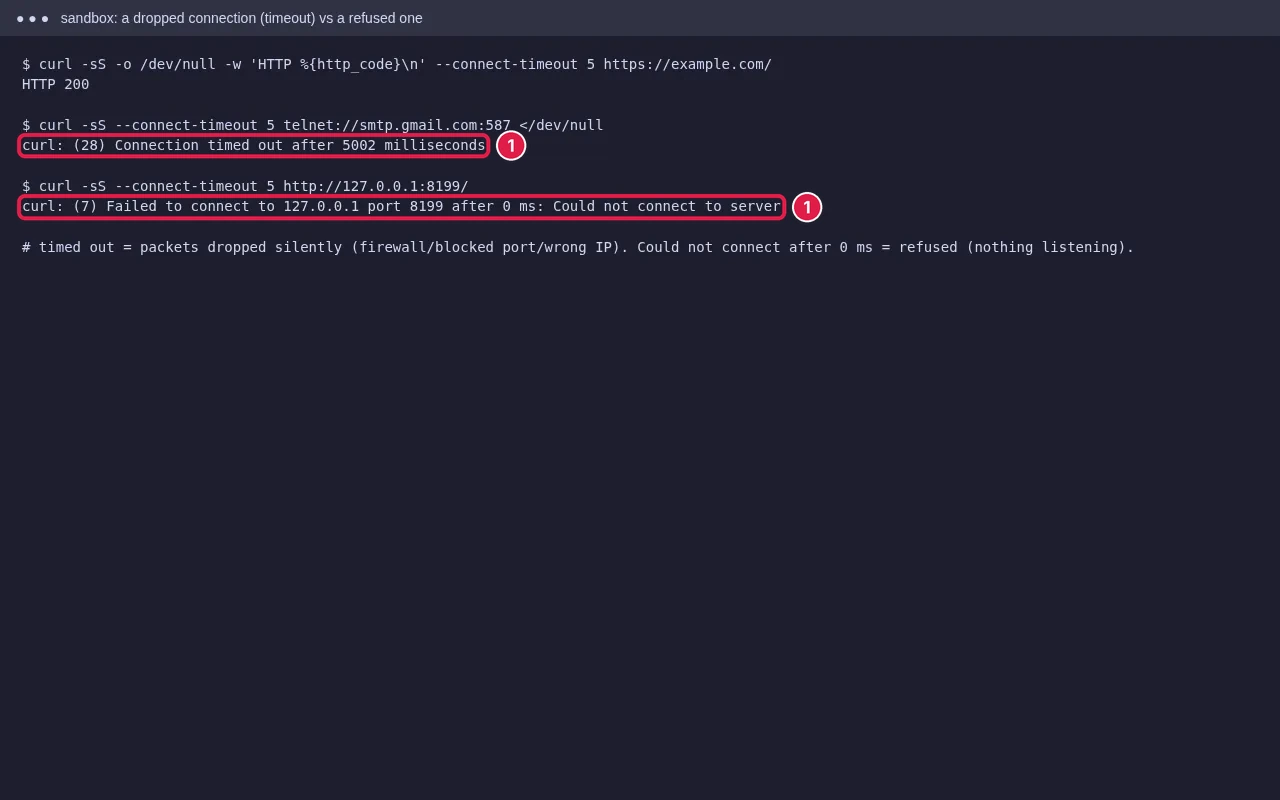
When a server is reachable but nothing is listening, it refuses straight away (ERR_CONNECTION_REFUSED). A timeout means something is silently dropping the traffic. The most common cause on shared hosting: the server firewall has blocked your IP address.
Step 1: Is it just you?
Open the site on mobile data (Wi-Fi off), or ask someone elsewhere to try. If it works there, the site is up and your network or IP is the problem. If it fails everywhere, go to Step 3.
Step 2: If only you are affected, your IP is probably blocked
Hosting servers block IPs after repeated failed logins to cPanel, webmail, FTP, email apps or WordPress. A phone with an old saved email password can trigger this for the whole office, because everyone shares one public IP. Firewalls such as CSF/LFD drop the packets, so you see a timeout rather than an error page.
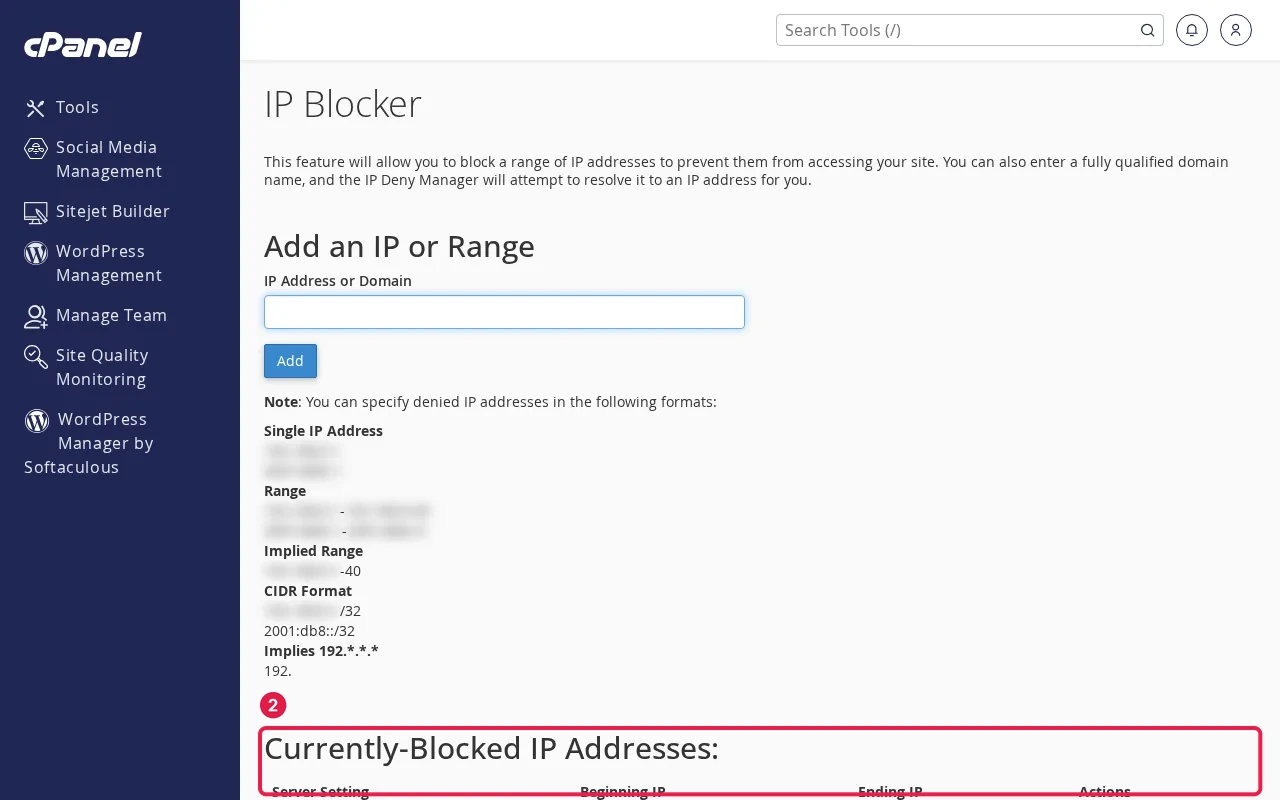
- Search what is my IP from the affected network and note the address.
- Send it to your host and ask them to check the firewall and cPHulk for a block.
- Fix the cause: update saved passwords on every phone and laptop, and remove old email accounts you no longer use.
- Also try without VPN, antivirus web shield or a company proxy, which can block sites or ports themselves.
Step 3: If everyone is affected, check DNS and the server
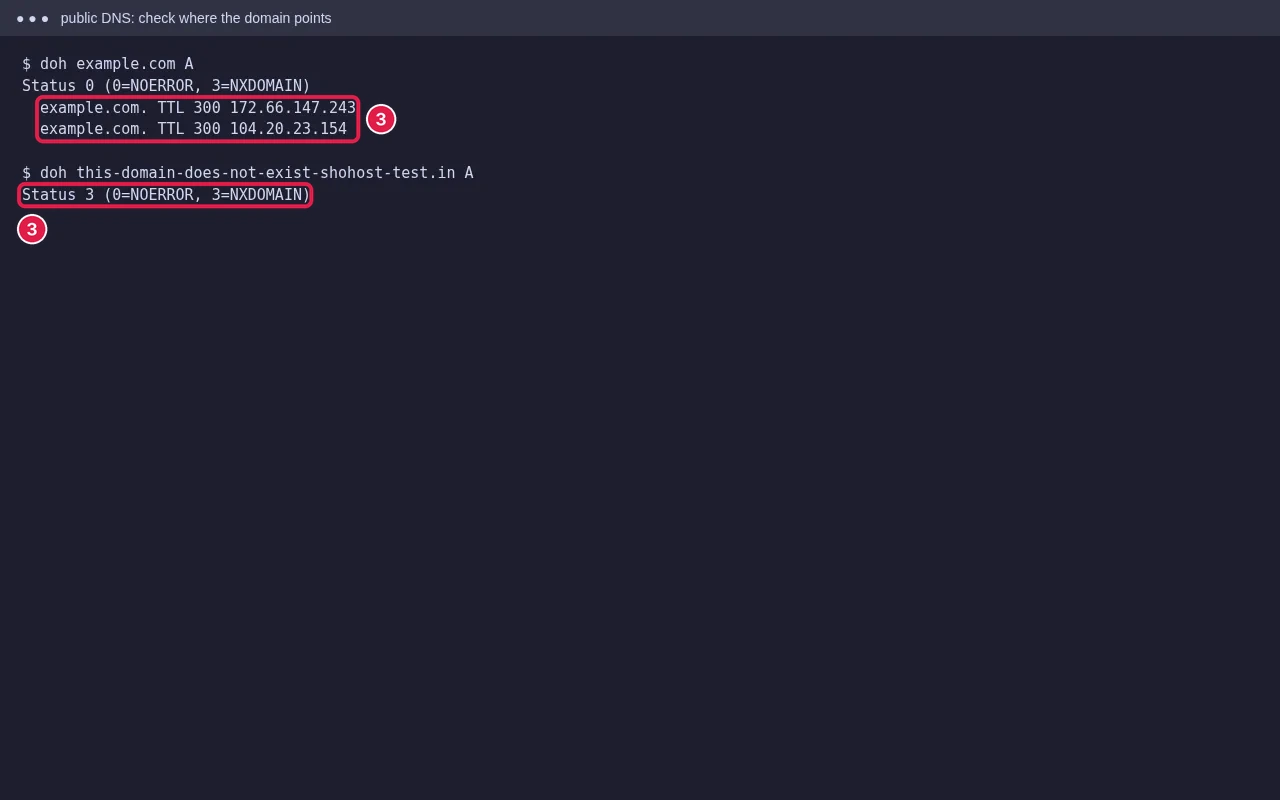
Look up the domain’s A record and compare it with the IP in your hosting welcome email or cPanel’s General Information panel. An old IP after a migration, or a typo in the record, sends everyone to a server that doesn’t answer. If DNS is correct, the server itself or the host’s network may be down. Check the host’s status page or contact support.
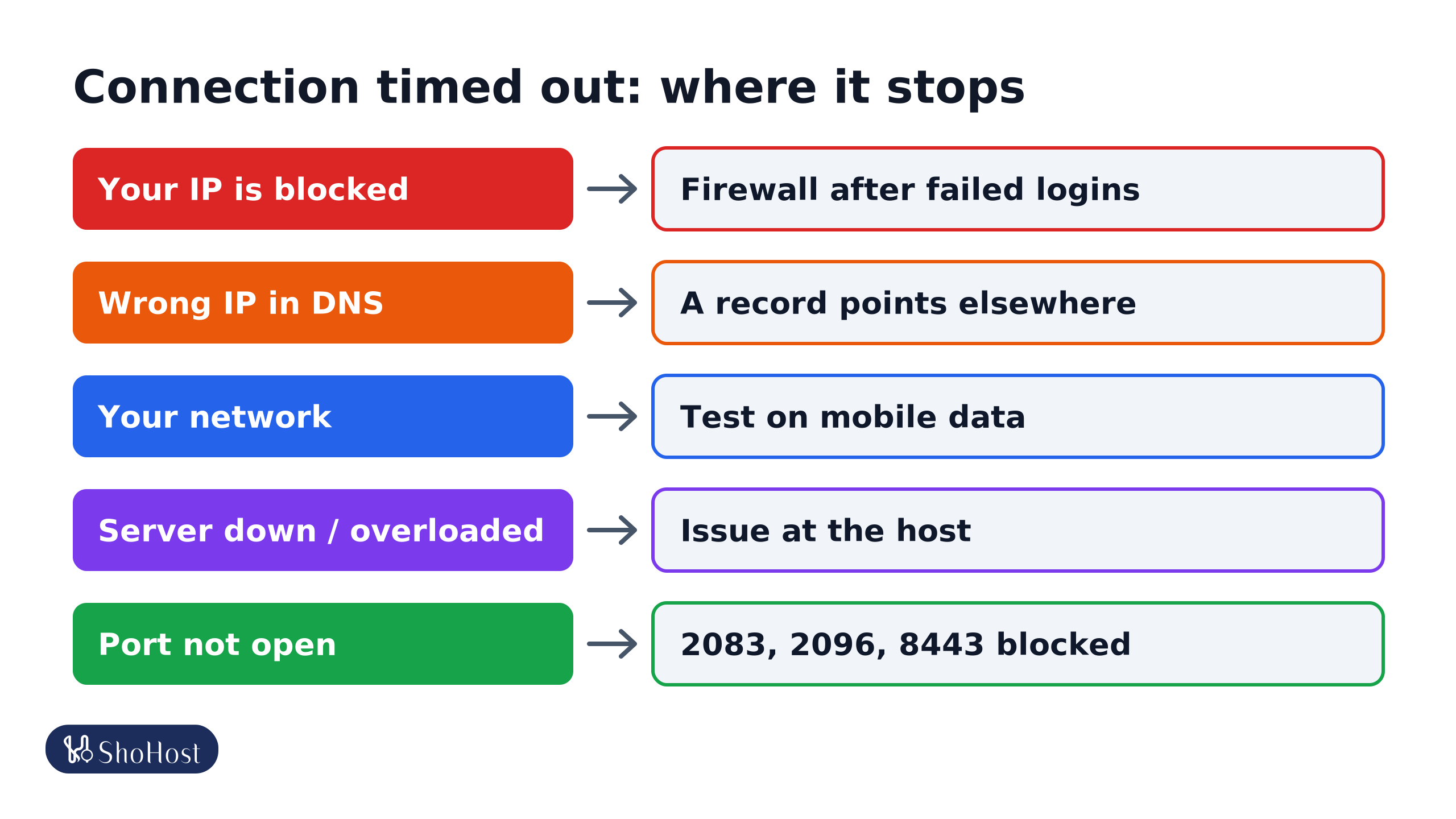
- Your IP is blocked: cPHulk, CSF/LFD or ModSecurity blocked your IP after failed logins. Others can open the site.
- Wrong IP in DNS: the A record points to an old server or a dead IP. Every visitor times out.
- Your network: an office or college firewall, VPN, antivirus or ISP blocks the port. Test on mobile data.
- Server down or overloaded: the server is off, there is a network issue at the host, or a firewall is dropping all traffic.
- Port not open: a custom port (2083, 2096, 8443) is blocked by your network or the server firewall.
Timeouts on cPanel, webmail or a custom port
If the website loads but :2083 (cPanel), :2096 (webmail) or another port times out, your office or college network is probably blocking that port. Try https://yourdomain/cpanel or mobile data.
FAQ
Is ERR_CONNECTION_TIMED_OUT the same as a 504?
No. A 504 is an error page from a proxy that reached something but waited too long. A connection timeout means no connection was made at all, so there is no error page from the site.
Will clearing the browser cache fix it?
Rarely. Flushing the DNS cache can help after a DNS change, but a firewall block or wrong IP needs fixing at the source.
How long does an IP block last?
It depends on the host’s firewall settings. Some blocks expire in minutes, others stay until removed, so it is quicker to ask your host.
If the timeout only happens on your connection and your site is on ShoHost, WhatsApp +91 94880 91432 and we’ll check whether your IP is blocked.