Find and Remove a Hidden Admin User in WordPress
Tested in the ShoHost fix lab on 12 October 2026: WordPress 7.1.3, PHP 8.4, Apache with MariaDB 11.8. Every screenshot below is from that lab, not from a customer site.
Safety note: Every “attack” in this guide was a harmless marker (text strings and example.com links) planted on a throwaway local WordPress install. Nothing here is real malware. Don’t experiment on your live site.
If malware keeps coming back after you clean it, look for a backdoor account. Attackers often add their own administrator, and some even hide it from the Users screen.
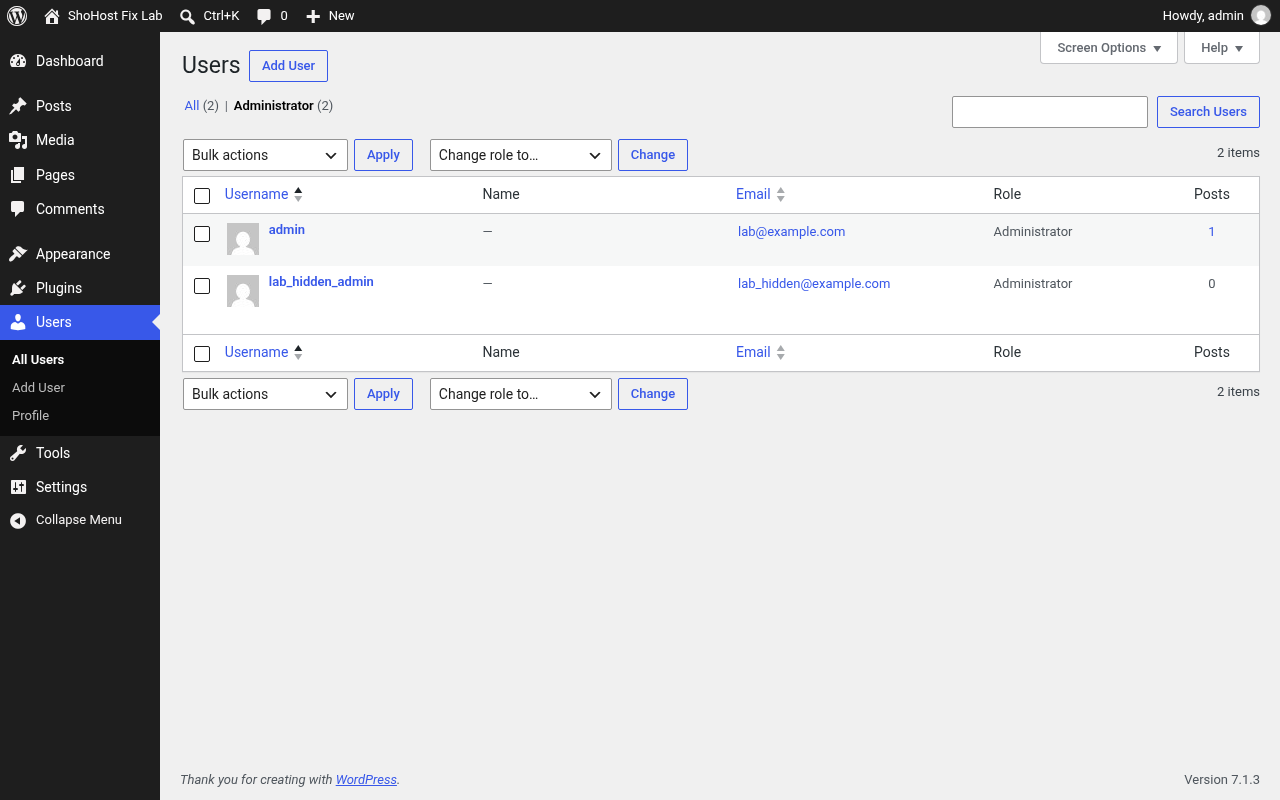
Detect it from the database, not just wp-admin
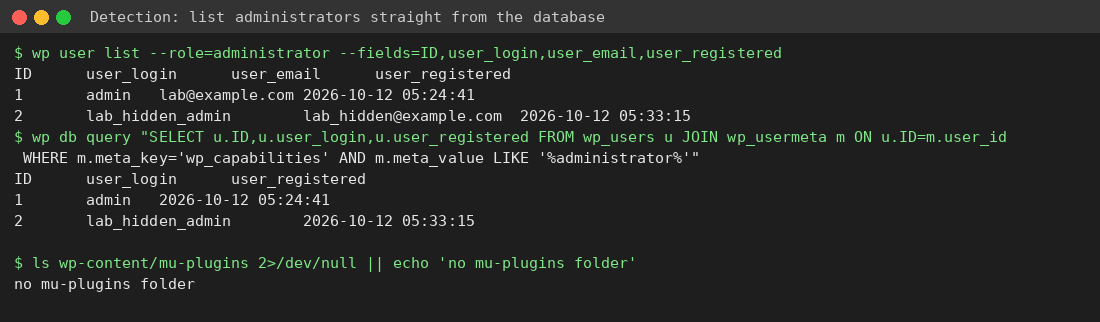
A hidden user won’t show in wp-admin, so check the database directly:
wp user list --role=administrator --fields=ID,user_login,user_email,user_registeredIn phpMyAdmin, join wp_users with wp_usermeta where meta_key = 'wp_capabilities' and the value contains administrator. Compare that count with “Administrator (N)” in wp-admin, and check wp-content/mu-plugins for unknown files.
Remove it and lock things down
wp user delete lab_hidden_admin --reassign=1
wp config shuffle-salts
wp option update users_can_register 0
wp option update default_role subscriber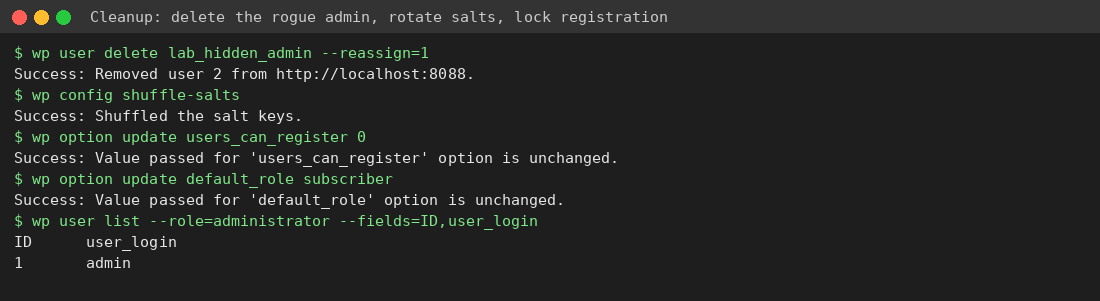
- Reset the passwords of every remaining admin and turn on two-factor login.
- Remove unknown mu-plugins and plugin files, then run the full hacked site checklist.
- Install an activity log plugin that alerts you when a new administrator is created.
Need a hand?
Not sure your cleanup is complete? If you host with ShoHost, contact support on WhatsApp (+91 94880 91432) or at [email protected] before you change anything else. Moving a site you’ve just cleaned? ShoHost WordPress hosting includes free SSL and free migration.