AutoSSL Failed in cPanel: DCV Errors, CAA and Fixes
Tested on 12 October 2026. cPanel’s AutoSSL can’t run outside a licensed cPanel server, so we reproduced the part that most often fails, HTTP domain control validation (DCV), in a ShoHost sandbox (Apache 2.4 on Debian): we placed a validation file the way AutoSSL does and blocked it with a common .htaccess rule. The cPanel SSL/TLS Status screens aren’t shown because we could not capture them in the sandbox. The CAA lookups are real public DNS answers. Every screenshot below is from that sandbox or from a public DNS lookup, not from a customer site.
AutoSSL failed in cPanel almost always means one thing: the certificate authority couldn’t confirm that you control the domain. That check is called domain control validation (DCV). AutoSSL places a small file under /.well-known/pki-validation/ (or /.well-known/acme-challenge/ for Let’s Encrypt) and the CA fetches it over HTTP. If DNS, a redirect, a firewall or a CAA record gets in the way, validation fails and the domain stays without a certificate.
Step 1: Read the AutoSSL log
In cPanel open Security → SSL/TLS Status. Domains with problems show a red or yellow icon and a short reason. Click View log (or check the latest AutoSSL run) for the full message. The usual ones are:
- The domain resolved to an IP address that does not exist on this server: DNS points elsewhere.
- The system queried for a temporary file at … but the web server responded with the following error: 403 / 404 / redirect: the validation file is blocked.
- CAA records forbid the authority from issuing certificates.
- DCV error … no local authority or failures only on
mail.,webmail.,cpanel.: those subdomains have no DNS record.
Step 2: Make sure DNS points to this server
Every name on the certificate (the domain, www, and any subdomain) must resolve to your cPanel server’s IP. Check both the A and AAAA records. An old AAAA (IPv6) record that points to a previous host is a quiet cause: the CA may test over IPv6 and reach the wrong server. If the domain sits behind a CDN proxy, the CA may reach the CDN instead; pause the proxy for that hostname or use the CDN’s own certificate.
Step 3: Let the validation file through
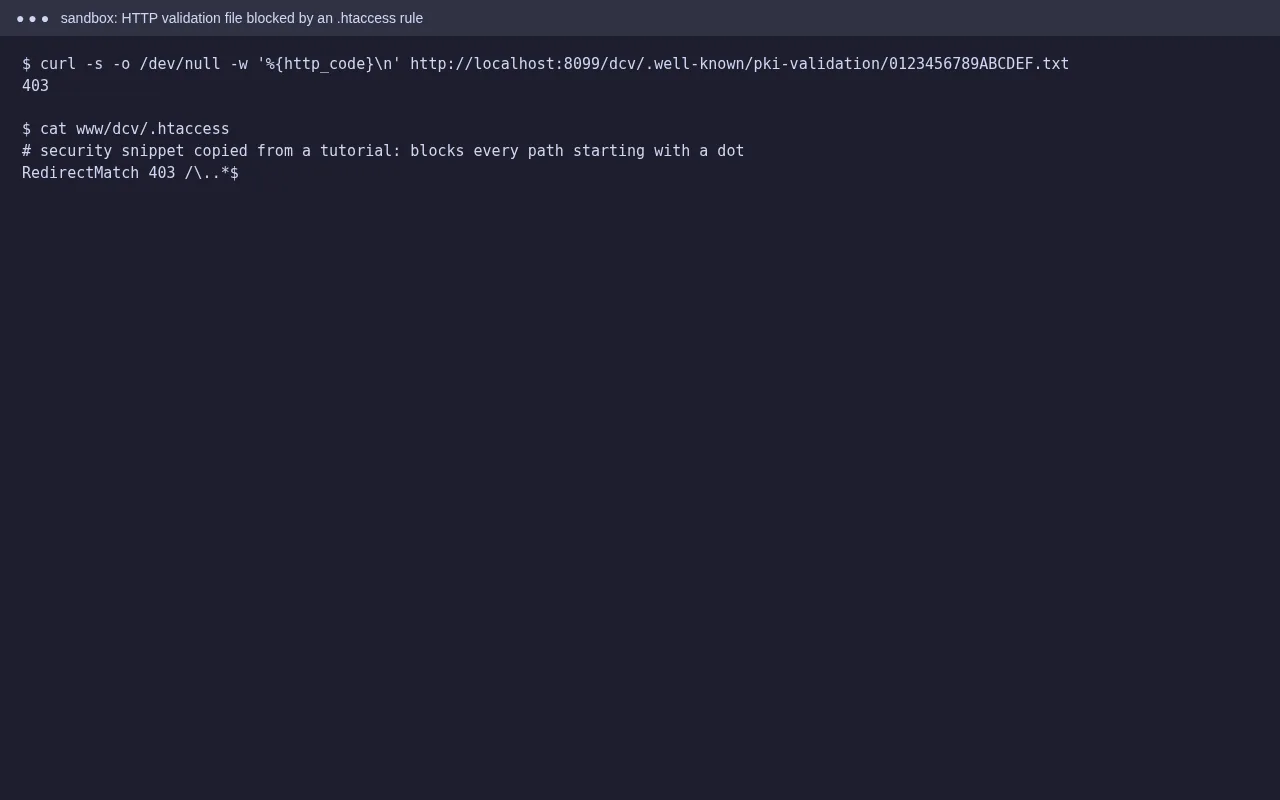
We added this rule to block hidden files such as .env and .git. It works, but it also blocks /.well-known/, so a CA would get 403 and AutoSSL would fail. The fix is an exception:
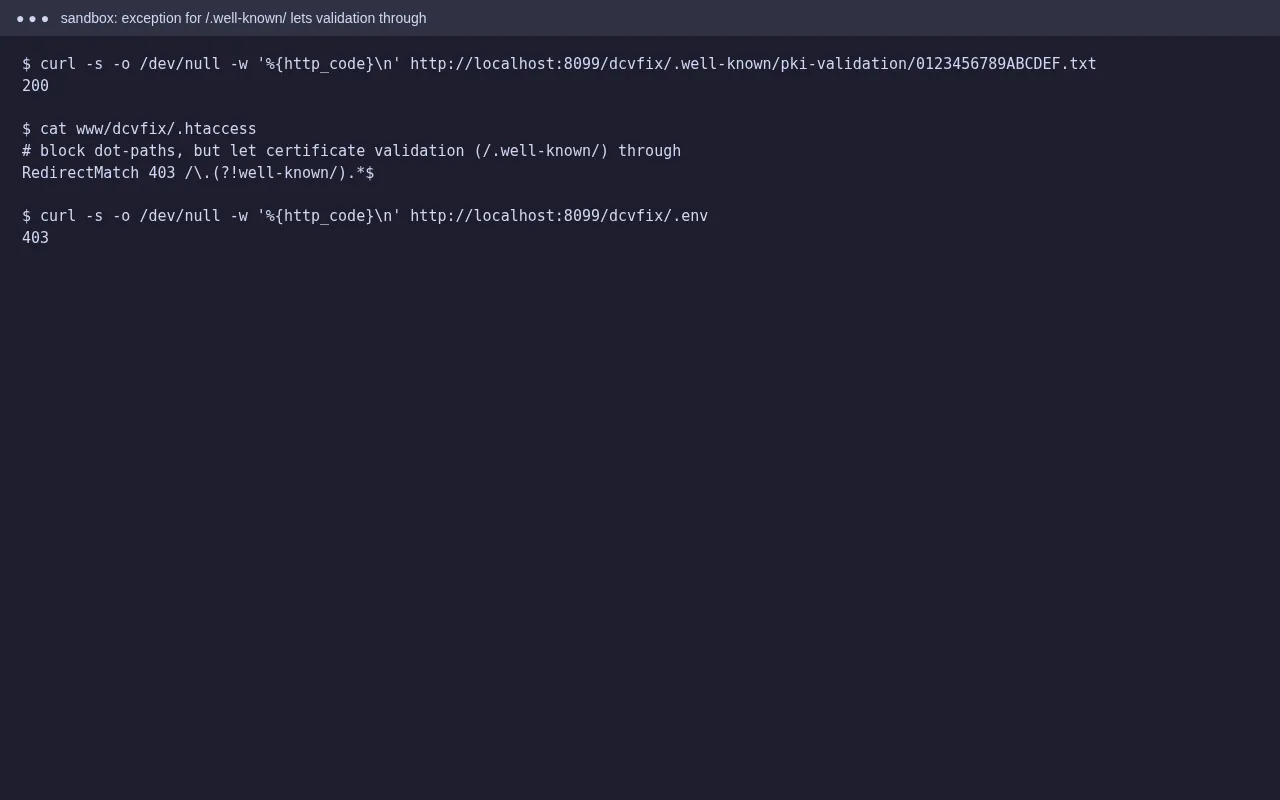
Other things that block the file: a rule forcing every request to index.php, an HTTP-to-HTTPS redirect that lands on a broken HTTPS site, password protection on the whole folder, a security plugin or geo-block that denies the CA’s servers, and maintenance-mode pages. Test it yourself by creating a file at public_html/.well-known/pki-validation/test.txt and opening http://yourdomain/.well-known/pki-validation/test.txt. It should load as plain text with no redirect loop and no login prompt.
Step 4: Check CAA records
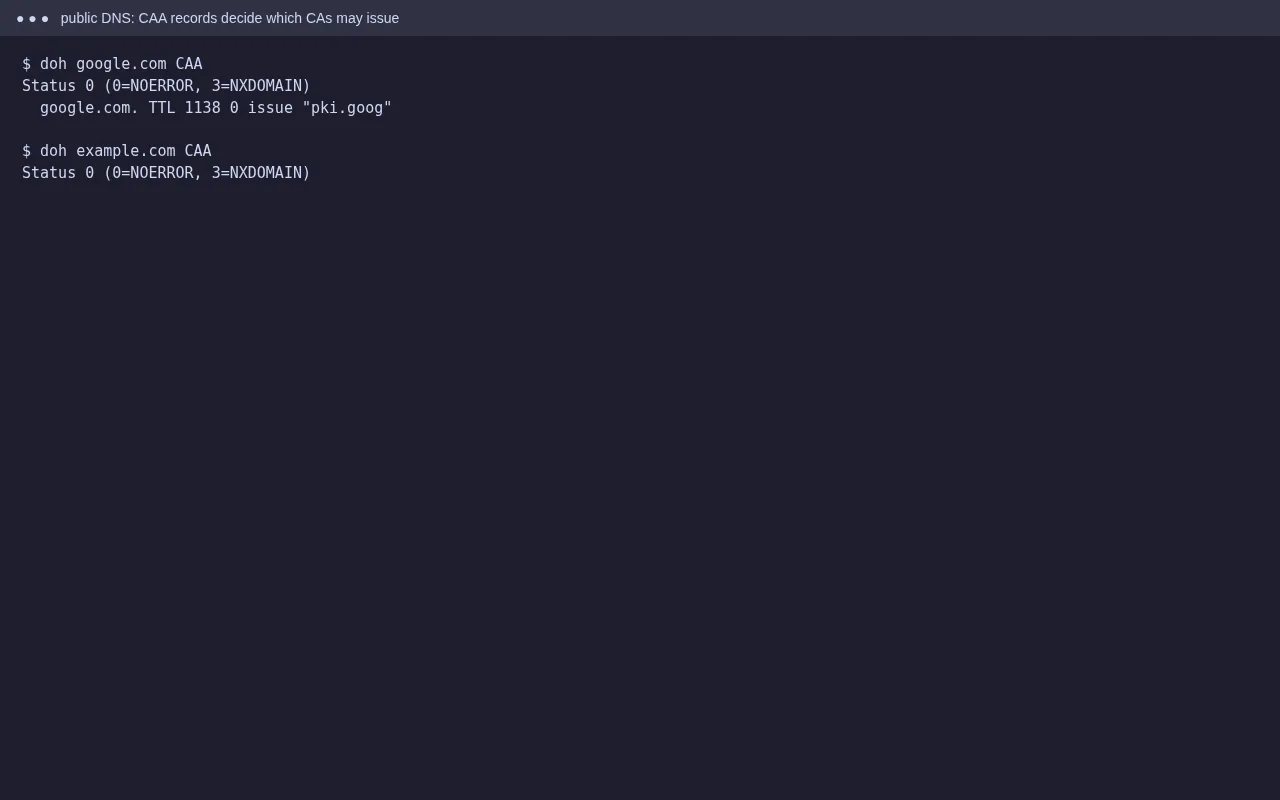
If your domain has CAA records, they must include the CA that your host’s AutoSSL uses. cPanel’s default AutoSSL provider is Sectigo (sectigo.com; older records may use comodoca.com). Some hosts use Let’s Encrypt (letsencrypt.org). Ask your host which one if you’re not sure. Add a CAA issue record for it in Zone Editor, or remove CAA records you don’t need.
Step 5: Exclude unused names and run AutoSSL again
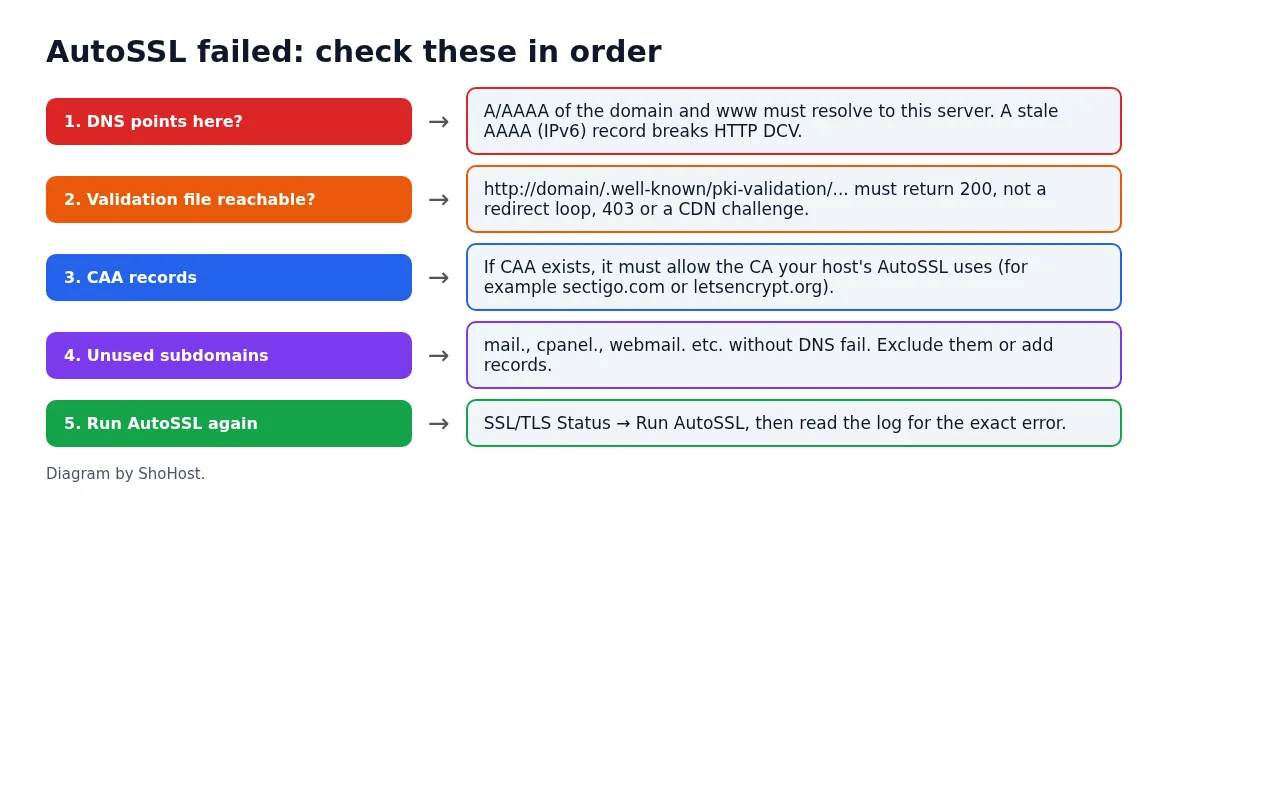
If AutoSSL fails only on names you don’t use (for example autodiscover. or cpcontacts.), untick them in SSL/TLS Status and choose Exclude from AutoSSL, or add DNS records for them. Then click Run AutoSSL and check the log again. Some CAs limit how often they’ll retry, so fix everything first instead of running it many times.
FAQ
How long does AutoSSL take?
A manual run usually finishes in a few minutes. After a DNS change, wait until the new records show on public resolvers before running it again.
My domain uses Cloudflare. Will AutoSSL work?
With the orange-cloud proxy on, the CA may reach Cloudflare instead of your server. Either use Cloudflare’s own certificate with an origin certificate on the server, or turn off the proxy for the hostnames while AutoSSL validates.
AutoSSL worked before. Why did renewal fail?
Something changed since the first certificate: DNS moved, a new .htaccess rule, a security plugin, a CAA record, or the domain now sits behind a CDN. The log names the cause.
Need a hand?
Want someone to do this for you? If your site is on ShoHost, message our support team on WhatsApp at +91 94880 91432 or email [email protected] and we’ll read the AutoSSL log with you. Hosting somewhere else and running into SSL renewals failing often? ShoHost WordPress hosting runs on LiteSpeed servers with NVMe storage and free SSL, and includes free migration.