Why My Emails Go to Gmail Spam: SPF, DKIM, DMARC for cPanel
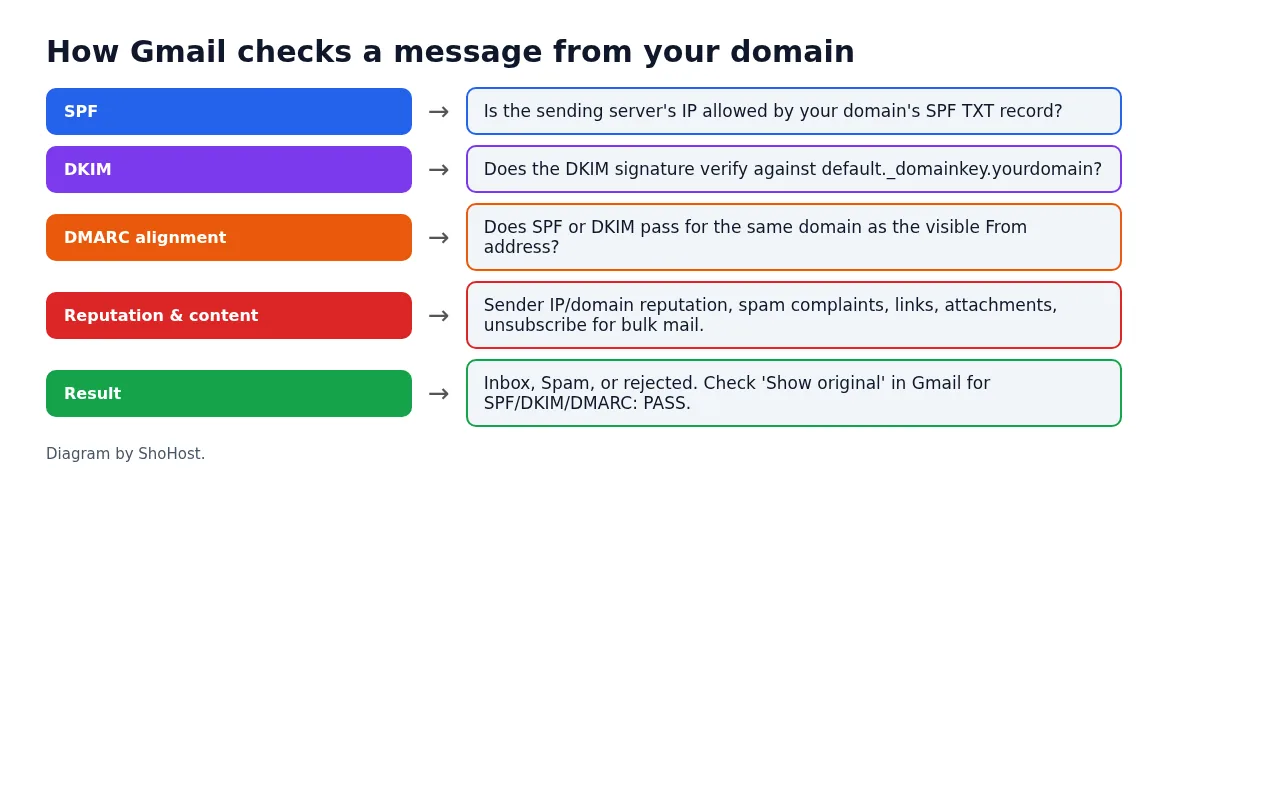
Written and checked on 12 October 2026. We looked up real SPF and DMARC records with Google Public DNS; the other images are diagrams. We did not send test mail to Gmail from the sandbox, so there is no Gmail inbox screenshot here. Every screenshot below is from that sandbox or from a public DNS lookup, not from a customer site.
When your emails keep landing in Gmail’s spam folder, the cause is usually one of two things: Gmail can’t verify that the mail really comes from your domain, or it doesn’t trust the server or content. Since Google’s sender rules took effect in 2024, mail that doesn’t authenticate is much more likely to go to spam or be rejected. The good news is that authentication is something you can fix in cPanel in a few minutes.
Step 1: See what Gmail decided
Send a test from your domain to a Gmail address. In Gmail, open it, click the three dots → Show original. The top of the page shows SPF, DKIM and DMARC with PASS, FAIL or NEUTRAL. Any FAIL, or a missing line, is your first job.
Step 2: Fix authentication in cPanel
Open cPanel → Email → Email Deliverability. For each domain it checks DKIM, SPF and the reverse DNS (PTR). If it shows problems, click Manage, then Repair (when the DNS is in cPanel) or copy the suggested records to wherever your DNS is hosted. Then add DMARC. Our SPF, DKIM and DMARC setup guide covers each record.
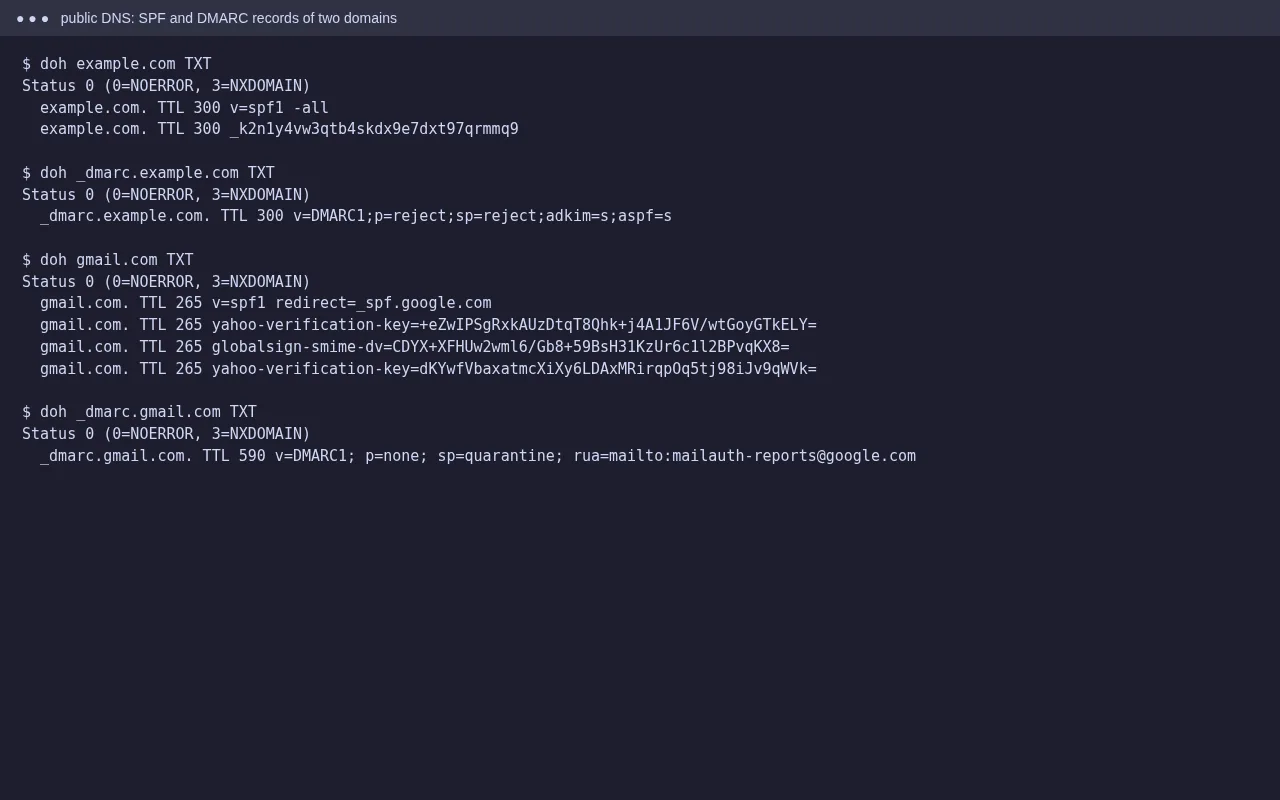
Two rules catch people out. A domain must have only one SPF record; merge them if you have two. And SPF must list every service that sends as your domain: your cPanel server, Google Workspace or Microsoft 365, and any newsletter or invoice tool.
Step 3: Check the common non-DNS causes
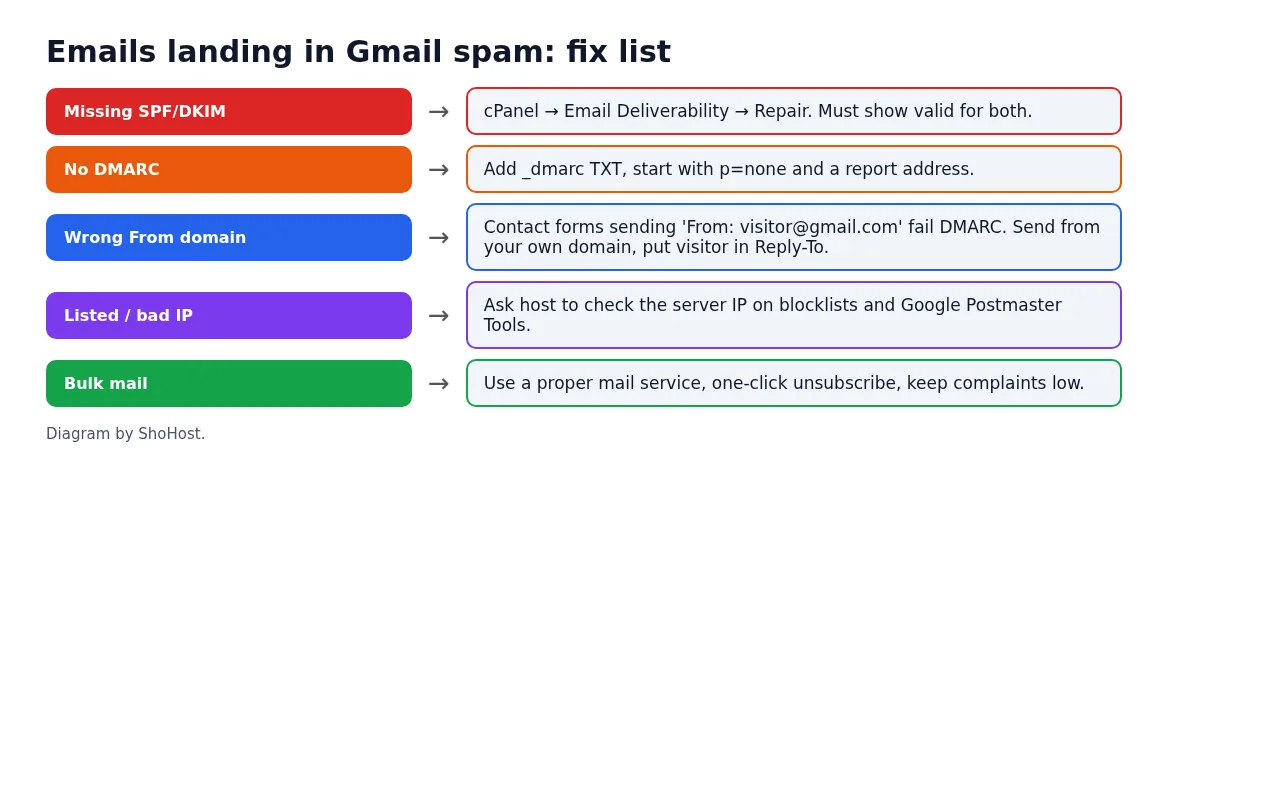
- Contact forms that fake the From address. A form that sends From: [email protected] through your server fails DMARC every time. Send from an address on your own domain and put the visitor’s address in Reply-To. On WordPress, an SMTP plugin that logs in to a real mailbox helps.
- Server IP reputation. On shared hosting, other accounts share the outgoing IP. Ask your host whether the IP is on a blocklist.
- Bulk mail from the hosting server. Newsletters belong on a proper email service. Google requires bulk senders to have SPF, DKIM and DMARC, one-click unsubscribe, and a low spam complaint rate.
- Content. Link shorteners, image-only emails, mismatched link text and attachments that look like invoices all count against you.
Step 4: Watch it over time
Register your domain in Google Postmaster Tools to see domain reputation and spam rate once you send enough mail. Ask recipients to mark your mail as Not spam; that does help over time.
FAQ
Why does mail reach Outlook but go to spam in Gmail?
Each provider scores mail differently. Gmail leans heavily on authentication and domain reputation, so a missing DKIM or DMARC record often shows up there first.
I fixed SPF and DKIM. Why is it still in spam?
Reputation takes time to recover, and content still counts. Check Show original: if all three PASS, look at the content, the From address and how many people mark your mail as spam.
Do I need DMARC for a small business?
Google requires DMARC for bulk senders, and it’s good practice for everyone. A record with p=none is a safe start and doesn’t block anything.
Need a hand?
Want someone to do this for you? If your site is on ShoHost, message our support team on WhatsApp at +91 94880 91432 or email [email protected] and we’ll check your mail records with you. Hosting somewhere else and running into email going to spam often? ShoHost WordPress hosting runs on LiteSpeed servers with NVMe storage and free SSL, and includes free migration.