
DNS Propagation: How Long It Really Takes and How to Check
Tested on 12 October 2026: we looked up the same record (example.com A) at Google Public DNS and Cloudflare DNS over HTTPS and captured the real answers. Every screenshot below is from that sandbox or from a public DNS lookup, not from a customer site.
DNS propagation is the delay between changing a DNS record and everyone seeing the new value. Nothing is actually pushed around the internet. Your nameserver has the new value straight away, but DNS resolvers (at ISPs, Google, Cloudflare, offices) keep a cached copy of the old answer until its TTL (time to live, in seconds) runs out.
What it looks like in practice
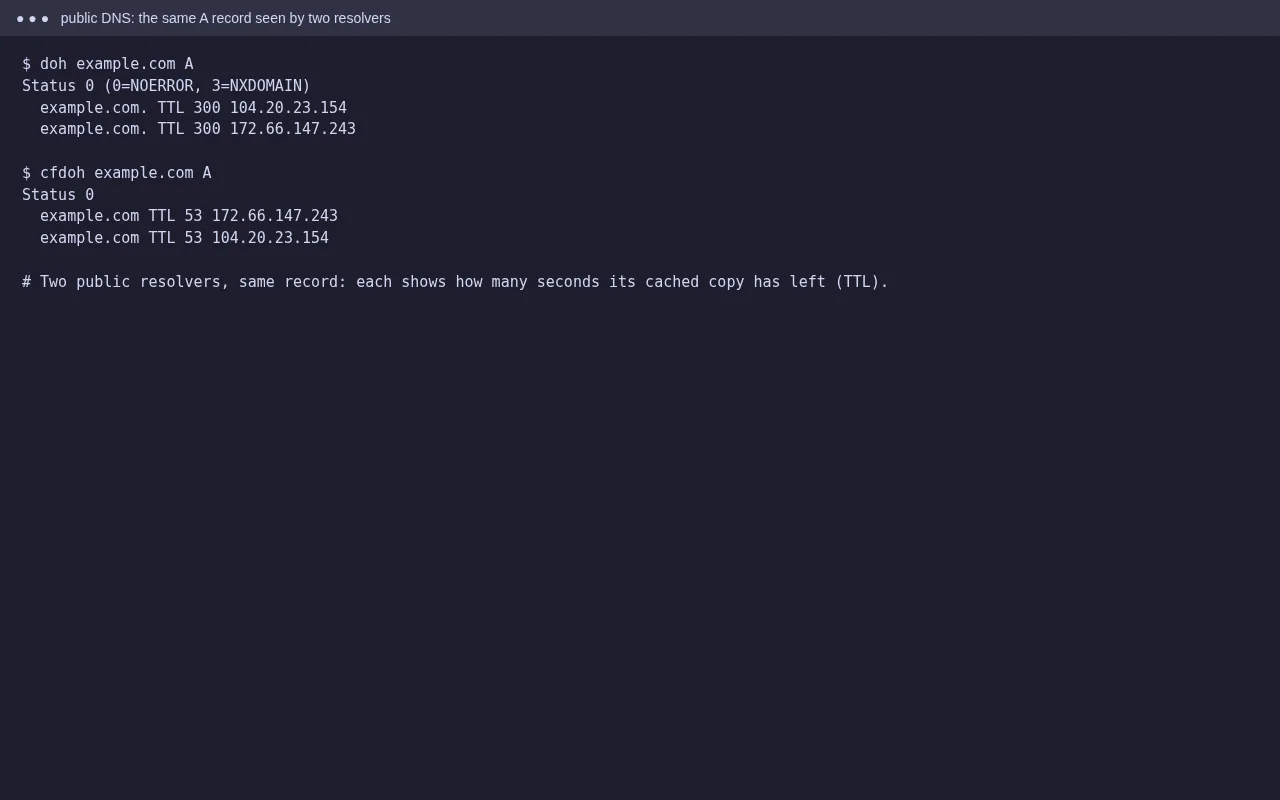
Both resolvers returned the same IPs, but one had a TTL of 300 seconds left and the other far less. Each resolver fetched the record at a different moment, so each will refresh at a different moment. After a change, one person sees the new site while another still sees the old one. That’s normal.
How long it really takes
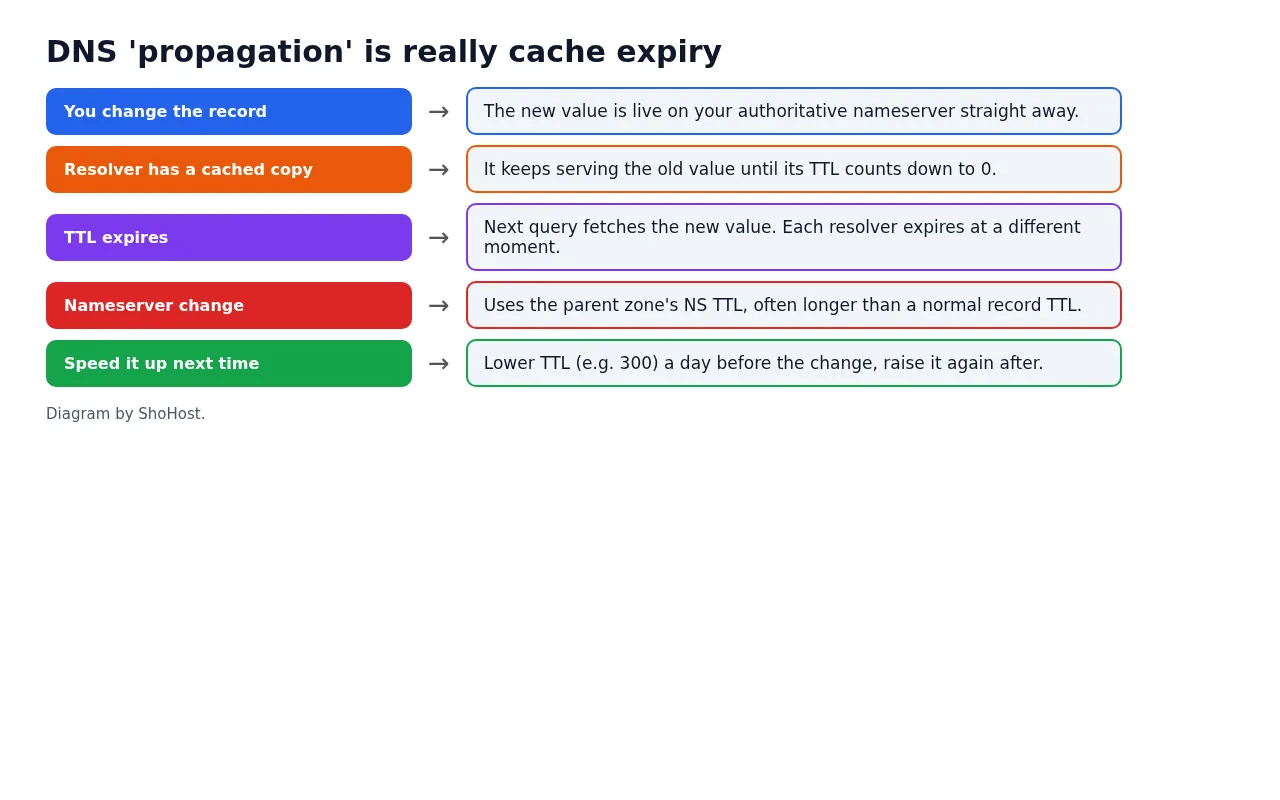
- Changing a record (A, CNAME, MX, TXT): up to the old record’s TTL. With a TTL of 300 that’s about five minutes; with 14400 it’s about four hours.
- Changing nameservers: depends on the NS TTL at the registry level and at resolvers, often several hours, sometimes up to a day or two.
- Negative answers: if a name didn’t exist and someone looked it up, the “doesn’t exist” answer is cached too, for a time set in the zone’s SOA record.
- Some ISP resolvers keep answers longer than the TTL. You can’t control those; wait it out.
How to check
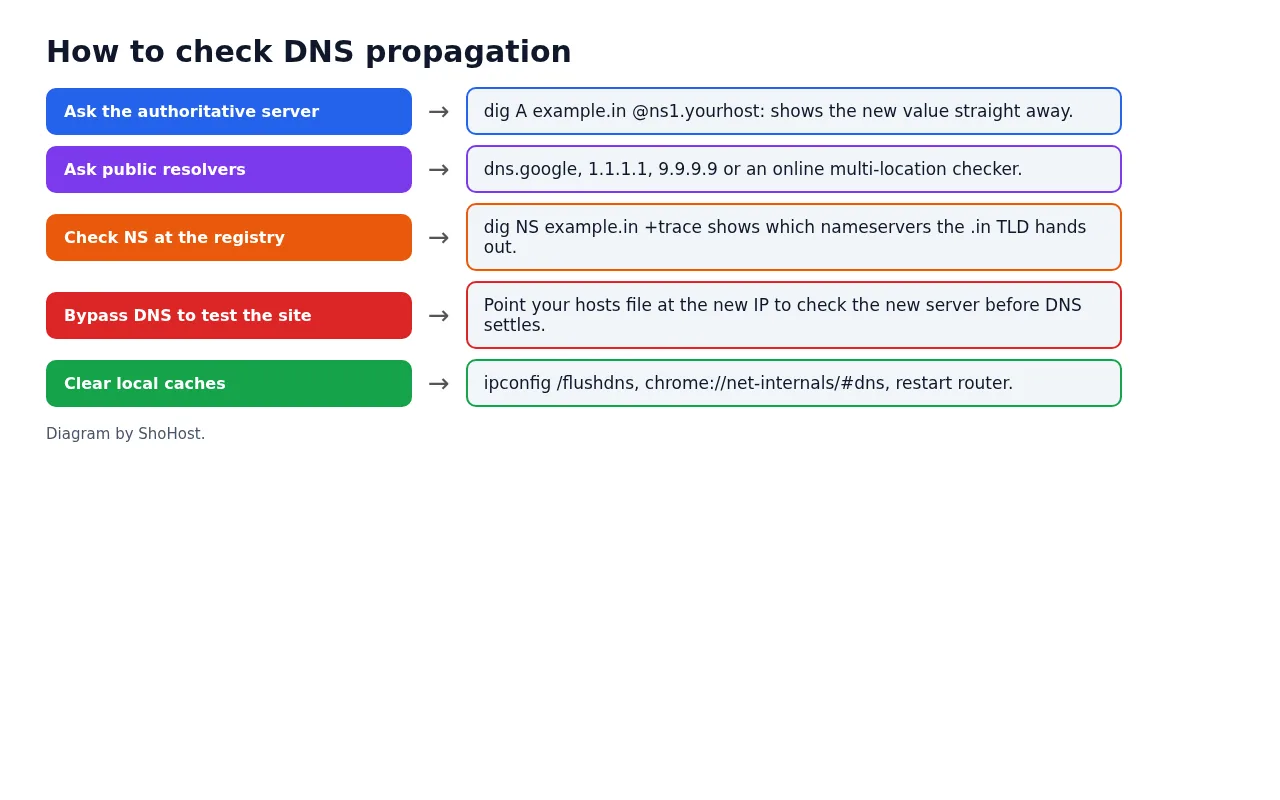
# what the authoritative nameserver says (the new value, immediately)
dig +short A example.in @ns1.yourhost.com

# what public resolvers have cached
curl -s "https://dns.google/resolve?name=example.in&type=A"
curl -s -H "accept: application/dns-json" "https://cloudflare-dns.com/dns-query?name=example.in&type=A"

# which nameservers the .in registry hands out
dig NS example.in +trace
Online checkers that query resolvers in many countries are handy for a quick overview. If the authoritative server already shows the new value, your change is correct and you’re only waiting for caches.
Make the next change faster
- A day before a planned move, lower the record’s TTL to 300 in Zone Editor. After the move, set it back to a normal value such as 3600 or 14400.
- To test the new server before DNS settles, add a line to your computer’s hosts file pointing the domain to the new IP. Remove it afterwards.
- Clear your own caches:
ipconfig /flushdnson Windows,chrome://net-internals/#dnsin Chrome, or restart the router.
FAQ
Can I force propagation?
No. You can only wait for caches to expire. Lowering the TTL before a change is the only way to shorten the wait.
Why is it 48 hours everywhere online?
It’s a safe upper estimate, mostly for nameserver changes and resolvers that ignore TTLs. Most record changes show up much sooner.
My email stopped after a DNS change. Is that propagation?
Maybe, but first check that the MX and mail-related records exist in the new zone. Missing MX records look like a propagation problem but won’t fix themselves.
Need a hand?
Want someone to do this for you? If your site is on ShoHost, message our support team on WhatsApp at +91 94880 91432 or email [email protected] and we’ll check your DNS records with you. Hosting somewhere else and running into DNS changes often? ShoHost WordPress hosting runs on LiteSpeed servers with NVMe storage and free SSL, and includes free migration.