WordPress Site Redirecting to Spam Sites? How to Find and Remove Malware Redirects
Tested in the ShoHost fix lab on 12 October 2026: WordPress 7.1.3, PHP 8.4, Apache with MariaDB 11.8. Every screenshot below is from that lab, not from a customer site.
Safety note: Every “attack” in this guide was a harmless marker (text strings and example.com links) planted on a throwaway local WordPress install. Nothing here is real malware. Don’t experiment on your live site.
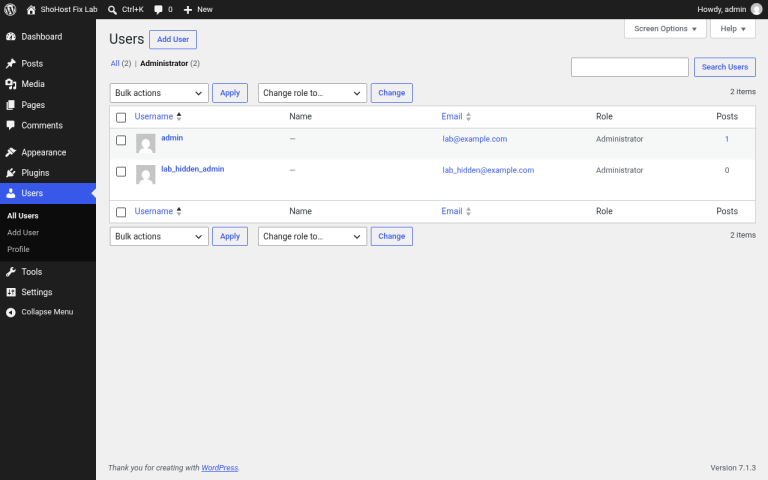
Customers say your site sends them somewhere else, often only on mobile or when they arrive from Google, while you see nothing when you’re logged in. Attackers usually hide redirects in .htaccess rules or in <script> code stored in the database.

How to detect it
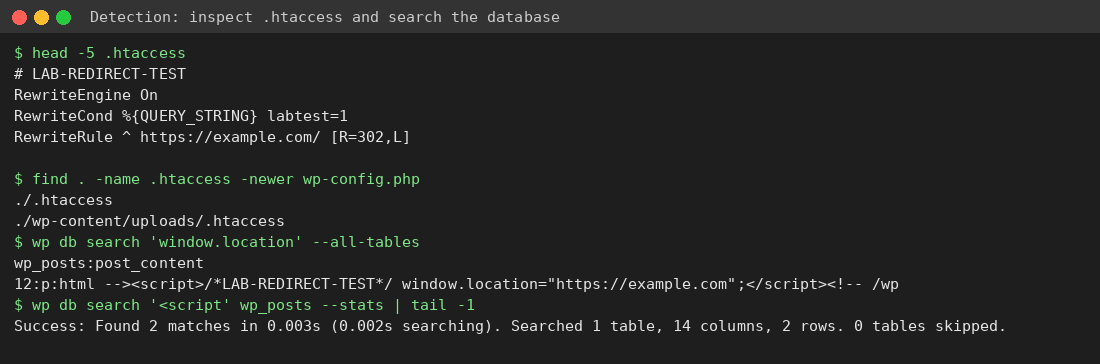
- Read the top of
.htaccessin your site’s root folder and in every subfolder. In File Manager, turn on Show Hidden Files. find . -name .htaccess -newer wp-config.phplists recently changed .htaccess files.wp db search 'window.location' --all-tablesandwp db search '<script' --all-tables, or in phpMyAdmin:SELECT ID FROM wp_posts WHERE post_content LIKE '%<script%';- Test as a logged-out mobile visitor:
curl -I -A "Mozilla/5.0 (iPhone)" https://yoursite.in
Cleanup
- Before you change anything, take a full backup in cPanel (Files → Backup, or your host’s backup tool): home directory plus database. Keep it as evidence. Don’t restore it as if it were clean.
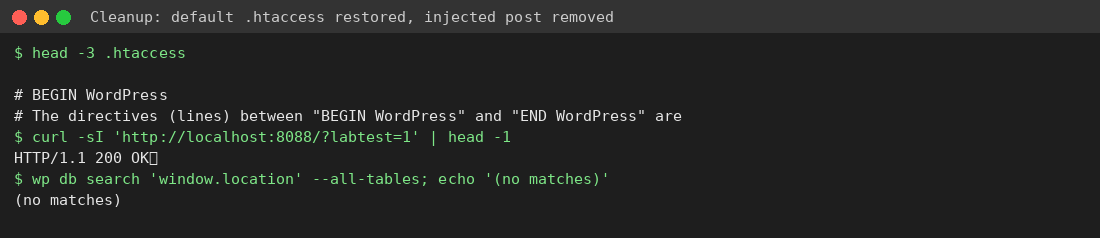
- Replace
.htaccesswith the default WordPress rules (BEGIN WordPress … END WordPress). - Delete or clean the injected posts and options. Check that the
siteurl/homeoptions are correct. - Run the full hacked site checklist: change passwords, reinstall core and plugins, shuffle salts.
- Purge LiteSpeed Cache and any CDN cache.
Prevent it
Keep plugins up to date, turn on two-factor login, consider setting .htaccess to 444 after cleanup, and use a monitor that alerts you when files change.
Need a hand?
Not sure your cleanup is complete? If you host with ShoHost, contact support on WhatsApp (+91 94880 91432) or at [email protected] before you change anything else. Moving a site you’ve just cleaned? ShoHost WordPress hosting includes free SSL and free migration.