Offsite Backup for Your RDP or VM: Snapshots vs Backups and File Versioning (2026)
Your Windows RDP or cloud VM runs 24/7, holds trading profiles, client files and databases, and lives on someone else’s hardware. If a disk fails, ransomware hits or you delete the wrong folder, what gets you back? Many people point to “snapshots”, but a snapshot on the same server isn’t a real backup. This guide explains snapshots, backups and file versioning in plain words, shows how the 3-2-1 rule applies to an RDP or VM, and walks you through a nightly, encrypted offsite backup from Windows to ShoHost SDrive storage.
Who it’s for: traders, small businesses, freelancers and developers in India running a Windows RDP or a VM, plus anyone abroad who wants a simple offsite copy. Reading time: about 10 minutes.
In this guide
- Snapshots vs backups vs file versioning: the quick answer
- Is a snapshot a backup?
- What is file versioning?
- The 3-2-1 backup rule for an RDP or VM
- What to back up from a Windows RDP
- How to back up a Windows RDP to SDrive with restic
- Backing up a Linux VM instead
- sdrive-lite vs sdrive-plus for RDP and VM backups
- Get sdrive-plus for offsite backups
- FAQ
- Related guides
Snapshots vs backups vs file versioning: the quick answer
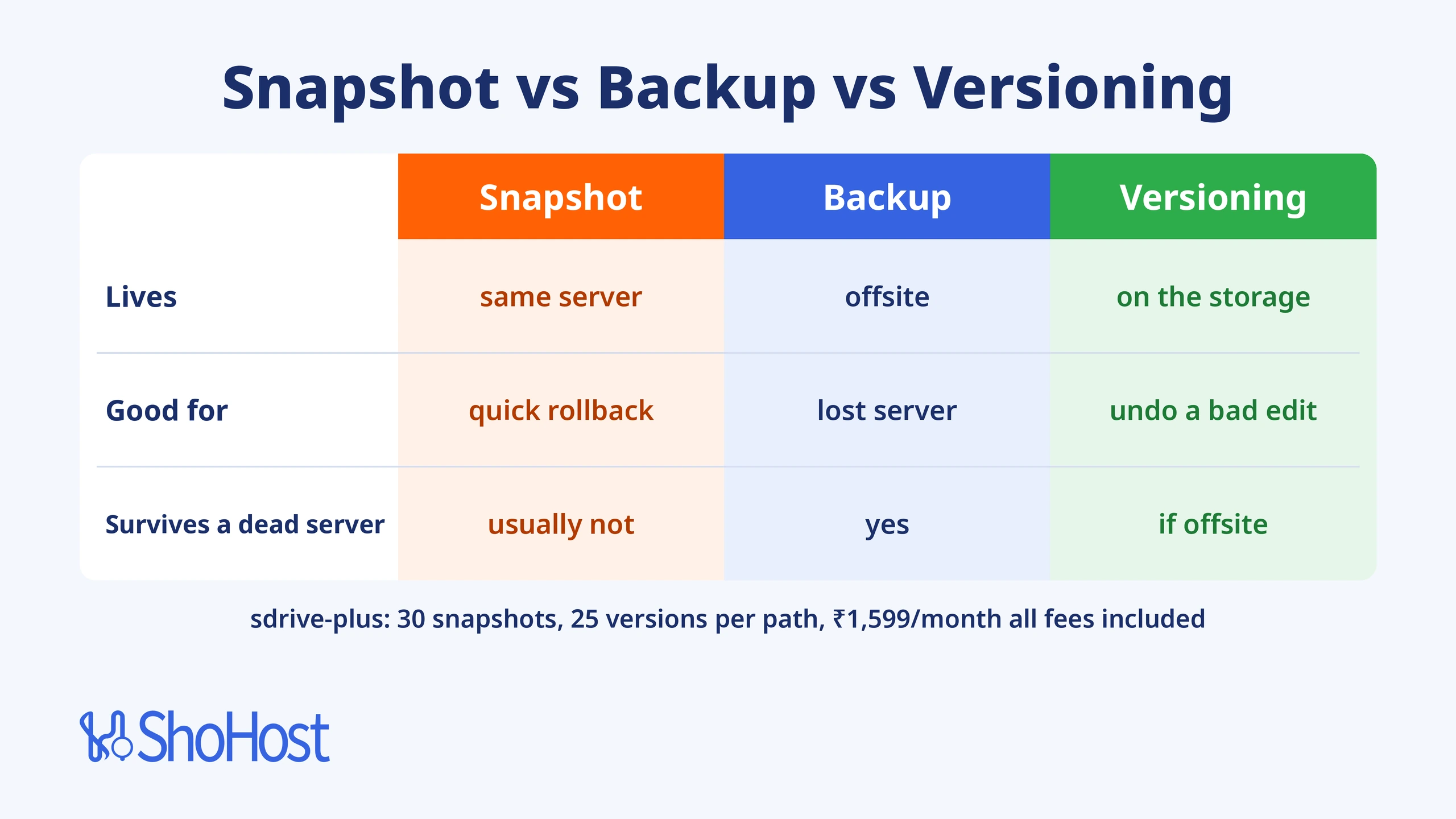
They solve different problems, and a safe setup uses all three:
| Snapshot | Backup | File versioning | |
|---|---|---|---|
| What it is | A point-in-time image of a disk or volume | A separate copy of your data somewhere else | Older copies of each file kept when it changes |
| Where it lives | Usually on the same server or storage | On another system, ideally offsite | On the storage that holds the files |
| Good for | Quick rollback before an update | Recovering after the server is lost | Undoing a bad edit or a deleted file |
| Survives a dead server? | Usually not | Yes | Only if that storage is offsite |
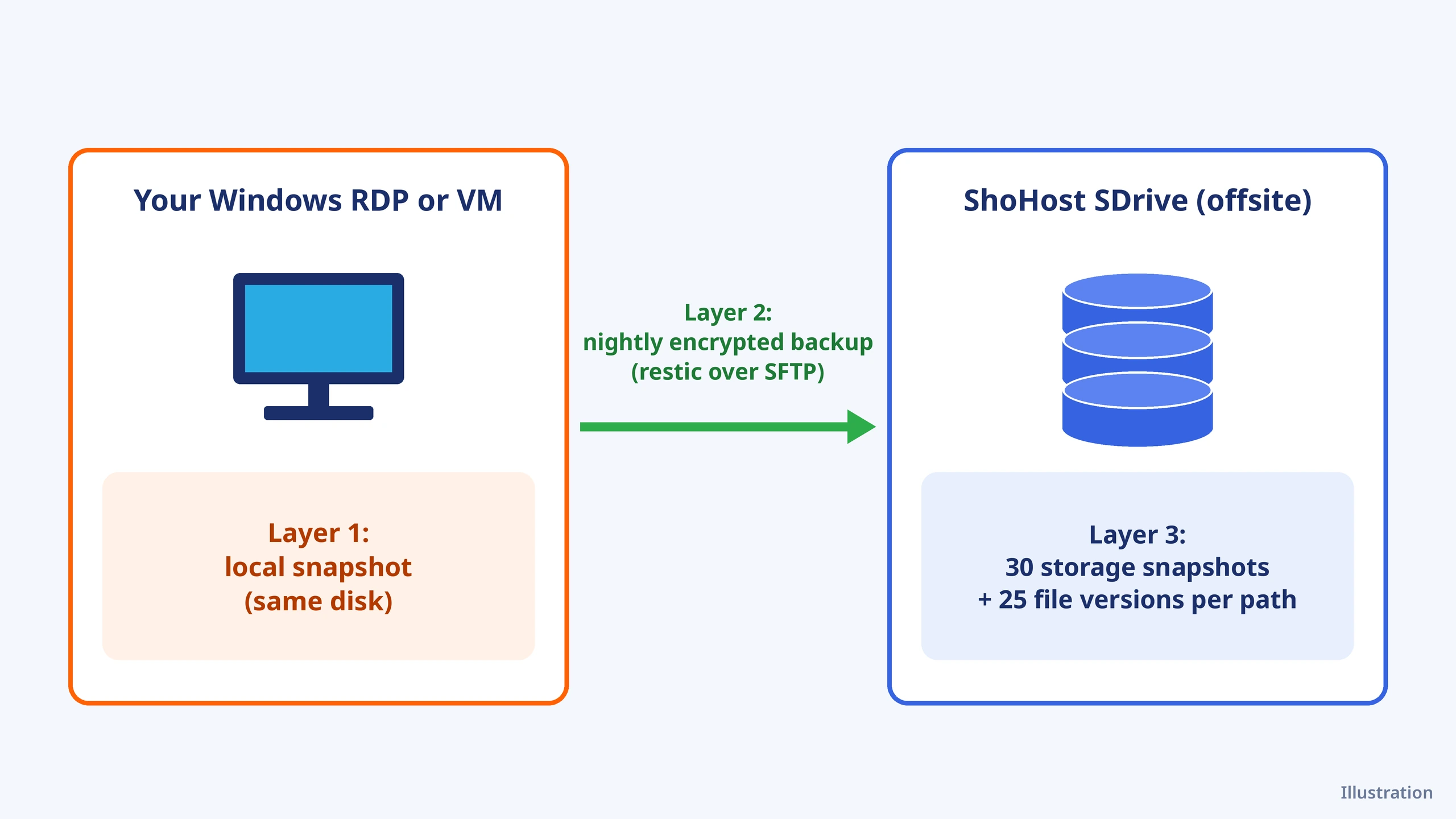
Illustration in words: on the left, your RDP keeps a local snapshot on its own disk. An arrow carries a nightly encrypted backup to SDrive storage on the right. SDrive then keeps its own snapshots and file versions of that backup.
Is a snapshot a backup?
Not on its own. A VM or disk snapshot records the state of a disk at one moment, but it normally sits on the same storage as the server. If that storage fails, the account is closed or ransomware encrypts the volume, the snapshot usually goes with it. That’s the point sysadmins keep making on Reddit’s r/sysadmin: snapshots are for quick rollbacks, backups are for disasters.
Snapshots still have a job. On Windows, the Volume Shadow Copy Service (VSS) takes a snapshot so a backup tool can read files that are open or locked, such as a running database or trading terminal. In this guide, restic uses VSS for exactly that, then sends the copy offsite.
What is file versioning?
File versioning keeps older copies of a file each time it changes, so you can go back to yesterday’s spreadsheet even after you saved over it today. Backup tools such as restic give you versions through their snapshots, and the storage itself can keep versions too. ShoHost sdrive-plus keeps up to 25 file versions per path and 30 storage snapshots (hourly, daily, weekly and monthly), so even your backup files have a history.
The 3-2-1 backup rule for an RDP or VM
CISA’s Data Backup Options sums it up: keep 3 copies of important files (1 primary and 2 backups), on 2 different media types, with 1 copy offsite. For a cloud server, that looks like this:
| Rule | On your RDP or VM |
|---|---|
| 3 copies | The live data, a local snapshot, and an offsite backup |
| 2 media | The server’s own disk and a separate storage service |
| 1 offsite | Encrypted backups on SDrive storage, away from the server |
CISA’s ransomware guide adds two habits worth copying: keep backups encrypted and away from the main system, and test that you can actually restore them.
What to back up from a Windows RDP
Back up your data, not Windows itself. Reinstalling Windows and your apps is quick; your files and settings aren’t replaceable. Typical folders:
- Your user folders: Documents, Desktop and Downloads under
C:\Users\<you>. - App data: for MetaTrader, use File > Open Data Folder to find the profile, experts and logs folder. For other apps, check their settings for the data path.
- Business data folders such as accounting, project or database export folders.
- Scripts and configs for bots, scrapers or scheduled jobs.
You need admin rights to use VSS and to schedule the job. ShoHost’s Private Admin RDP plans give you full administrator access.
How to back up a Windows RDP to SDrive with restic
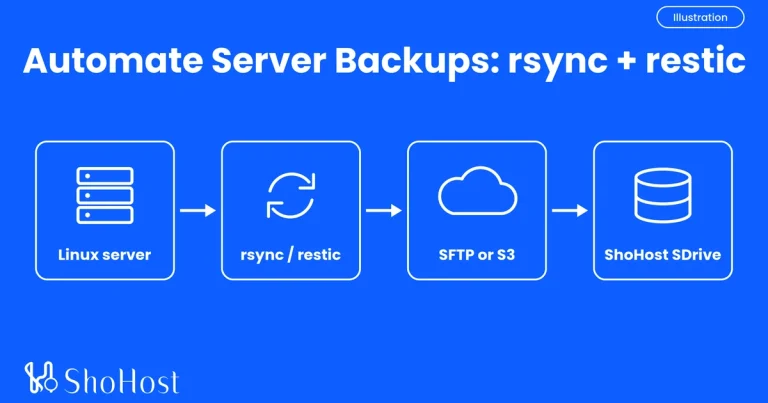
restic is a free, open-source backup tool. It encrypts everything before it leaves your server, only uploads changed data, and keeps each run as a snapshot you can restore (restic docs). It talks to SDrive over SFTP, which uses port 22 and your SDrive account name as the username.
Step 1: Order sdrive-plus
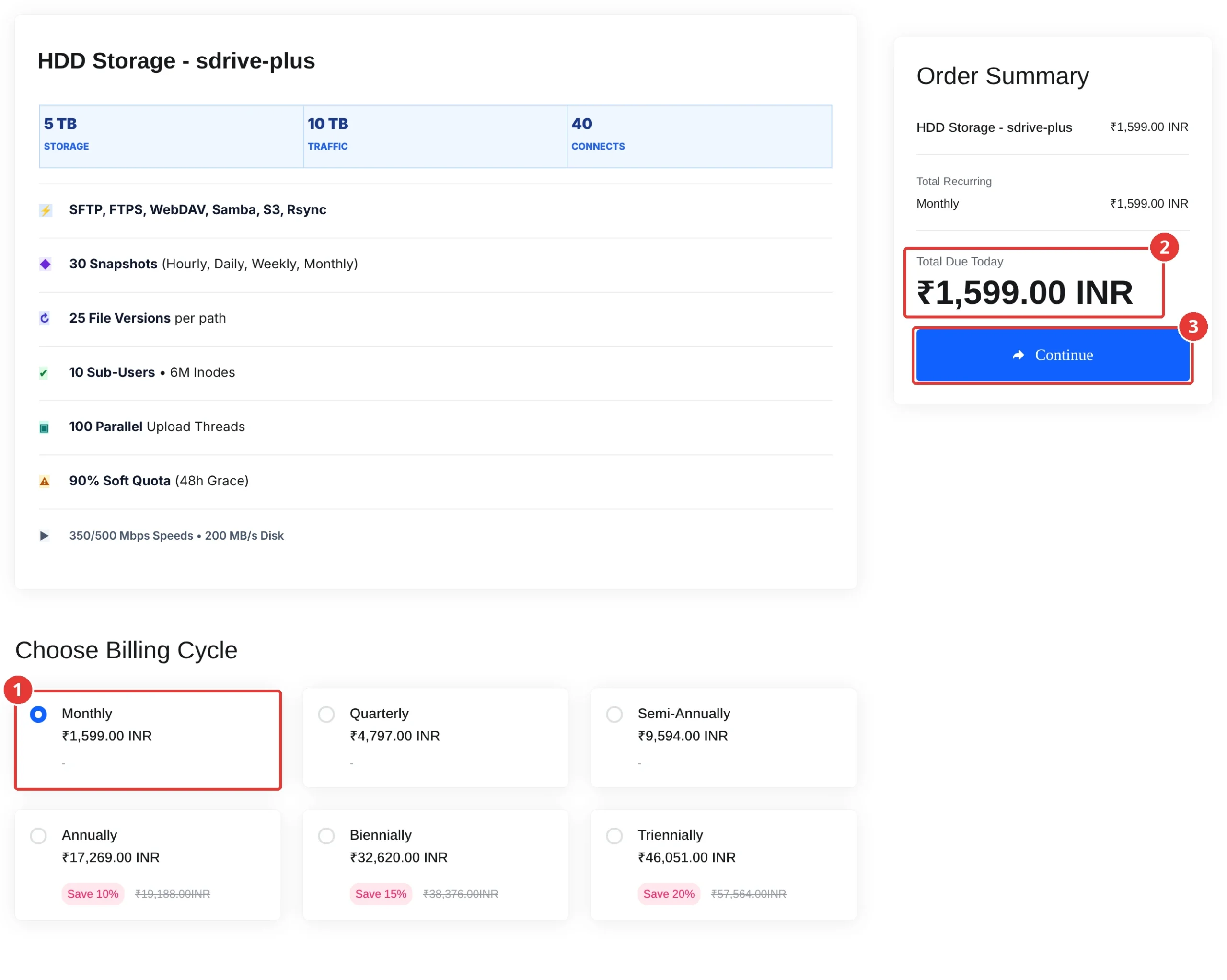
Open the SDrive HDD Storage store and choose sdrive-plus (5 TB storage, 10 TB traffic, 30 snapshots, 25 file versions per path).
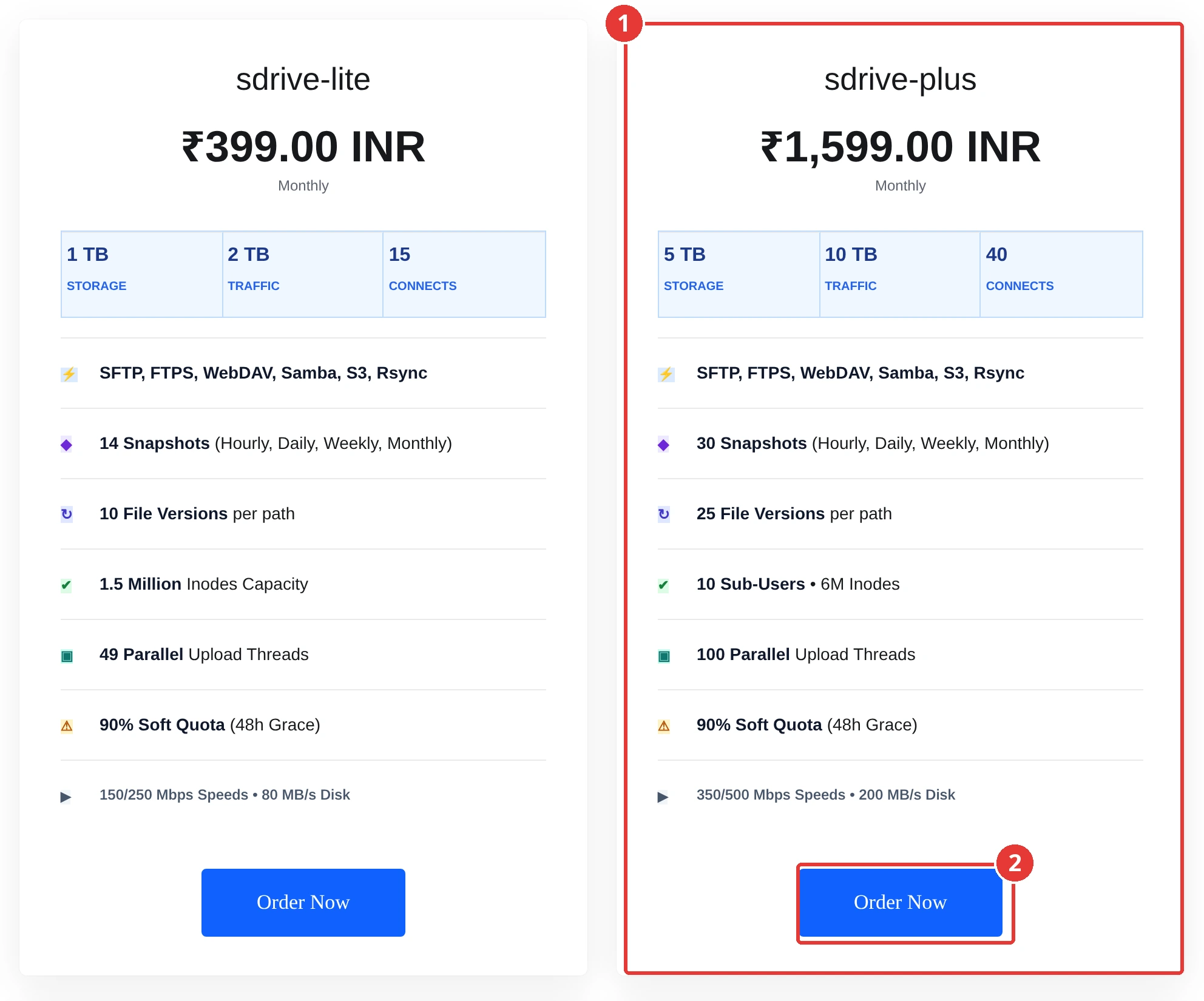
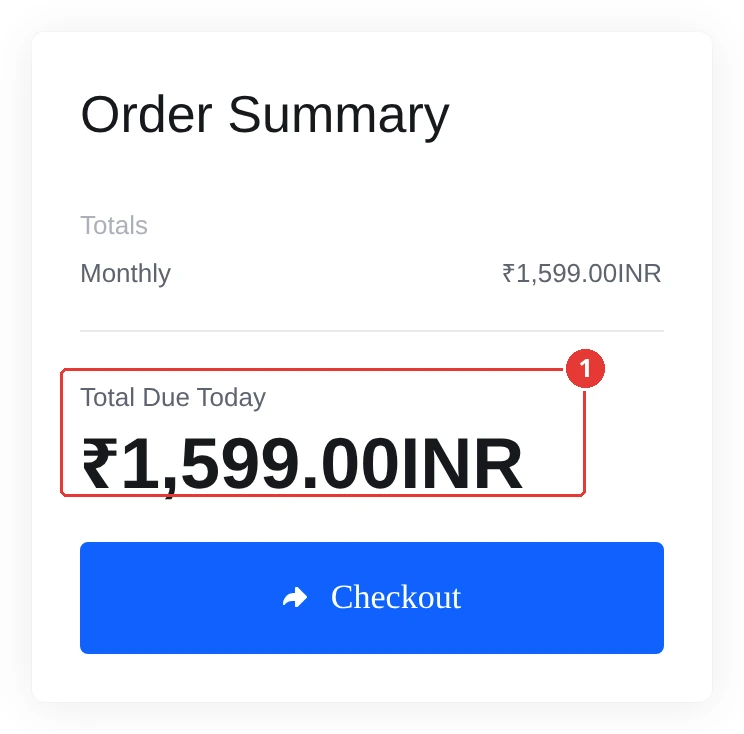
Choose Monthly and click Continue. Expected result: the cart shows Total Due Today ₹1,599.00 INR.
Step 2: Add an SSH key in the StorageBox portal
A key lets the nightly job log in without a password. Open PowerShell on your RDP and create one (press Enter at the passphrase prompts for an unattended job):
New-Item -ItemType Directory -Force "$env:USERPROFILE\.ssh"
ssh-keygen -t ed25519 -f "$env:USERPROFILE\.ssh\sdrive_ed25519"
Get-Content "$env:USERPROFILE\.ssh\sdrive_ed25519.pub"Copy the line that starts with ssh-ed25519. In the SDrive StorageBox client portal, open Remote Access > SFTP / SSH, paste it under SSH public keys, and note the host and username shown there.
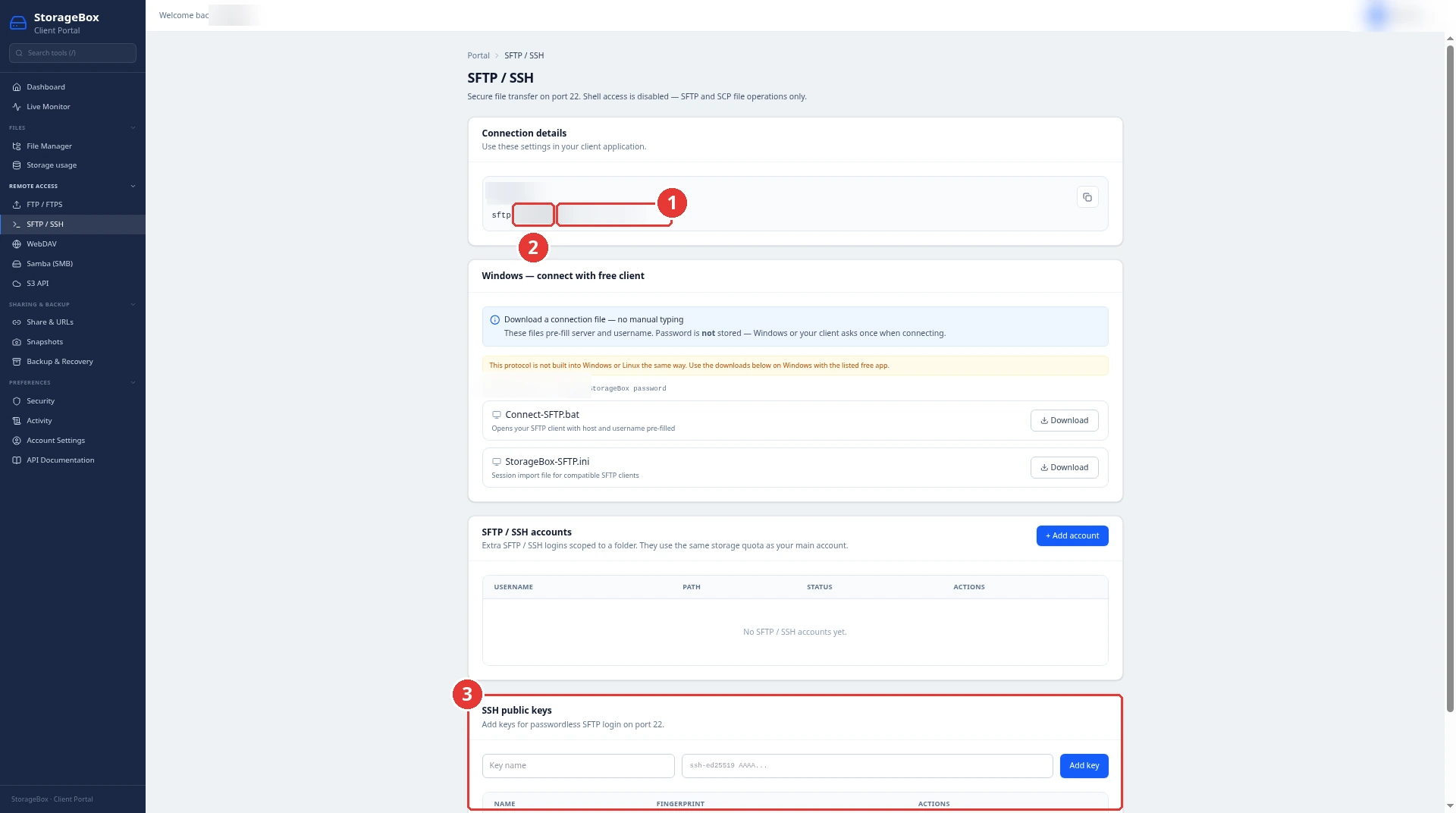
Now tell SSH which key to use. Create the file %USERPROFILE%\.ssh\config with these lines, replacing SDRIVE_HOST and SDRIVE_USER with the values from the portal:
Host sdrive
    HostName SDRIVE_HOST
    Port 22
    User SDRIVE_USER
    IdentityFile ~/.ssh/sdrive_ed25519
Test it. SDrive gives you SFTP only (no shell), so use the sftp command:
sftp sdriveExpected result: after you accept the host key the first time, you get an sftp> prompt. Type bye to leave.
Connected to sdrive.
sftp>
Step 3: Install restic
In an administrator PowerShell, install restic with WinGet (restic installation docs). If WinGet isn’t available on your Windows Server, download the Windows zip from restic’s GitHub releases page and put restic.exe in C:\restic instead.
winget install --exact --id restic.restic --scope MachineThen close and reopen PowerShell so the restic command is found.
Step 4: Create the encrypted repository
Save a strong password in a file only you can read, and keep a copy in your password manager. Without it, nobody (including us) can open your backups.
New-Item -ItemType Directory -Force C:\restic
Set-Content -Path C:\restic\pass.txt -Value "<your long random password>"
$env:RESTIC_REPOSITORY = "sftp:sdrive:restic-rdp"
$env:RESTIC_PASSWORD_FILE = "C:\restic\pass.txt"
restic init
Expected result (your ID will differ):
created restic repository 3f2a9c1d7e at sftp:sdrive:restic-rdp

Please note that knowledge of your password is required to access
the repository. Losing your password means that your data is
irrecoverably lost.
Step 5: Run the first backup with a VSS snapshot
--use-fs-snapshot tells restic to read from a Windows VSS snapshot, so open and locked files are copied safely. Change the folders to yours:
restic backup "$env:USERPROFILE\Documents" "$env:USERPROFILE\Desktop" C:\Data --use-fs-snapshotExpected result (key lines; numbers will differ):
no parent snapshot found, will read all files
...
processed 1520 files, 2.315 GiB in 1:42
snapshot 8b41d2c0 saved
Step 6: Schedule it every night with a keep rule
Create C:\restic\backup.ps1. It backs up, then keeps 7 daily, 4 weekly and 6 monthly snapshots and deletes the rest:
$env:RESTIC_REPOSITORY = "sftp:sdrive:restic-rdp"
$env:RESTIC_PASSWORD_FILE = "C:\restic\pass.txt"
restic backup "$env:USERPROFILE\Documents" "$env:USERPROFILE\Desktop" C:\Data --use-fs-snapshot
restic forget --keep-daily 7 --keep-weekly 4 --keep-monthly 6 --prune
Register it in Task Scheduler to run at 2:30 AM as your admin user, with highest privileges (it asks for your Windows password):
schtasks /Create /TN "restic-sdrive" /TR "powershell.exe -NoProfile -ExecutionPolicy Bypass -File C:\restic\backup.ps1" /SC DAILY /ST 02:30 /RL HIGHEST /RU $env:USERNAME /RP *Expected result:
SUCCESS: The scheduled task "restic-sdrive" has successfully been created.Step 7: Test a restore
A backup you’ve never restored is only a hope. List your snapshots, then restore the latest one to a test folder, not over your live files:
restic snapshots
restic restore latest --target C:\restore-test
Expected result: a table of snapshots with IDs and times, then your files appear under C:\restore-test. Open a few to check them. Run restic check once a month to verify the repository.
Backing up a Linux VM instead
The same restic steps work on a Linux VM or KVM server: install restic from your distribution’s packages, add the SSH key in the StorageBox portal, use sftp:sdrive:restic-vm as the repository and schedule the job with cron. Dump databases to a file before each run (or use restic’s --stdin-from-command with mysqldump), because copying live database files isn’t safe. For the full walkthrough, see our step-by-step Linux guide.
sdrive-lite vs sdrive-plus for RDP and VM backups
| sdrive-lite | sdrive-plus | |
|---|---|---|
| Storage / traffic | 1 TB / 2 TB | 5 TB / 10 TB |
| Storage snapshots | 14 | 30 |
| File versions per path | 10 | 25 |
| Connects (store figure) | 15 | 40 |
| Sub-users | — | 10 |
| Speed | 150/250 Mbps, 80 MB/s disk | 350/500 Mbps, 200 MB/s disk |
| Monthly total | ₹399 | ₹1,599 |
Both connect over SFTP, FTPS, WebDAV, Samba, S3 and rsync, and prices are all fees included (storage.shohost.com cart, 30 Oct 2026). Pick sdrive-lite for one small RDP. Choose sdrive-plus when you back up several servers, keep months of history or want the longer snapshot and version history. Need an older copy from SDrive’s own snapshots? Ask support on WhatsApp.
Get sdrive-plus for offsite backups
ShoHost sdrive-plus gives you 5 TB of offsite storage with 10 TB of traffic, 30 storage snapshots, 25 file versions per path, 10 sub-users and 350/500 Mbps speeds for ₹1,599 a month, all fees included. Point restic at it tonight and your RDP or VM has a real offsite backup by morning.
Questions about your backup plan? WhatsApp support on +91 94880 91432, 9 AM to 12 midnight IST.
FAQ
Is a snapshot a backup?
Not by itself. A snapshot usually lives on the same storage as the server, so it’s lost along with it if the disk fails, the account closes or ransomware strikes. Use snapshots for quick rollbacks and keep a separate offsite backup for disasters.
What is the difference between a snapshot and a backup?
A snapshot is a point-in-time image of a disk, normally kept next to the original. A backup is an independent copy stored on another system, ideally offsite and encrypted, that you can restore even if the original server is gone.
What is file versioning in backups?
File versioning keeps older copies of a file whenever it changes, so you can recover an earlier version after a bad edit or deletion. restic keeps versions through its snapshots, and sdrive-plus also keeps up to 25 versions per path on the storage side.
How often should I back up my RDP?
For most RDPs, once a night is enough, with 7 daily, 4 weekly and 6 monthly copies kept. If you change important files all day, such as trading or accounting data, run the job every few hours instead.
What is the 3-2-1 backup rule?
Keep 3 copies of important data (the original and 2 backups) on 2 different types of storage, with 1 copy offsite. For a cloud server, that means the live data, a local snapshot and an encrypted offsite backup.