How to Set Up SPF, DKIM and DMARC in cPanel (2026 Gmail/Yahoo rules)
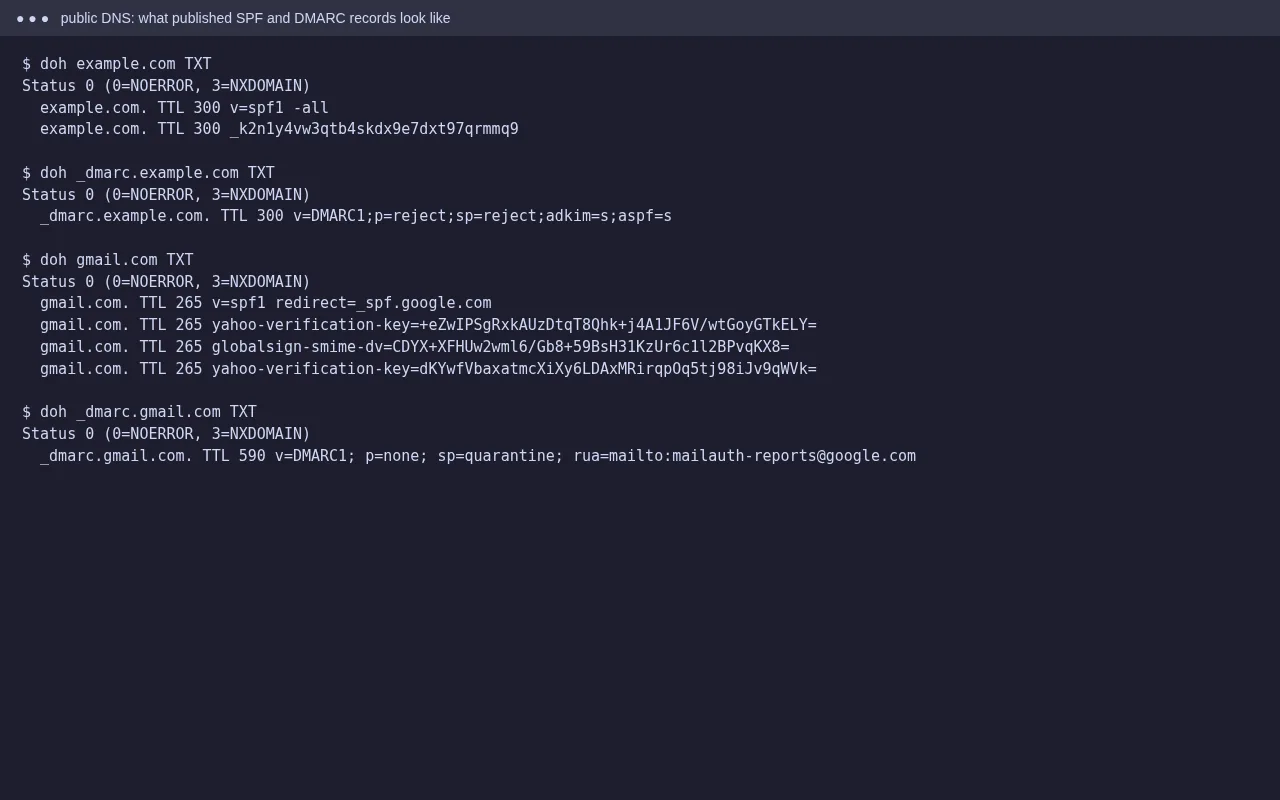
Tested on 12 October 2026 in a ShoHost sandbox (Debian, OpenSSL 3.5). We generated a DKIM key with openssl to show what cPanel creates, and looked up real published records with Google Public DNS. example.in is a placeholder domain, and <host-spf> stands for the include your host gives you. cPanel’s own Email Deliverability screen isn’t shown because the sandbox has no cPanel. Every screenshot below is from that sandbox or from a public DNS lookup, not from a customer site.
SPF, DKIM and DMARC are three DNS TXT records that tell receiving servers which mail really comes from your domain. Gmail and Yahoo now expect them. Bulk senders must have all three, and every sender needs at least SPF or DKIM. On cPanel you can set them up in about ten minutes.
Before you start: where is your DNS?
If your domain uses your host’s nameservers, cPanel can add the records for you. If DNS is at Cloudflare, your registrar, or elsewhere, cPanel shows you the values and you add them there. Records added in cPanel’s Zone Editor do nothing if the domain’s nameservers point somewhere else.
Step 1: SPF
Go to cPanel → Email → Email Deliverability → Manage next to your domain. cPanel suggests an SPF record that covers the server. If you also send from Google Workspace, Microsoft 365 or a mailing service, add their include: to the same record:
example.in. TXT "v=spf1 +a +mx include:_spf.google.com ~all"- Only one SPF record per domain. Two records means SPF fails for everyone.
- SPF allows at most 10 DNS lookups (each
include,a,mxcounts). Remove services you no longer use. ~all(softfail) is the usual choice. Use-allonly when you’re sure the list is complete.
Step 2: DKIM
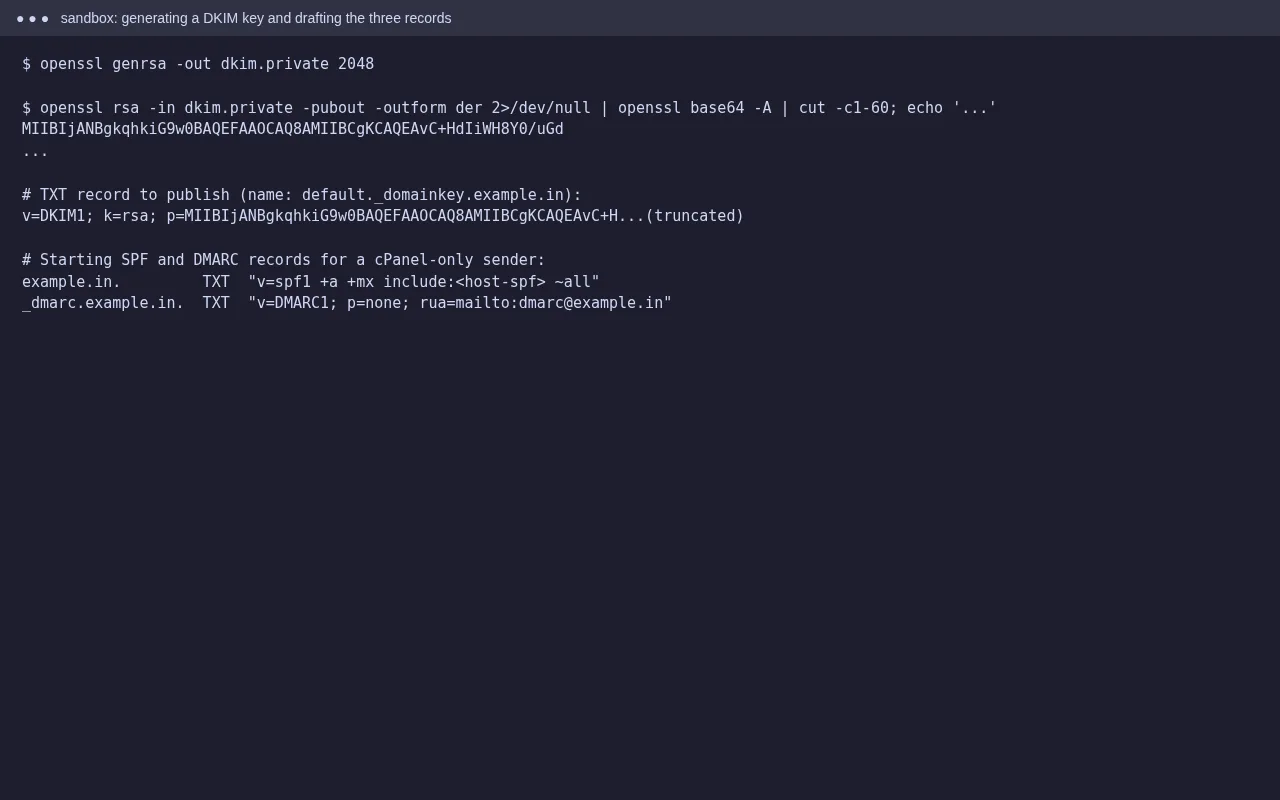
cPanel creates a DKIM key for each domain. In Email Deliverability, the DKIM section shows the record name (usually default._domainkey.example.in) and a long value that starts with v=DKIM1; k=rsa; p=. Click Install the suggested record, or copy it to your external DNS. Some DNS panels need the long value split into quoted parts; paste it as it is shown. Services such as Google Workspace have their own DKIM selector, so set that up in their admin panel too.
Step 3: DMARC
DMARC tells receivers what to do when SPF and DKIM don’t line up with your From address, and where to send reports. Add it in Domains → Zone Editor → Manage → Add Record, type TXT:
_dmarc.example.in. TXT "v=DMARC1; p=none; rua=mailto:[email protected]"Start with p=none: nothing gets blocked, and you receive daily XML reports showing who sends as your domain. Once every real sender passes, change it to p=quarantine, and later p=reject.
Step 4: Verify
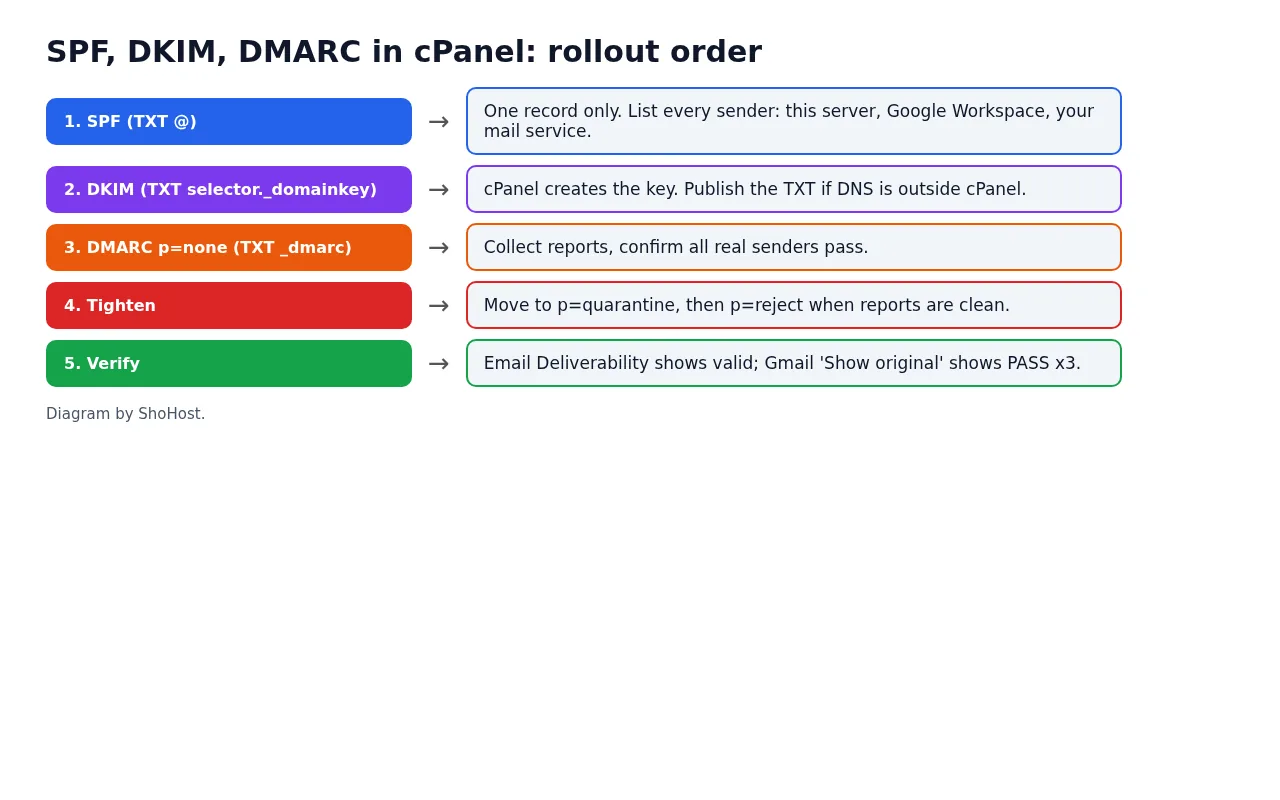
Email Deliverability should show all records as valid. Send a message to a Gmail address, open Show original, and look for SPF: PASS, DKIM: PASS and DMARC: PASS. From a terminal you can check what’s published:
curl -s "https://dns.google/resolve?name=_dmarc.example.in&type=TXT"
curl -s "https://dns.google/resolve?name=default._domainkey.example.in&type=TXT"
FAQ
Do I need all three?
For reliable delivery to Gmail and Yahoo, yes. SPF and DKIM prove the mail is authorised. DMARC ties them to the visible From address and gives you reports.
Will DMARC p=reject stop my own mail?
It will if some sender you use isn’t covered by SPF or DKIM. That’s why you start with p=none and read the reports first.
Why does Email Deliverability say ‘problems exist’ when my DNS is elsewhere?
cPanel checks public DNS. If you haven’t copied its suggested records to your external DNS provider yet, or they haven’t refreshed, it reports a problem.
Need a hand?
Want someone to do this for you? If your site is on ShoHost, message our support team on WhatsApp at +91 94880 91432 or email [email protected] and we’ll set up the records with you. Hosting somewhere else and running into email authentication problems often? ShoHost WordPress hosting runs on LiteSpeed servers with NVMe storage and free SSL, and includes free migration.