Missing PHP Extension Errors (intl, zip, imagick, ioncube)
Tested on 12 October 2026 in a ShoHost sandbox with PHP 8.4 (command line). We triggered the errors with extensions that are missing or turned off.
Apps tell you an extension is missing in different ways: an installer’s requirement list, a WordPress Site Health notice, or a fatal error like Class "NumberFormatter" not found or Call to undefined function mb_strlen(). The fix is to turn the extension on for the PHP version your site uses.
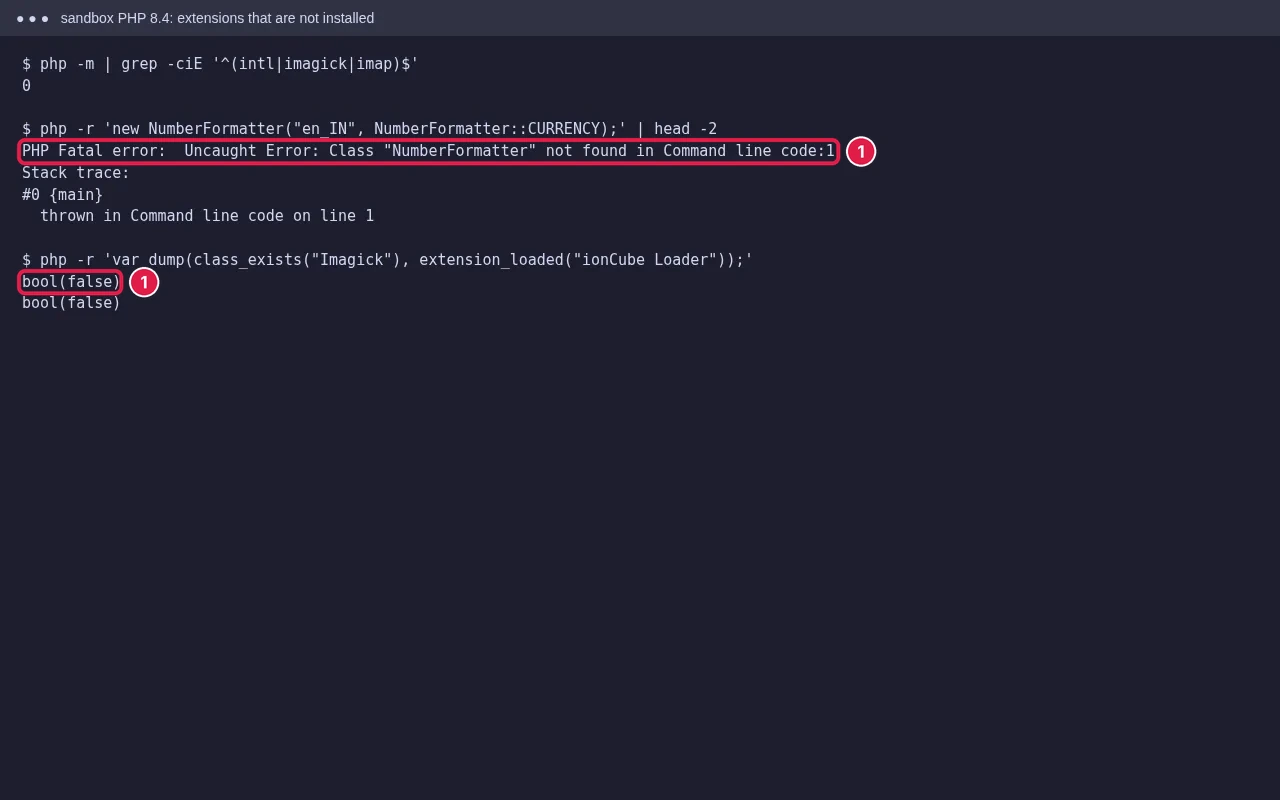
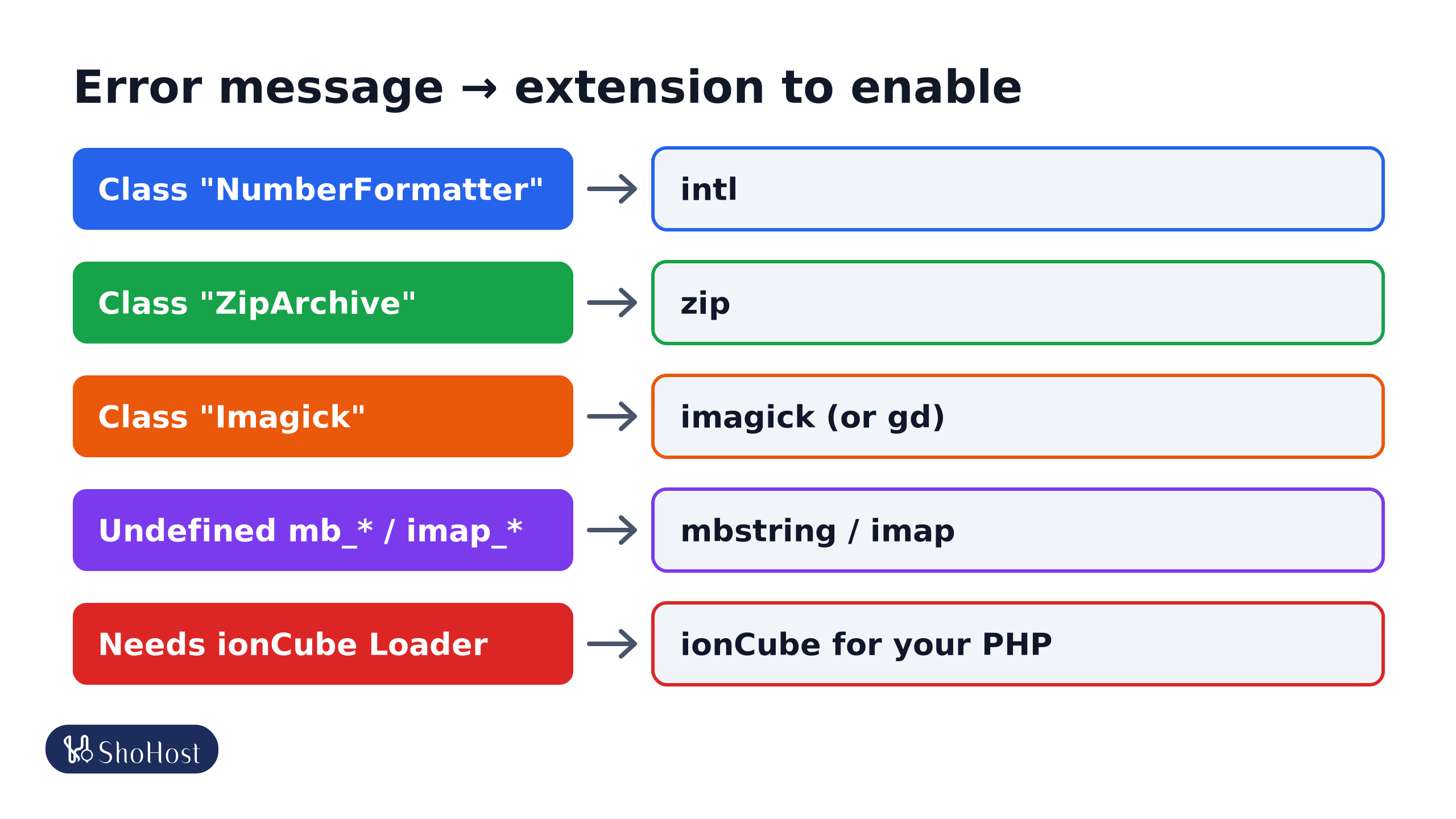
Class "NumberFormatter"not found: enable intl.Class "ZipArchive": enable zip.Class "Imagick": enable imagick (apps usually fall back to gd).- Undefined function
mb_*()orimap_*(): enable mbstring or imap (imap is not in core PHP 8.4). - requires the ionCube PHP Loader: install the ionCube Loader, in a version that supports your PHP.
Turn on an extension in cPanel
- Open Software → Select PHP Version (on CloudLinux servers).
- Check the Current PHP version is the one your site uses. Extensions are set per version.
- Open the Extensions tab and tick the one you need, for example
intl,ziporimagick. It saves straight away. - Reload the site. For the command line (cron, Composer), the same selection applies on most CloudLinux servers.
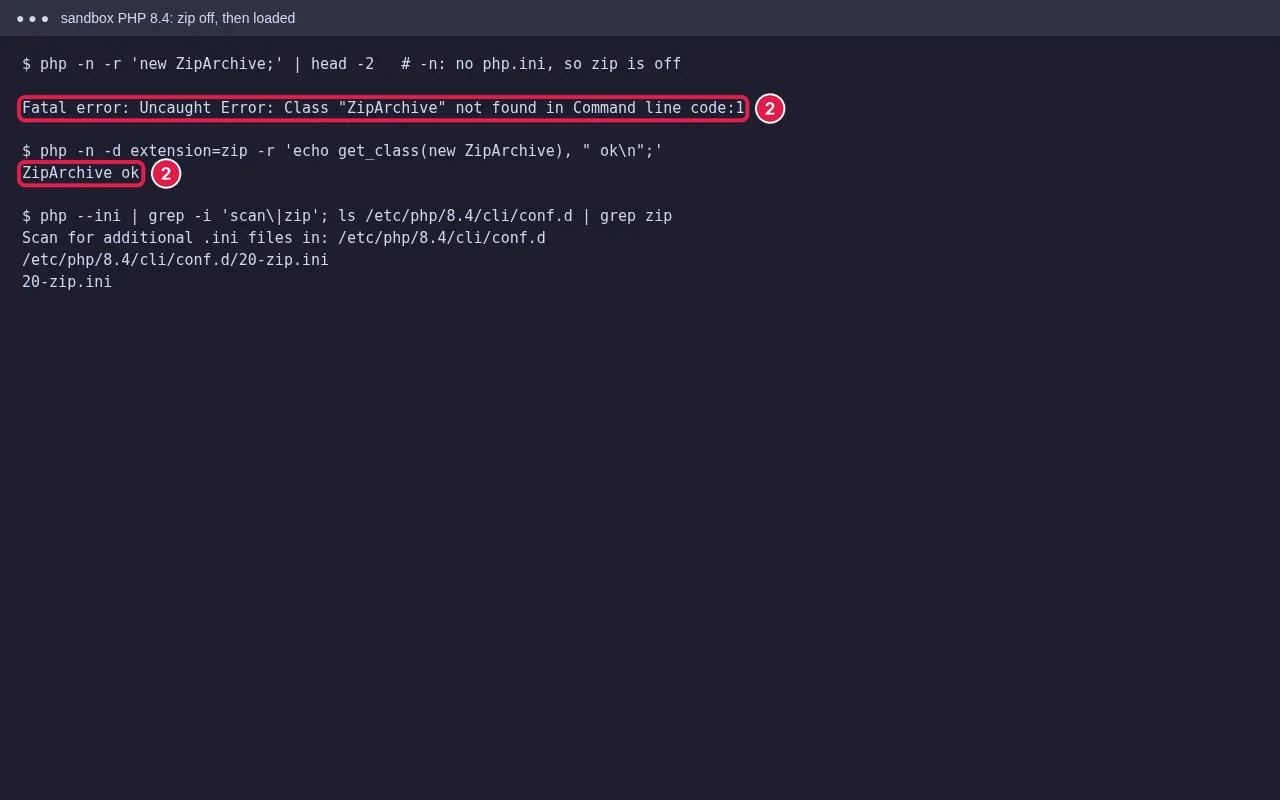
If you only see MultiPHP Manager and no extension list, the server uses EasyApache’s PHP builds, and extensions are installed by the host. Ask support for the extension and the PHP version.
The usual suspects
- intl: needed by many apps for currency and date formats (
NumberFormatter,IntlDateFormatter). - zip: for plugin and theme updates, backups and imports (
ZipArchive). - imagick: better image resizing in WordPress and others. Without it, apps usually fall back to
gd. - mbstring, curl, gd, xml: needed by most PHP apps.
- imap: for apps that import email. PHP 8.4 moved it out of core PHP into a separate (PECL) package, so it is missing on many 8.4 setups; use PHP 8.3 for that app if your host doesn’t offer it.
- ionCube Loader: for encoded scripts such as WHMCS. The ionCube version must support your PHP version; a new PHP release often needs a newer loader.
Check what is loaded
Create info.php in public_html containing <?php phpinfo();, open it, search for the extension, then delete the file. It shows server details you don’t want public.
FAQ
I ticked the extension but the error remains. Why?
The site may use a different PHP version than the one you edited, or a .htaccess or .user.ini line sets another version. Check the version in phpinfo.
Can I install an extension myself on shared hosting?
Only those listed in Select PHP Version. Anything else needs the host.
Why does the site work but cron shows the error?
Cron can use a different PHP binary. Use the full path to the same PHP version in the cron command.
Not sure which extension your app is asking for? On ShoHost, send the error to +91 94880 91432 on WhatsApp and we’ll turn on the right one with you.