504 Gateway Timeout on cPanel Hosting: What Causes It
Tested in a ShoHost sandbox on 12 October 2026: nginx 1.26 as a front proxy (like the proxy or CDN in front of many hosting servers) in front of Apache 2.4.68 and PHP 8.4, captured with headless Chrome. We set a short 5-second proxy timeout and ran a PHP script that sleeps for 20 seconds, to simulate a slow page or a slow external API call. Every screenshot below is from that sandbox or from a public DNS lookup, not from a customer site.
504 Gateway Timeout means a server in front of your site (a reverse proxy, load balancer or CDN) asked the server behind it for the page and gave up waiting. Your site may still be running; it was just too slow for that request. The fix is to find what made the request slow.
What it looks like
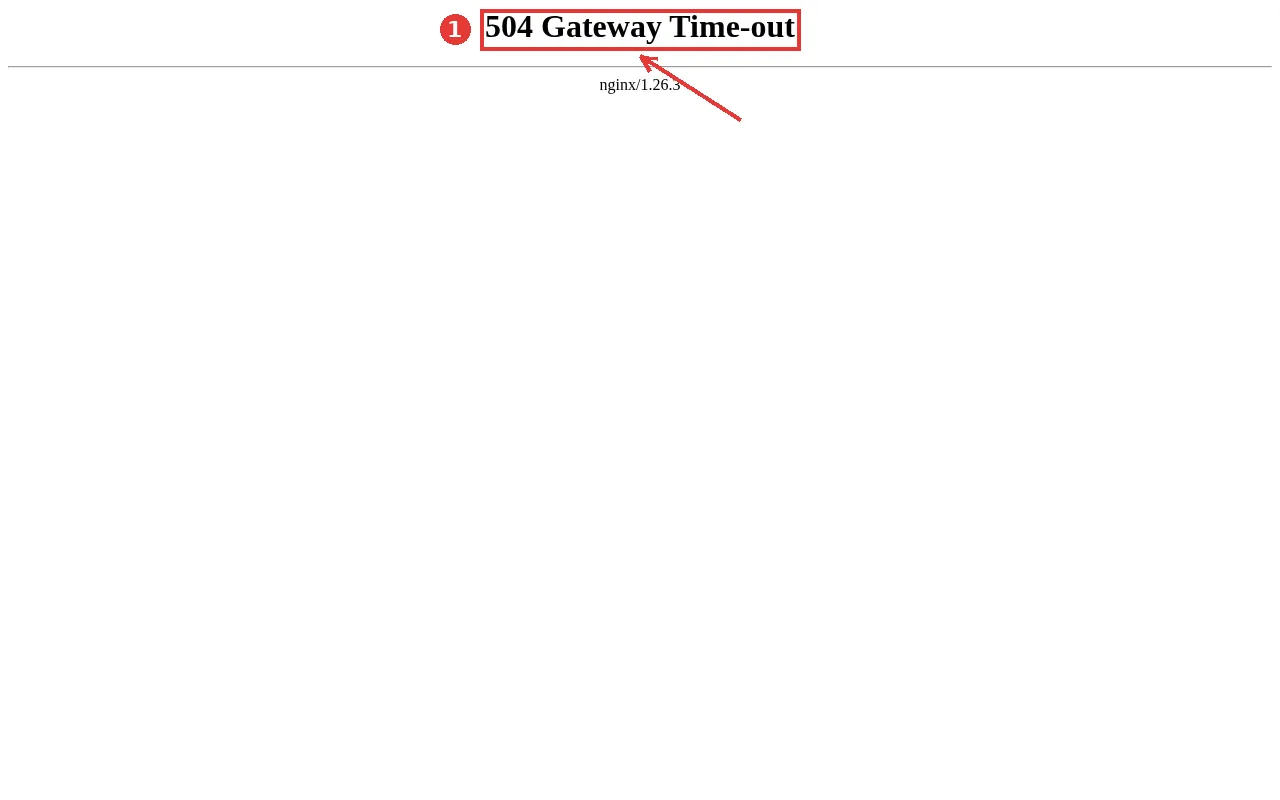
The page’s look tells you which layer timed out: a plain 504 Gateway Time-out with nginx underneath is a proxy on the server; a branded Cloudflare page is the CDN (Cloudflare shows its own 524 code for an origin that is too slow, and 504 in other cases).
Step 1: Find the slow request
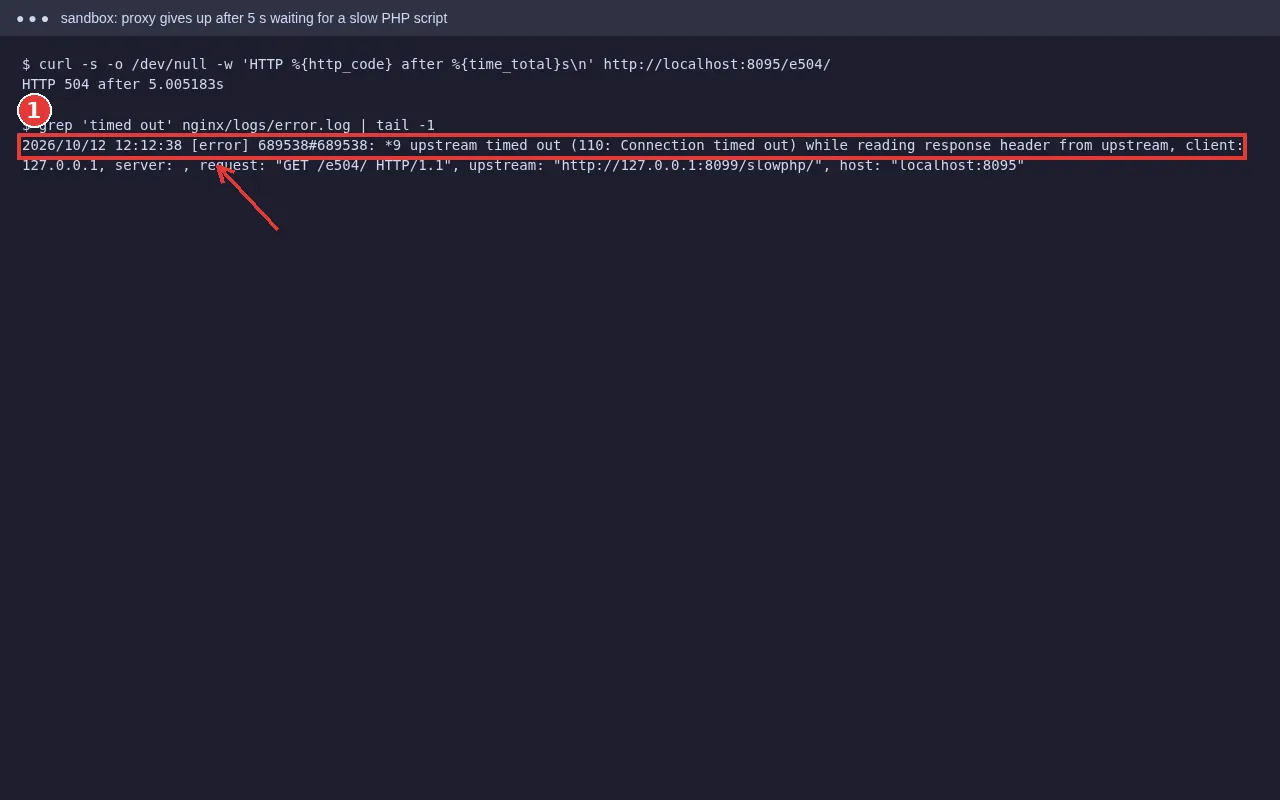
Note the exact URL that times out and the time. Then look at:
- cPanel → Metrics → Errors and
error_logfor PHP lines such as Maximum execution time exceeded. - Raw Access logs, to see whether the same URL is requested many times.
- Whether it’s every page or one action (an import, a checkout, a report). One action usually means a slow script; every page usually means the server is overloaded.
Step 2: Fix the cause
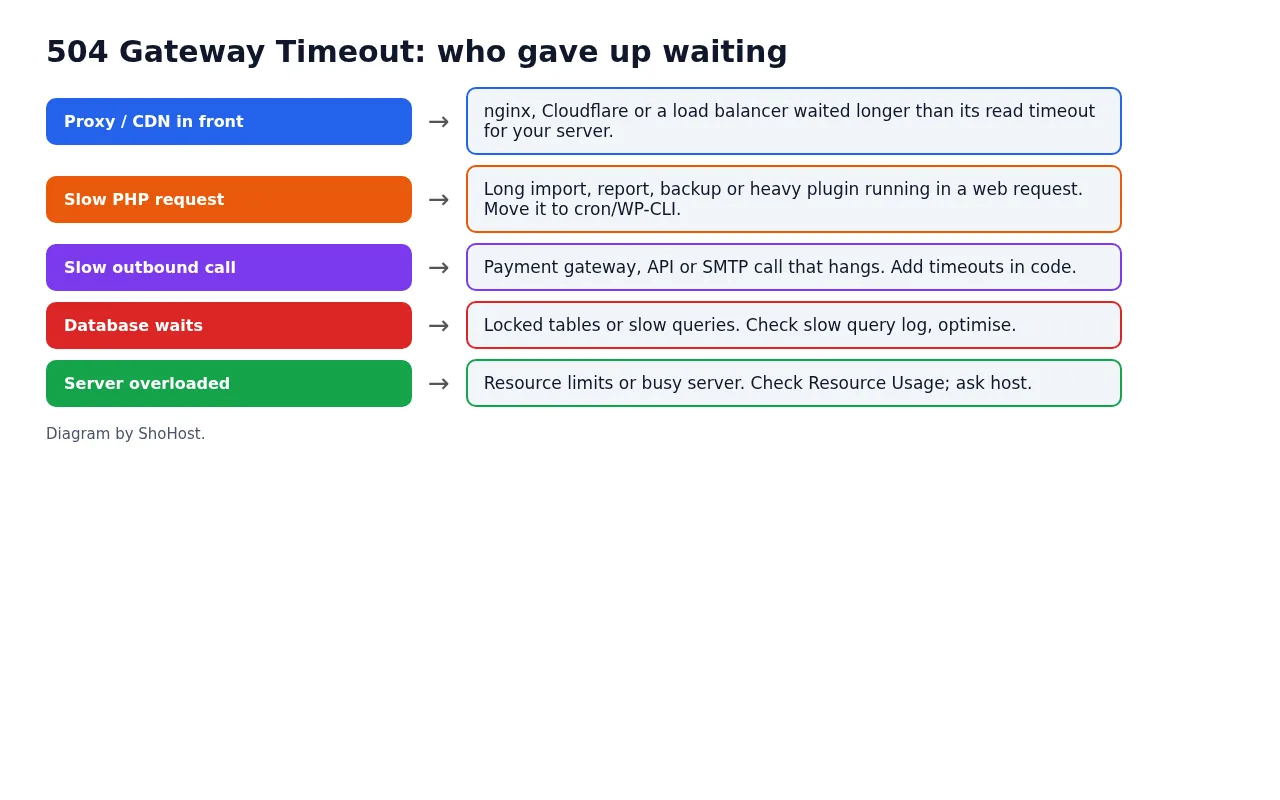
Long-running jobs in a web request
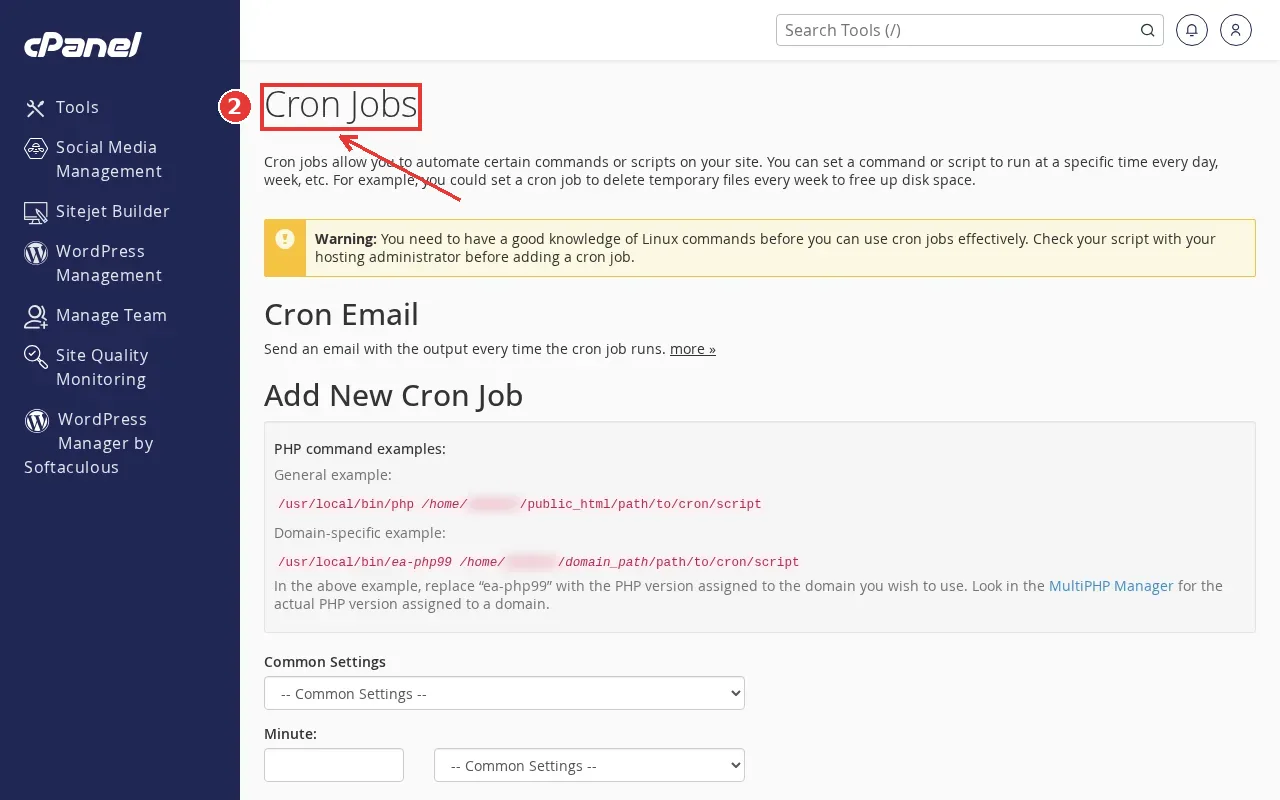
Big imports, exports, backups and image regeneration shouldn’t run through the browser. Split them into batches, run them from Cron Jobs or WP-CLI over SSH, or use the plugin’s background-processing option.
Slow outbound calls
A payment gateway, SMS API, licence check or SMTP server that doesn’t answer makes your page wait too. Set timeouts in the code or plugin settings, and check the third party’s status page. If one plugin’s API is down, disabling that plugin brings the site back.
Database waits
Slow queries or locked tables (often from a big wp_options autoload or a missing index) make every request wait. Clean old data, and ask your host whether the slow query log shows anything.
Server overloaded or limited
If everything is slow, check Metrics → Resource Usage. Hitting CPU or entry-process limits makes requests queue up until the proxy gives up. See our 508 resource limit guide.
Should I just raise the timeout?
Raising max_execution_time doesn’t help if the proxy or CDN in front gives up first, and on shared hosting you can’t change the proxy timeout. Making the request faster, or moving it out of the browser, is the reliable fix.
FAQ
Is a 504 my fault or my host’s?
Either. If one page or action times out, it’s usually the site’s code or a plugin. If every site on the server is slow, it’s the server; contact your host.
What’s the difference between 502 and 504?
502 means the server behind the proxy sent a broken answer or refused the connection. 504 means it didn’t answer in time.
Does a 504 hurt SEO?
Occasional timeouts don’t. If search engines keep getting 504s on important pages, they may crawl less and pages can drop out of the index.
Need a hand?
Want someone to do this for you? If your site is on ShoHost, message our support team on WhatsApp at +91 94880 91432 or email [email protected] and we’ll find the slow request with you. Hosting somewhere else and running into timeouts often? ShoHost WordPress hosting runs on LiteSpeed servers with NVMe storage and free SSL, and includes free migration.