Outlook “Cannot Connect to Server” for cPanel Mail: Ports and SSL
Tested on 12 October 2026 from a ShoHost sandbox: we checked a certificate against the right and wrong hostname with OpenSSL, and tested mail ports from a network that blocks them. Outlook isn’t installed in the sandbox, so its error message is simulated. Settings come from cPanel’s Connect Devices page format.
Outlook says Cannot connect to the server, keeps asking for the password, or sends fail with an SMTP error. For cPanel mail, the cause is nearly always one of: the server name, the port and encryption pair, the username, or a network blocking the port.
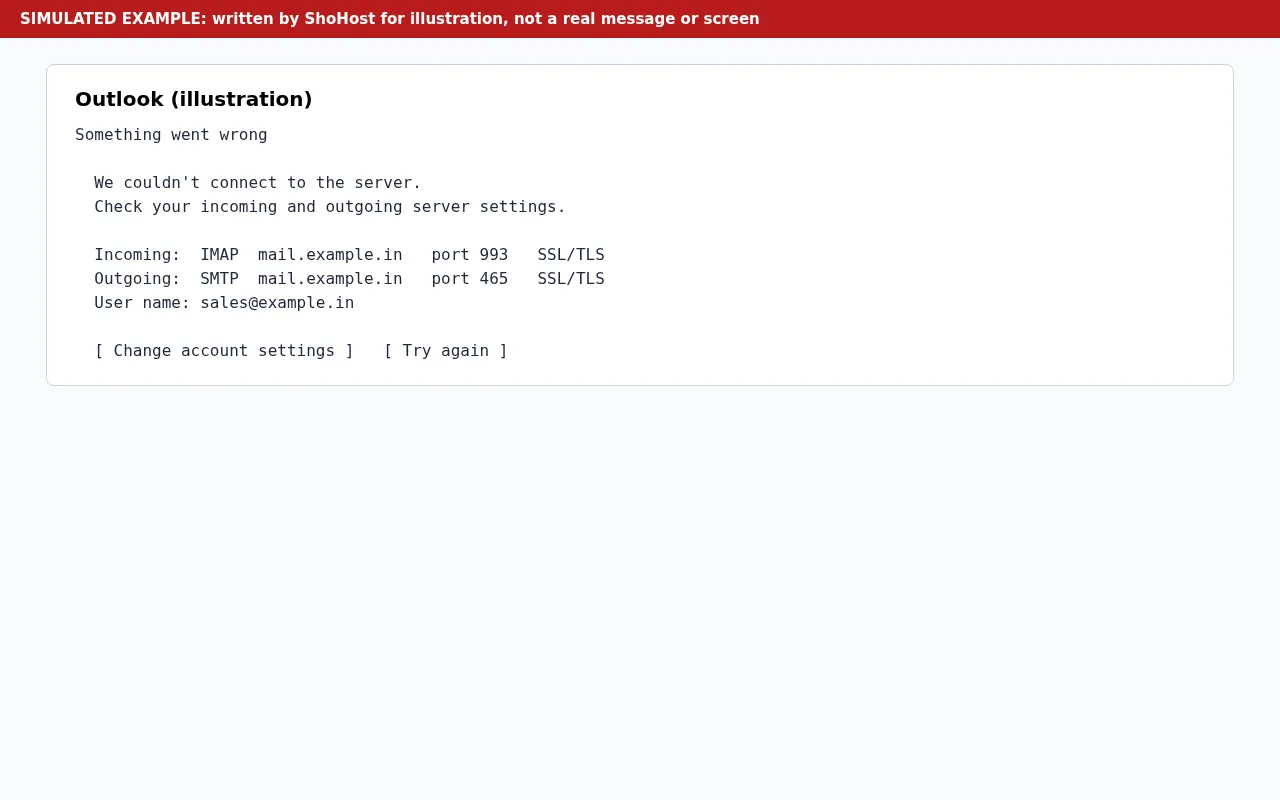
A typical Outlook message reads Something went wrong. We couldn’t connect to the server. Check your incoming and outgoing server settings. Below it, Outlook lists what it tried, for example incoming IMAP mail.example.in on port 993 with SSL/TLS, outgoing SMTP mail.example.in on port 465 with SSL/TLS, and the user name sales@example.in.
Get the exact settings
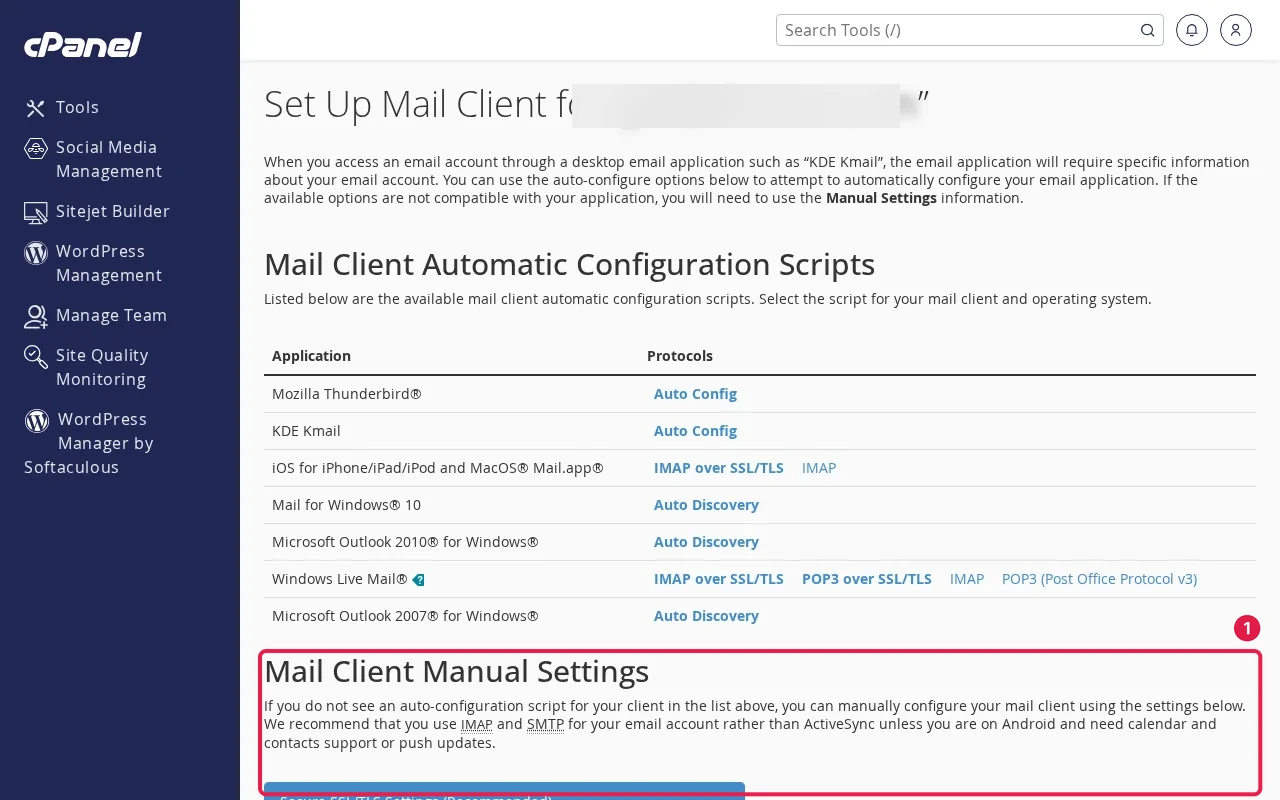
In cPanel open Email Accounts, click Connect Devices next to the address. The Secure SSL/TLS Settings show the server name to use. Use those, not guesses.
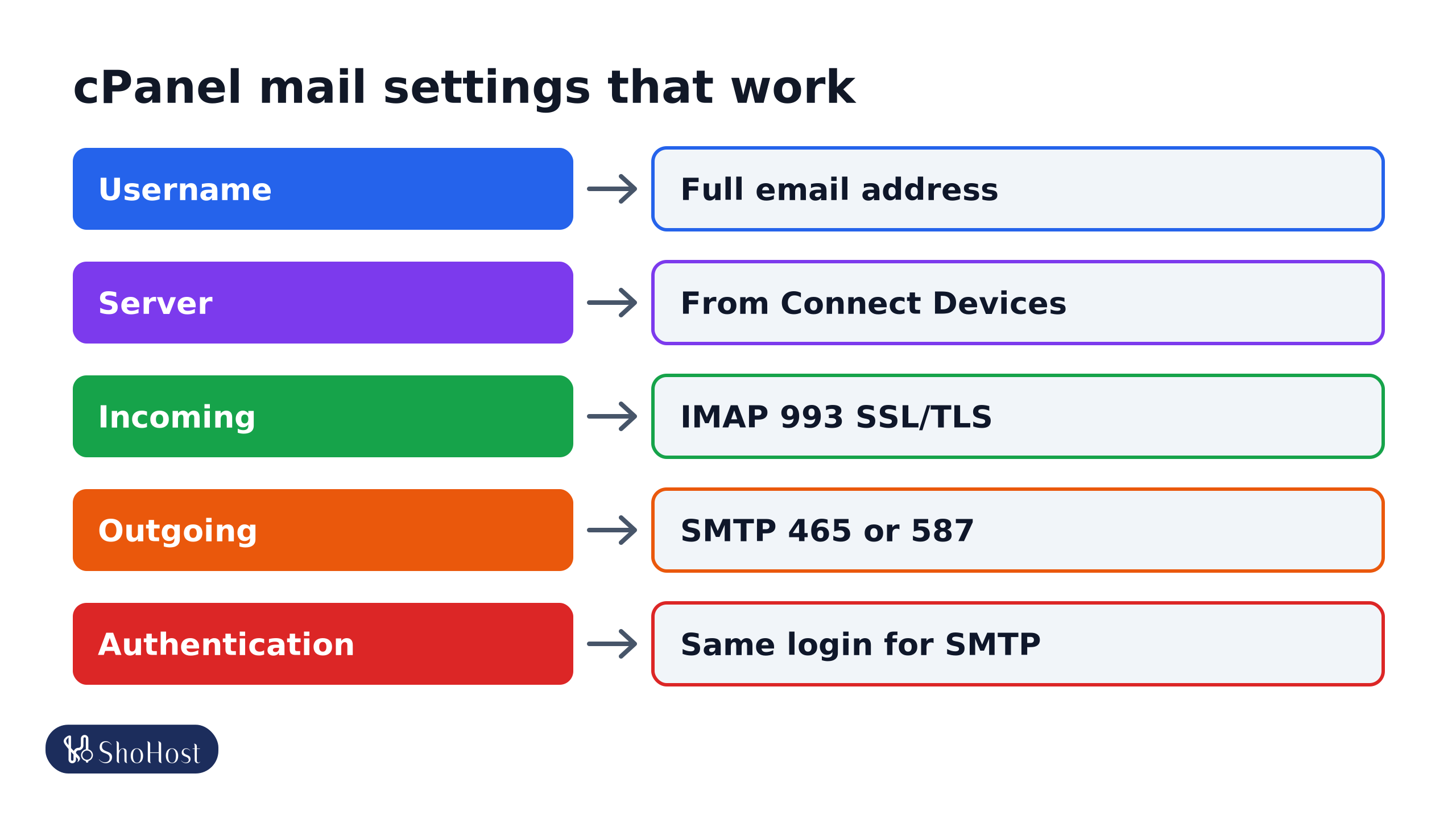
- Username: the full email address, for example
sales@example.in. - Incoming: IMAP port
993with SSL/TLS (or POP3995). - Outgoing: SMTP port
465with SSL/TLS, or587with STARTTLS. Turn on My outgoing server requires authentication, using the same login. - Server: the name shown on Connect Devices.
Certificate warnings and the server name
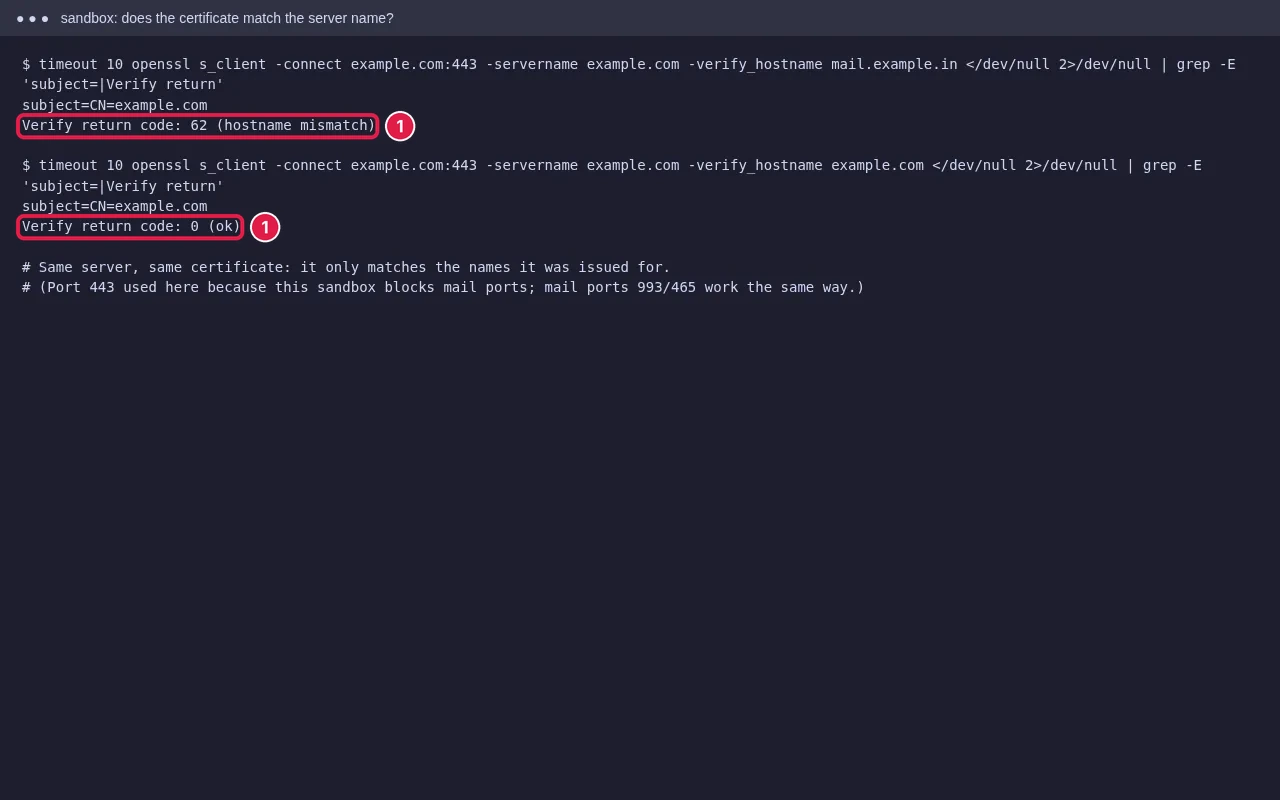
If Outlook warns that the certificate name doesn’t match, the server name you typed isn’t on the certificate. Our test shows the same thing: one server, one certificate, fine for its own name and a mismatch for another. Use the hostname from Connect Devices, or mail.yourdomain only if it has a valid certificate (cPanel AutoSSL usually covers it once DNS points to the server). See our AutoSSL guide.
Blocked ports
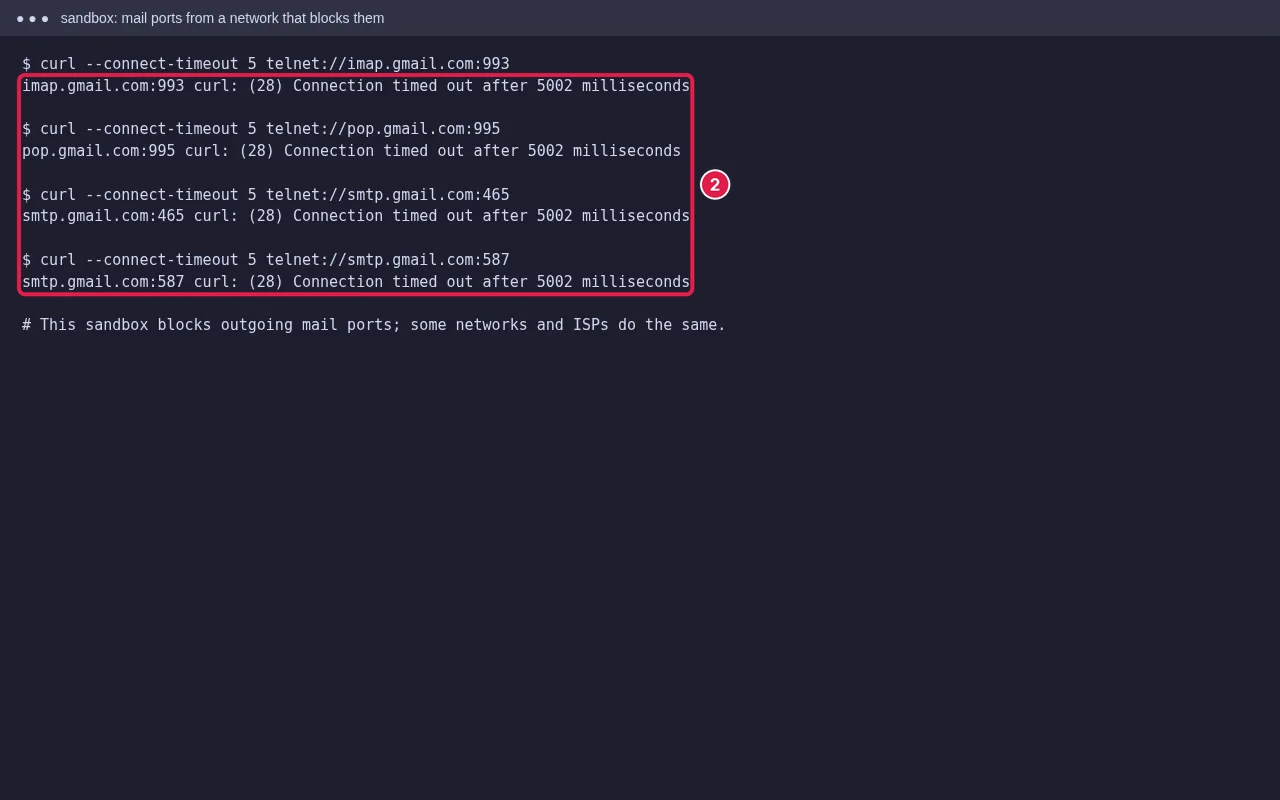
Some office networks, public Wi-Fi and ISPs block outgoing mail ports. Test from another network such as mobile data. If it works there, ask the network admin to allow ports 993 and 465 or 587. If the connection fails everywhere, your IP may be blocked on the server after several wrong passwords; see ERR_CONNECTION_TIMED_OUT and ask your host to check the firewall.
Outlook keeps asking for the password
- Re-enter the password, or reset it in cPanel Email Accounts → Manage.
- In new Outlook for Windows and Outlook.com, add the account as IMAP with advanced settings rather than letting it detect automatically.
- Check the mailbox isn’t full: see mailbox full.
- Remove an old saved password from Windows Credential Manager, then add the account again.
Full setup steps for each app are in set up business email on Gmail app, Outlook and iPhone.
FAQ
Should I use port 465 or 587?
Either works if the encryption matches: 465 with SSL/TLS, 587 with STARTTLS. Try the other if one is blocked.
Can I use port 25 for sending?
Avoid it. Many ISPs block port 25, and it isn’t meant for mail apps.
Outlook works on phone but not on the office PC. Why?
The office network or firewall likely blocks mail ports, or the PC has an old saved password.
Outlook still refusing to connect? If your mail is on ShoHost, message +91 94880 91432 on WhatsApp and we’ll check your mail settings with you.