How to Mount Remote Storage as a Network Drive on Windows and Linux (2026)
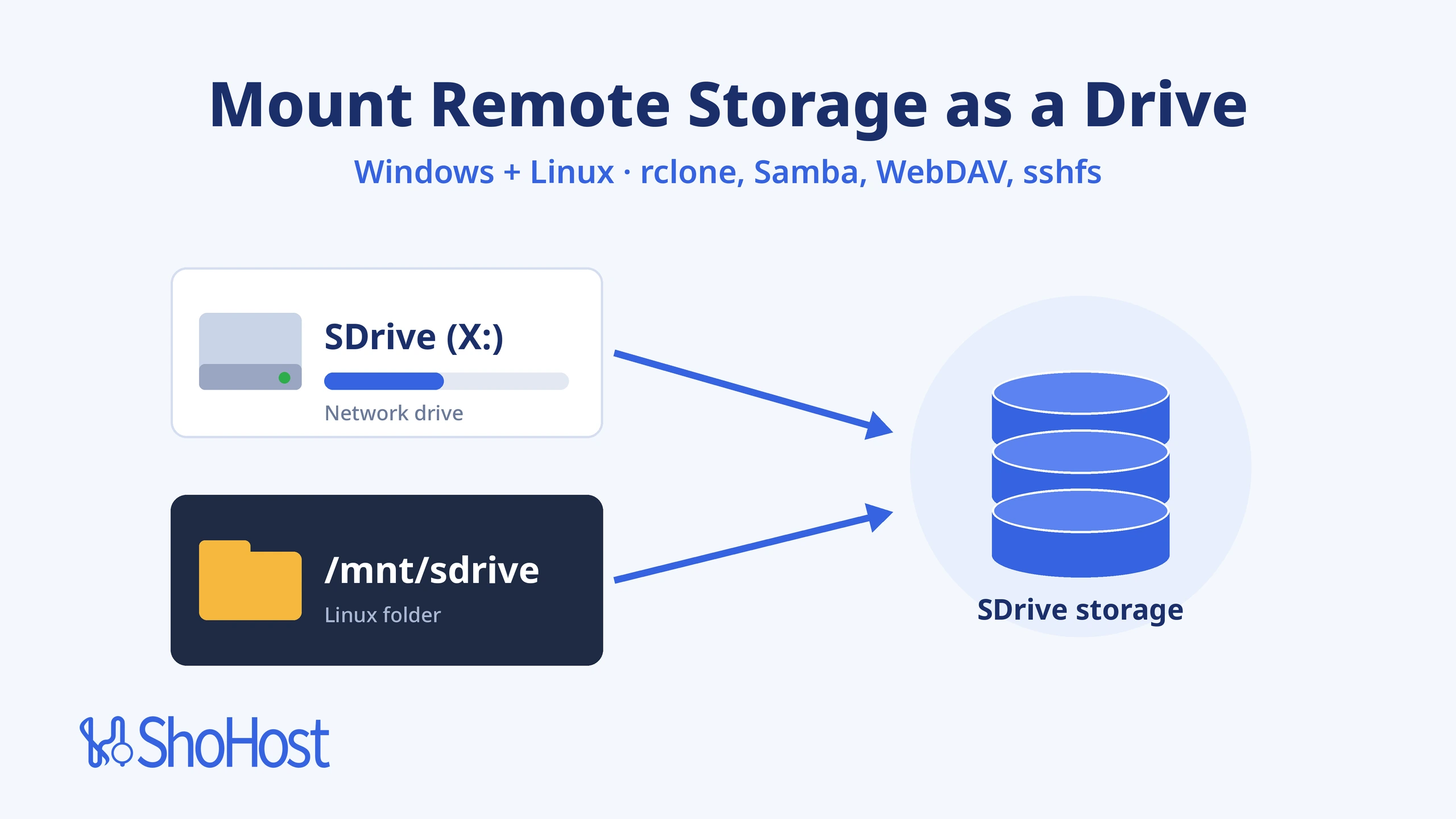
Copying files to remote storage through an app works, but it’s slow when you just want to open, save and drag files like any other folder. Mounting the storage gives you that: a drive letter such as X: in Windows File Explorer, or a folder such as /mnt/sdrive on a Linux server. This guide shows three ways to do it, explains which protocol to choose (SFTP, Samba or WebDAV), and covers the errors people hit most, such as drives that vanish after a reboot or System error 67.
Who it’s for: small offices, freelancers and developers in India who want an online drive for shared files or server output, plus resellers abroad who mount storage on client servers. Reading time: about 8 minutes.
In this guide
- Mount remote storage: the quick answer
- Before you start
- Which protocol: SFTP, Samba or WebDAV?
- Method 1: Mount with rclone over SFTP (Windows and Linux)
- Method 2: Map a network drive with Samba or WebDAV
- Method 3: Mount with sshfs on Linux
- Verify the mount
- Troubleshooting
- How to order SDrive storage
- Get SDrive sdrive-lite storage
- FAQ
- Related guides
Mount remote storage: the quick answer
For most people the best choice is rclone mount over SFTP. It works on both Windows and Linux, it uses port 22 (which home and office networks rarely block), and it logs in with an SSH key. Use Samba when you want Windows’ own drive mapping; port 445 may be blocked by ISPs, and the portal’s QUIC (UDP 443) option for Windows 11 avoids this. Use WebDAV when only HTTPS gets through, keeping in mind that Windows’ built-in WebDAV client is deprecated.
| Method | Works on | Protocol / port | Best for |
|---|---|---|---|
| 1. rclone mount | Windows, Linux, macOS | SFTP, port 22 | Most users: one tool, key login, easy to start at boot |
| 2. Native Samba or WebDAV | Windows File Explorer, Linux mount | SMB over QUIC (UDP 443) or port 445, or WebDAV over HTTPS | Using the portal’s ready-made scripts; no extra software |
| 3. sshfs | Linux | SFTP, port 22 | Quick mounts on Linux servers |
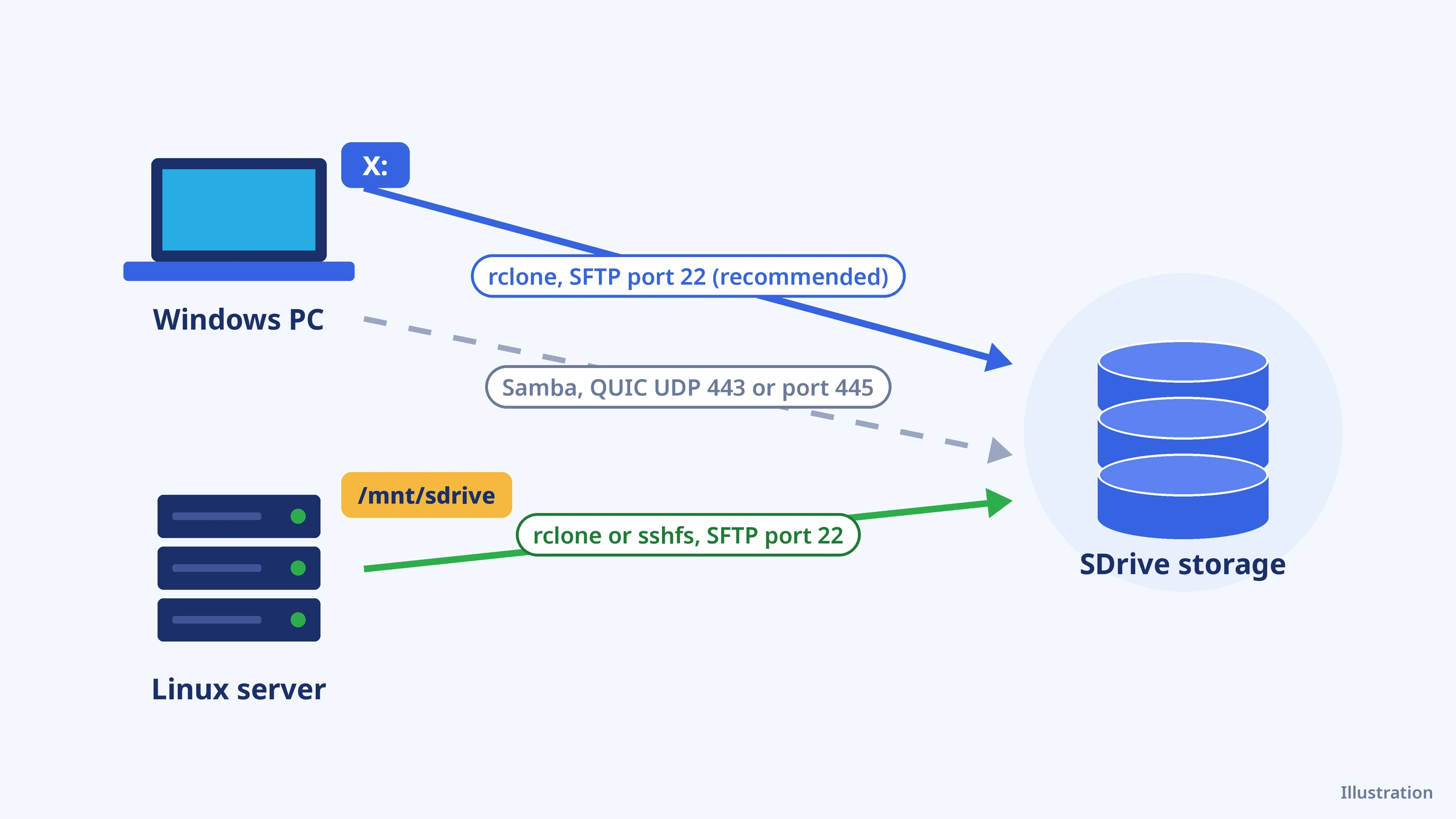
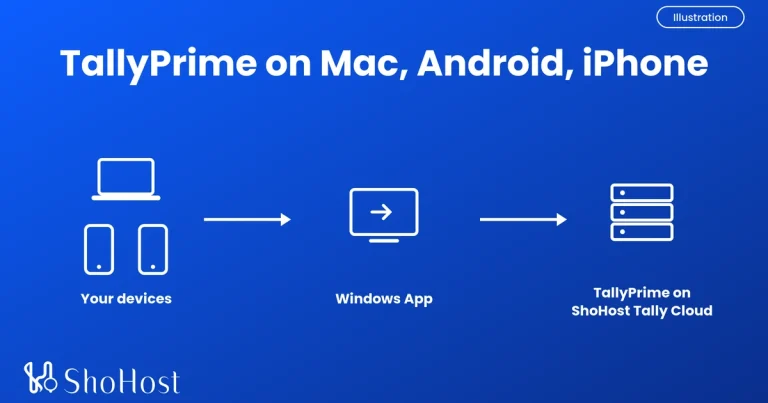
Illustration in words: a Windows PC shows the storage as drive X:, and a Linux server shows it as the folder /mnt/sdrive. Both reach the same storage account over SFTP on port 22. The PC can also use Samba, over QUIC on UDP 443 or over port 445 if the network allows it.
Before you start
- A storage account that offers SFTP (and Samba or WebDAV if you want Method 2). ShoHost SDrive offers SFTP, FTPS, WebDAV, Samba, S3 and Rsync on every plan.
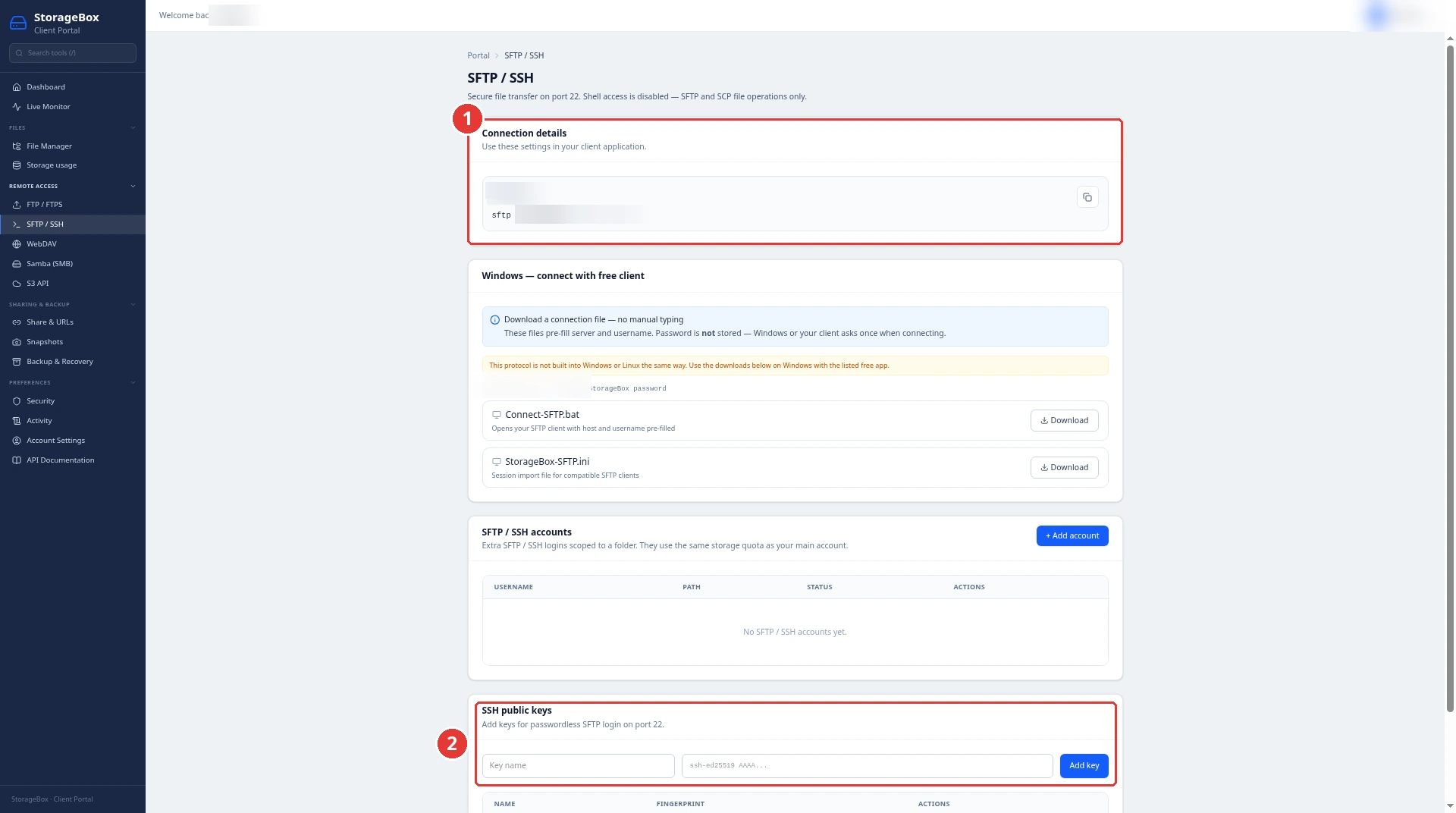
- Your host name and username. On SDrive they’re on the client portal’s Remote Access > SFTP / SSH page; SFTP runs on port 22 and the username is your account name.
- Windows 10 or 11, or a Linux machine where you can use
sudo. - About 20 minutes. Difficulty: beginner to intermediate.
Warning: a mount is live storage, not a copy. Deleting or overwriting a file in X: or /mnt/sdrive changes it in your storage account straight away.
In the commands below, replace SDRIVE_HOST, SDRIVE_USER and SDRIVE_SHARE with the values shown in your portal.
Which protocol: SFTP, Samba or WebDAV?
A common question on Reddit is whether WebDAV, Samba or sshfs is best for a mounted storage box. One r/hetzner user found their WebDAV mount froze about once a day. Here’s how the three compare:
- SFTP is encrypted, uses port 22 and supports key login. It’s the safest default over the internet.
- Samba (SMB) is what Windows file sharing uses, and it’s fast with large files. But Microsoft notes that many ISPs block port 445, which causes System error 53 or 67 (Microsoft Learn).
- WebDAV runs over HTTPS, so it passes most firewalls. However, Microsoft lists the WebClient (WebDAV) service as deprecated since November 2023, and it isn’t started by default (Microsoft Learn).
Method 1: Mount with rclone over SFTP (Windows and Linux)
Use this when you want one method that works everywhere, logs in with an SSH key and doesn’t depend on port 445.
Step 1: Create an SSH key and add it to the portal
In PowerShell or a Linux terminal, create a key (press Enter to accept the default path):
ssh-keygen -t ed25519Open the .pub file it created (for example id_ed25519.pub in your .ssh folder), copy the single line, and paste it into the SDrive portal under Remote Access > SFTP / SSH > SSH public keys, then click Add key.
Step 2: Install rclone and save the connection
On Windows, install rclone and WinFsp (rclone mount needs WinFsp on Windows, per the rclone mount docs). On Ubuntu or Debian:
sudo apt install rclone fuse3Then save a remote named sdrive (on Windows, use the full key path, such as C:\Users\YOU\.ssh\id_ed25519):
rclone config create sdrive sftp host=SDRIVE_HOST port=22 user=SDRIVE_USER key_file=~/.ssh/id_ed25519Test it. Expected result: a list of your top-level folders, or no output at all for an empty account, with no error.
rclone lsd sdrive:Step 3: Mount it
Windows (run in a normal, non-admin window; the drive stays mounted while this window is open):
rclone mount sdrive: X: --vfs-cache-mode writesAdd --network-mode if you want Explorer to show it as a network drive rather than a local disk. Linux:
sudo mkdir -p /mnt/sdrive && sudo chown "$USER" /mnt/sdrive
rclone mount sdrive: /mnt/sdrive --vfs-cache-mode writes --daemon
Why --vfs-cache-mode writes? rclone’s docs explain that without a cache, some applications can’t open files for reading and writing at the same time. Office files and editors need that, so the writes cache keeps them working.
Step 4: Keep it mounted after a reboot
On Windows, create a Task Scheduler task that runs the mount command At log on, and add --no-console to hide the window. On Linux, save this as /etc/systemd/system/sdrive.service (replace YOU with your username):
[Unit]
Description=SDrive mount
Wants=network-online.target
After=network-online.target

[Service]
Type=notify
User=YOU
ExecStart=/usr/bin/rclone mount sdrive: /mnt/sdrive --vfs-cache-mode writes
Restart=on-failure

[Install]
WantedBy=multi-user.target
sudo systemctl daemon-reload && sudo systemctl enable --now sdriveType=notify is supported by rclone mount, so the service only counts as started once the folder is mounted. To unmount by hand on Linux, run fusermount -u /mnt/sdrive (or fusermount3 -u on some systems). On Windows, press Ctrl+C in the rclone window.
Method 2: Map a network drive with Samba or WebDAV
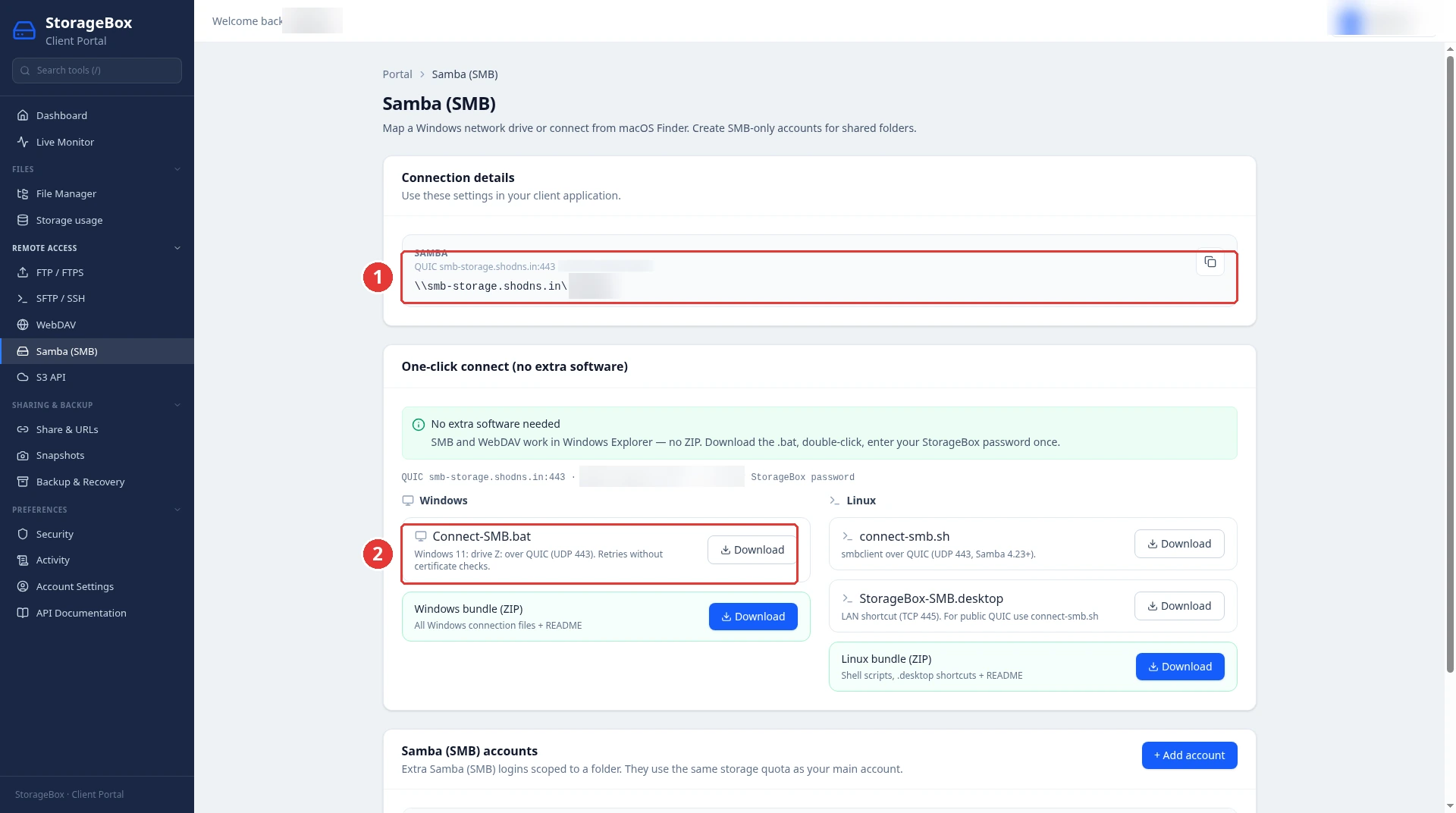
Use this when you’d rather not install anything and your network allows the protocol. Copy the exact address from the portal’s Remote Access > Samba (SMB) or Remote Access > WebDAV page. The Samba share address looks like \\smb-storage.shodns.in\SDRIVE_SHARE, where SDRIVE_SHARE is your account name. The portal also lists Max connections: 15, so check how many connections your tools open.
Windows: map a Samba share
Port 445 may be blocked by ISPs; the portal’s QUIC (UDP 443) option avoids this. On Windows 11, the easiest way is to download Connect-SMB.bat from the Samba (SMB) page and run it. It connects over QUIC and maps the share as drive Z:.
To map it by hand over port 445 instead, first check that the port is reachable. Expected result: TcpTestSucceeded : True. If it says False, use the QUIC script or Method 1.
Test-NetConnection smb-storage.shodns.in -Port 445Then map the share. Windows asks for your password, and /persistent:yes remaps the drive at every sign-in:
net use S: \\smb-storage.shodns.in\SDRIVE_SHARE /user:SDRIVE_USER /persistent:yesLinux: mount a Samba share
The portal also offers a ready-made Linux smbclient script on the same page. To mount the share as a folder instead, install cifs-utils, then save your login in a file only root can read. Its username= and password= lines follow the mount.cifs manual:
sudo apt install cifs-utils
sudo nano /root/.sdrive-smb
sudo chmod 600 /root/.sdrive-smb
sudo mkdir -p /mnt/sdrive
sudo mount -t cifs //smb-storage.shodns.in/SDRIVE_SHARE /mnt/sdrive -o credentials=/root/.sdrive-smb,uid=$(id -u),gid=$(id -g)Windows: connect over WebDAV
The WebDAV address is https://storage.shodns.in/webdav/. On the portal’s WebDAV page, download Connect-WebDAV.bat and run it; it maps the storage as drive W:. If it fails at once, the WebClient service may be stopped. If you prefer File Explorer’s Map network drive, you can try the same https address, but we didn’t confirm that it works. Because Windows’ WebDAV client is deprecated, use Method 1 for anything you depend on.
Method 3: Mount with sshfs on Linux
Use this when you need a quick one-off mount on a Linux server. sshfs mounts a remote file system using SFTP, so it works on SDrive’s SFTP-only accounts. Its maintainers say it’s shipped by all major distributions but has no active regular contributors, so only high-impact issues get fixed (sshfs on GitHub). For a mount you rely on every day, rclone is the safer choice.
sudo apt install sshfs
sshfs SDRIVE_USER@SDRIVE_HOST: /mnt/sdrive -o IdentityFile=~/.ssh/id_ed25519,reconnect,ServerAliveInterval=15
Unmount with fusermount -u /mnt/sdrive.
Verify the mount
On Linux, check the size and write a test file:
df -h /mnt/sdrive
echo ok > /mnt/sdrive/mount-test.txt
Expected result: df lists the mount, and mount-test.txt appears in the portal’s File Manager. On Windows, copy a small file to X: (or S:) and check that it appears in the File Manager too. Delete the test file afterwards.
Troubleshooting
| Problem | Likely cause | Fix |
|---|---|---|
| System error 53 or 67 when mapping Samba | Port 445 blocked by the ISP or firewall | Run Test-NetConnection; if it’s False, use the portal’s QUIC (UDP 443) script or Method 1 |
| Mapped drive disappears after a reboot | rclone only mounts while it’s running | Use the Task Scheduler task or systemd service from Step 4; for Samba, use /persistent:yes |
| rclone drive not visible in File Explorer | Mounted from an Administrator window | Run rclone mount from a normal window; rclone’s docs say drives created as Administrator aren’t visible to other accounts, even elevated ones |
| failed to mount FUSE fs: fusermount: exit status 1 on newer Ubuntu | AppArmor restrictions on fusermount3 | rclone’s docs suggest sudo aa-disable /usr/bin/fusermount3 (install apparmor-utils first) |
| “Transport endpoint is not connected” | Connection dropped under the mount | Run fusermount -u /mnt/sdrive, then mount again; use the reconnect option or the systemd service |
| Office files fail to save | No VFS cache | Add –vfs-cache-mode writes |
| Still stuck | Account or network details | WhatsApp support on +91 94880 91432, 9 AM to 12 midnight IST |
How to order SDrive storage
Step 1: Open the HDD Storage store
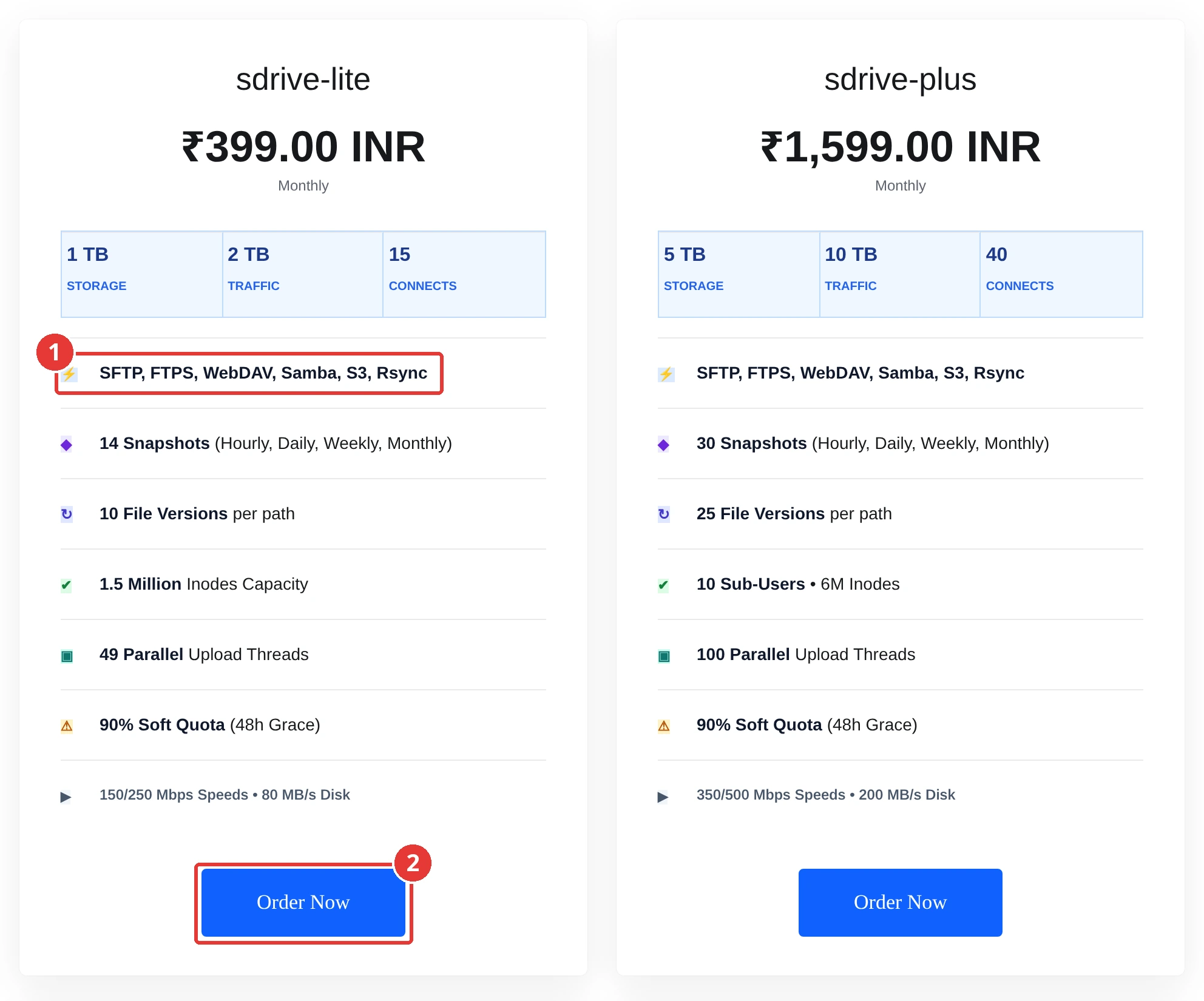
Go to storage.shohost.com > HDD Storage and click Order Now on sdrive-lite.
Step 2: Pick a billing cycle
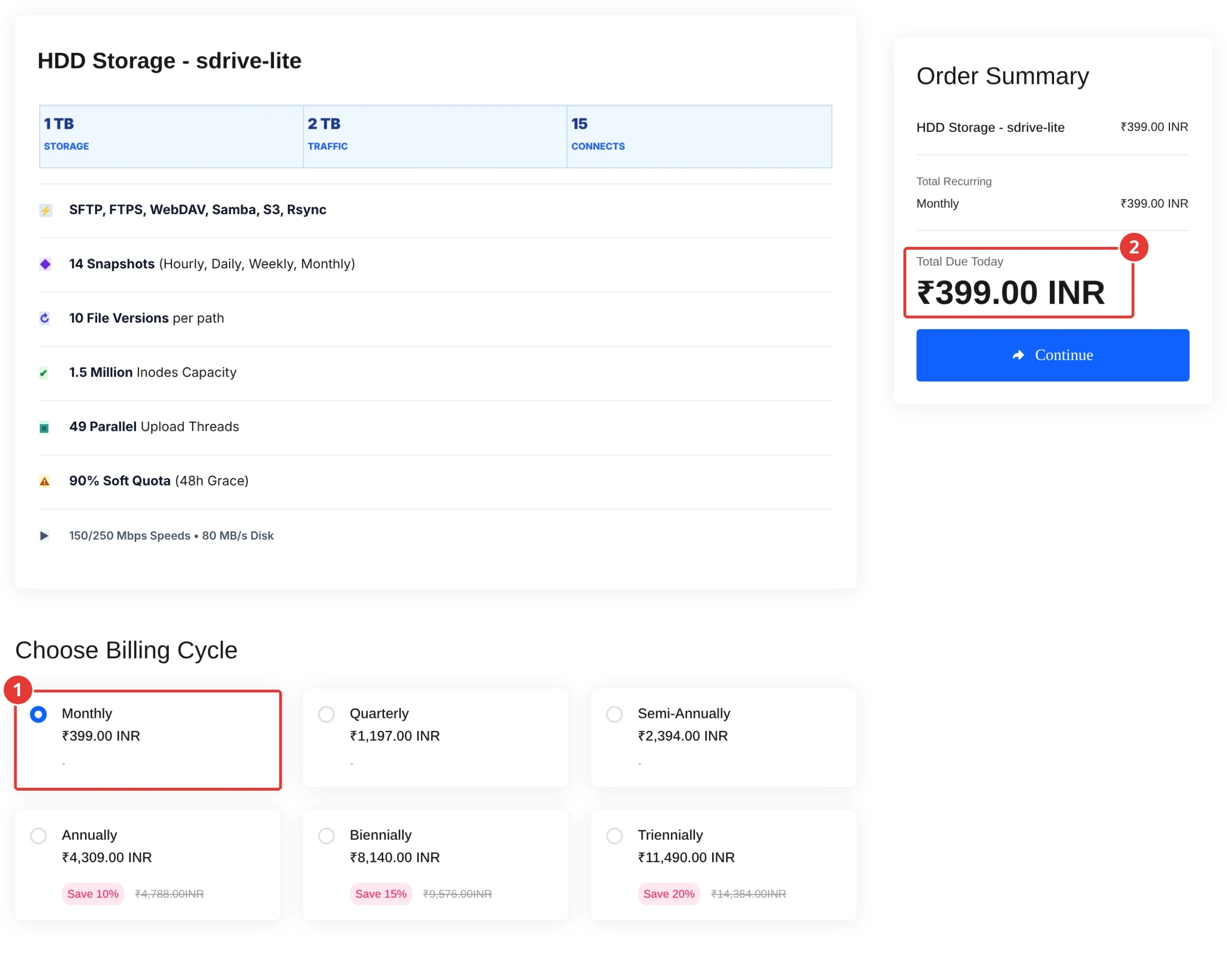
Choose Monthly or a longer cycle (annual saves 10%), check Total Due Today and click Continue.
Step 3: Check the cart total
Expected result: the cart shows Total Due Today ₹399.00 INR for monthly billing.

Get SDrive sdrive-lite storage
ShoHost SDrive sdrive-lite gives you 1 TB of storage and 2 TB of traffic, with SFTP, FTPS, WebDAV, Samba, S3 and Rsync access, 14 snapshots, 10 file versions per path and 150/250 Mbps speeds, for ₹399 a month, all fees included. Need more space or sub-users? See the HDD Storage store.
Need help choosing a mount method? WhatsApp support on +91 94880 91432, 9 AM to 12 midnight IST.
FAQ
Can I map SFTP as a network drive in Windows?
Not with Windows alone, because File Explorer can’t map SFTP. Install rclone and WinFsp, then run rclone mount to give the storage a drive letter. Add –network-mode if you want it to show as a network drive.
Is WebDAV deprecated in Windows 11?
Yes. Microsoft lists the WebClient (WebDAV) service as deprecated since November 2023, and it isn’t started by default. It still works for now, but rclone over SFTP is the safer long-term choice.
Is sshfs slow or unreliable?
sshfs is fine for light, occasional use, but its project has no active regular contributors and it can hang when the connection drops. Use the reconnect option, or rclone with a systemd service, for daily use.
How do I unmount an rclone mount?
On Linux, run fusermount -u followed by the mount folder, or stop the systemd service. On Windows, press Ctrl+C in the rclone window or end the scheduled task.
Is a mounted drive the same as a backup?
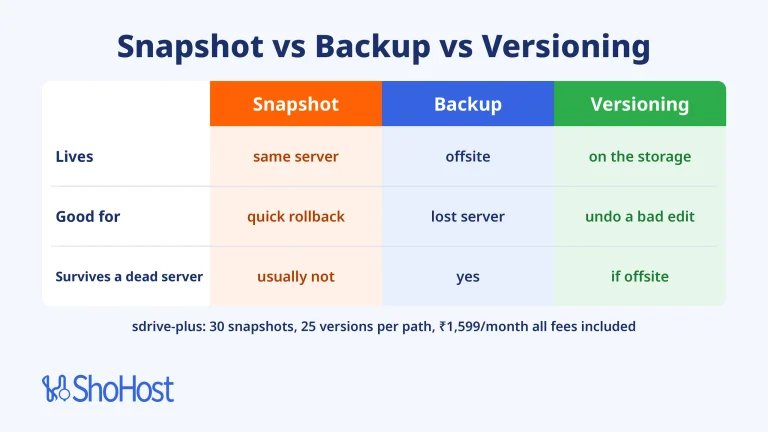
No. Deleting a file on the mount deletes it in storage too. SDrive keeps snapshots and file versions that help you recover, but run a separate backup job for important data (see our guide to server backups over SFTP, S3, rsync and restic).