NET::ERR_CERT_COMMON_NAME_INVALID and Other SSL Errors Explained
Tested in a ShoHost sandbox on 12 October 2026: Apache 2.4 with mod_ssl on Debian, captured with headless Chrome. We made our own test certificate authority, trusted it only inside a throwaway Chrome profile, and served three broken certificates on purpose: one that doesn’t cover a subdomain, one that expired, and one that is self-signed. The domain example-lab.test is a test name, not a real site. Every screenshot below is from that sandbox or from a public DNS lookup, not from a customer site.
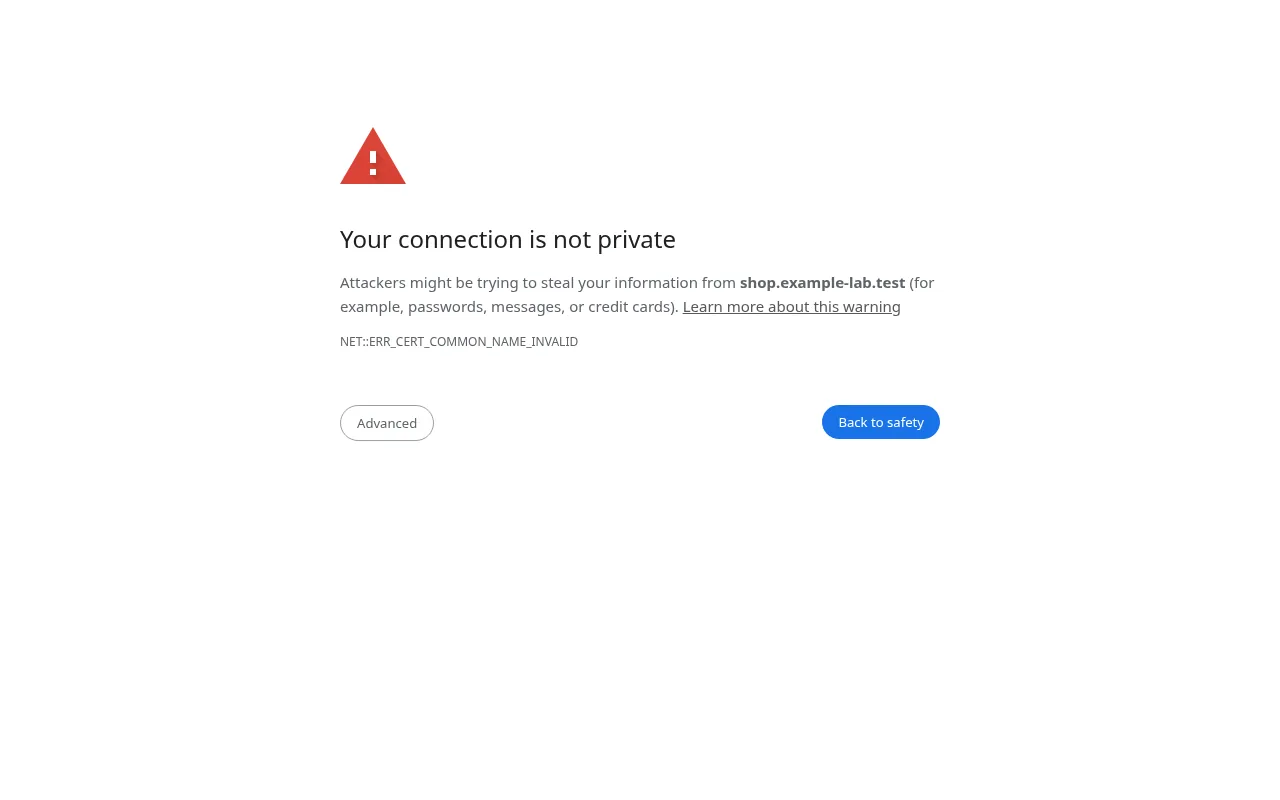
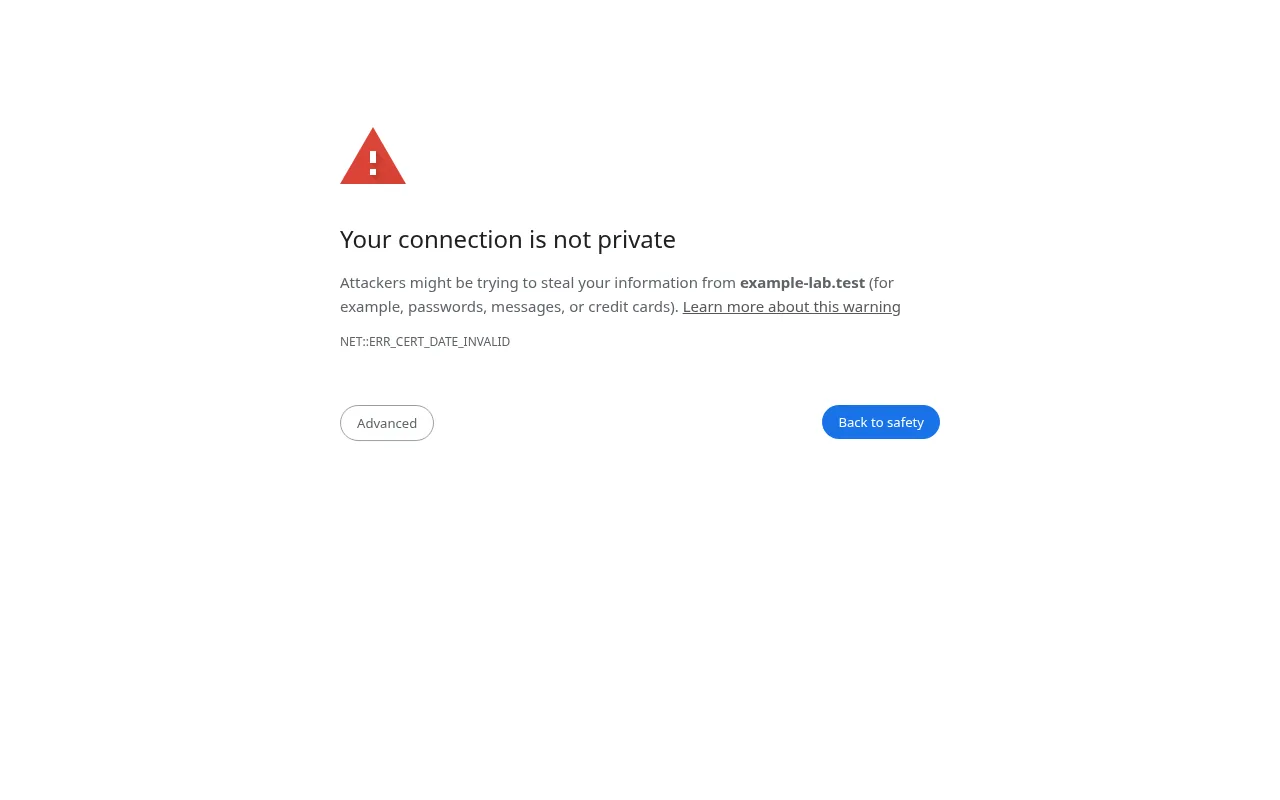
NET::ERR_CERT_COMMON_NAME_INVALID and the other NET::ERR_CERT_… codes all appear on Chrome’s Your connection is not private page. The page looks the same every time, but the small code under the text tells you exactly what is wrong with the certificate. Fix that one thing and the warning goes away.
What it looks like
Step 1: Read the code and check the certificate
Note the code under the warning. Then check what the server is actually sending. Click Not secure in the address bar → Certificate is not valid to see who it was issued to and when it expires. From a terminal, this shows the names and dates:
echo | openssl s_client -connect example.in:443 -servername example.in 2>/dev/null | openssl x509 -noout -subject -dates -ext subjectAltName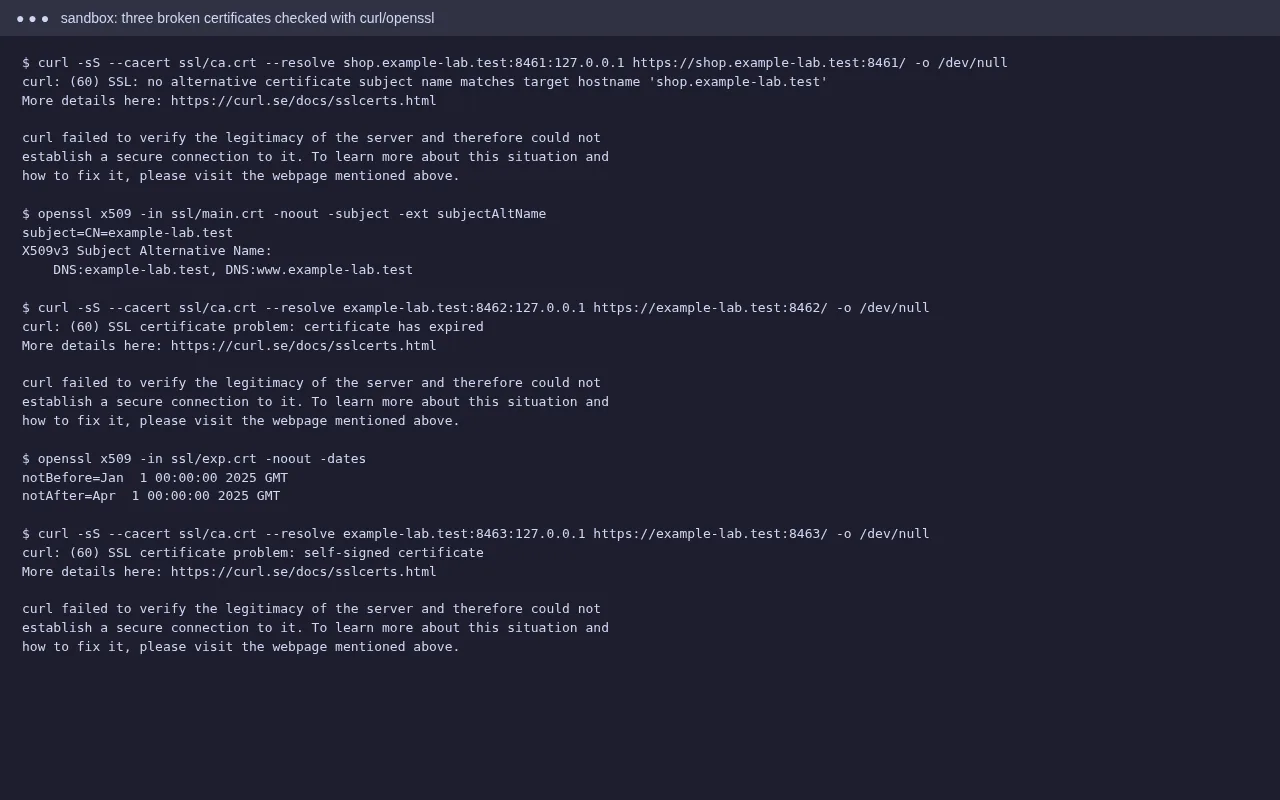
Step 2: Fix the error you have
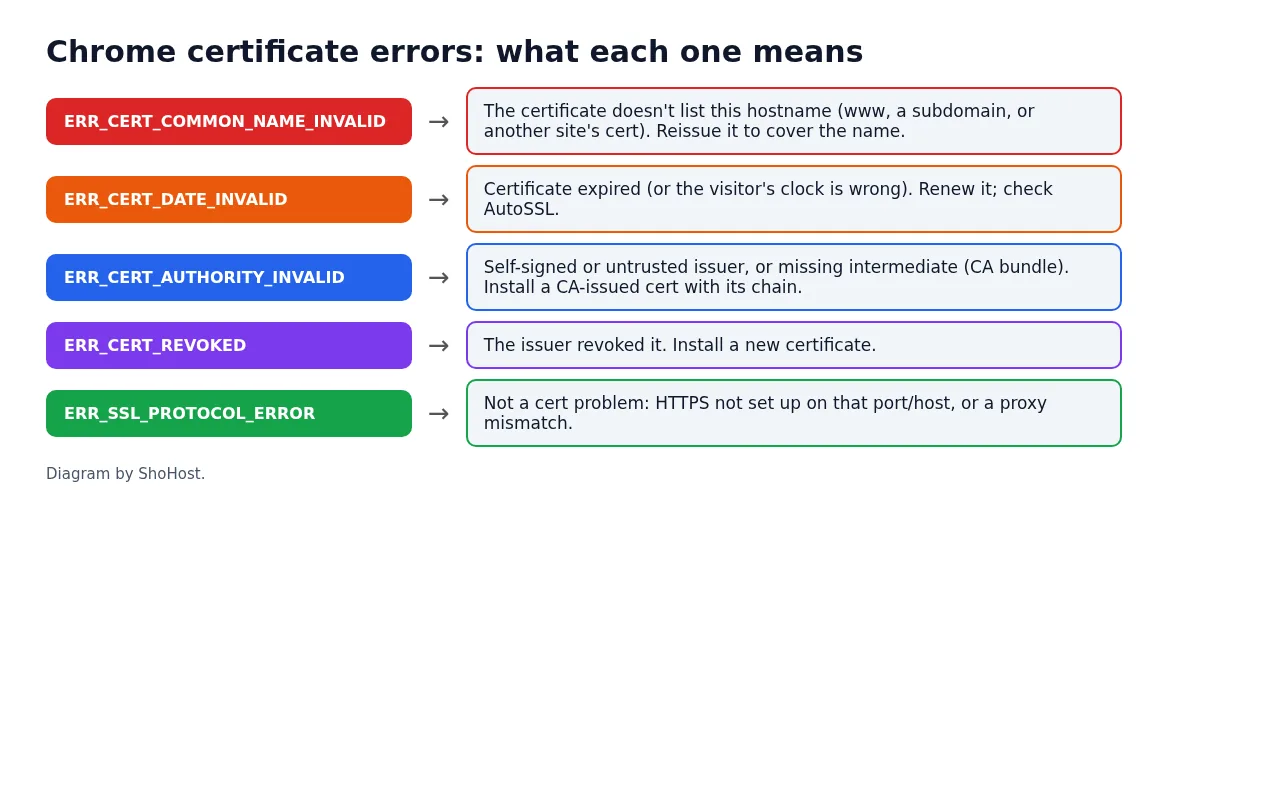
ERR_CERT_COMMON_NAME_INVALID: the name isn’t on the certificate
The certificate is valid, just not for the hostname you typed. In our test the certificate listed example-lab.test and www.example-lab.test, and we opened shop.example-lab.test. Common real causes:
- A new subdomain or addon domain that AutoSSL hasn’t covered yet. In cPanel open Security → SSL/TLS Status, tick the domain and click Run AutoSSL.
wwwmissing from the certificate because thewwwDNS record didn’t exist when it was issued. Add the record, then run AutoSSL again.- The domain points to the wrong server (an old host, or a shared IP that serves another site’s certificate). Check the A record in Zone Editor.
- A CDN in front with no edge certificate for that name.
ERR_CERT_DATE_INVALID: expired, or the visitor’s clock is wrong
If every visitor sees it, the certificate has expired. Renew it, or find out why AutoSSL didn’t renew it (see our AutoSSL failed guide). If only one person sees it, the date and time on their computer or phone are probably wrong.
ERR_CERT_AUTHORITY_INVALID: not trusted
The certificate is self-signed, comes from an issuer browsers don’t trust, or the intermediate certificate (the CA bundle) is missing. In cPanel, SSL/TLS → Manage SSL sites has a field for the CA bundle; paste the bundle from your certificate provider. A free AutoSSL certificate avoids this.
Other codes
ERR_CERT_REVOKED: the issuer cancelled the certificate. Install a new one.ERR_SSL_PROTOCOL_ERRORorERR_SSL_VERSION_OR_CIPHER_MISMATCH: usually not the certificate itself. HTTPS isn’t set up for that host, or a proxy or CDN setting doesn’t match the server.ERR_CERT_WEAK_SIGNATURE_ALGORITHM: a very old certificate. Reissue it.
Step 3: Confirm the fix
Reload in a private window, and run the openssl command again to check the new names and dates. If the site loads but shows Not secure without a full-page warning, that is a mixed-content problem, not a certificate error.
FAQ
Can visitors just click Advanced → Proceed?
They can, but they shouldn’t have to, and many won’t. Some sites using HSTS don’t show that option at all. Fix the certificate instead.
Why does www work but the bare domain doesn’t (or the other way round)?
The certificate covers only one of the two names. Make sure both have DNS records pointing to the server, then reissue the certificate.
Does a wildcard certificate cover everything?
A certificate for *.example.in covers one level of subdomain, like shop.example.in, but not the bare example.in or a.b.example.in, unless those are listed too.
Need a hand?
Want someone to do this for you? If your site is on ShoHost, message our support team on WhatsApp at +91 94880 91432 or email [email protected] and we’ll check the certificate with you. Hosting somewhere else and running into SSL errors often? ShoHost WordPress hosting runs on LiteSpeed servers with NVMe storage and free SSL, and includes free migration.