Mailbox Full / Quota Exceeded: Free Space Without Losing Mail

Tested on 12 October 2026 in a ShoHost sandbox (Debian). We built a Maildir-format mailbox (the format cPanel uses) with a 50 MB quota and measured the folder sizes. The bounce message is a simulated example because the sandbox can’t receive outside mail.
When a mailbox reaches its quota, new mail is rejected and senders get a mailbox full or quota exceeded bounce. You can free space without losing anything you need: find which folders are big, clear the obvious ones, and archive the rest.
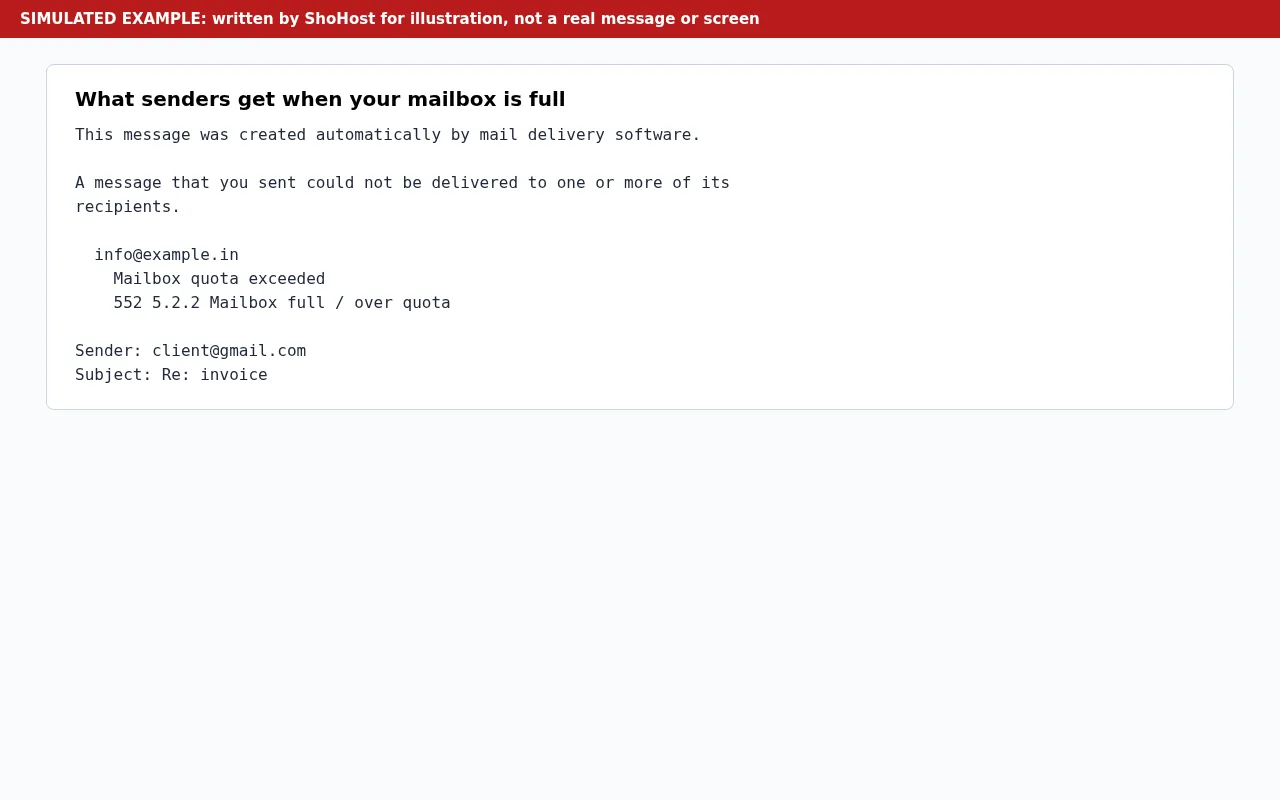
The bounce says a message “could not be delivered to one or more of its recipients”, then lists your address (for example info@example.in) with Mailbox quota exceeded and the code 552 5.2.2 Mailbox full / over quota.
Step 1: See which folders are big
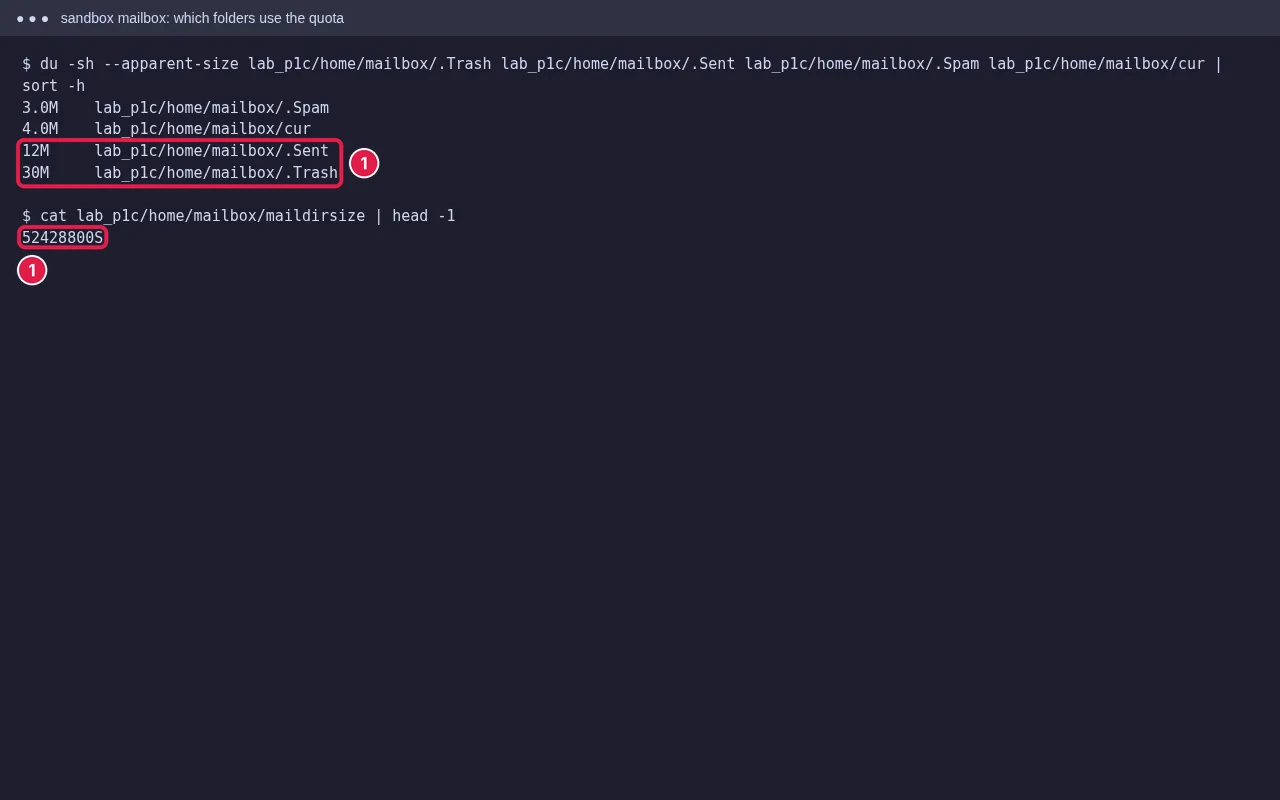
In Roundcube webmail, open Settings → Folders and click a folder to see its size, or check the quota bar at the bottom left. Trash, Sent and Spam are often the biggest. Over SSH, the mailbox lives under ~/mail/yourdomain/user/ and du -sh on its folders shows the same.
Step 2: Free space safely
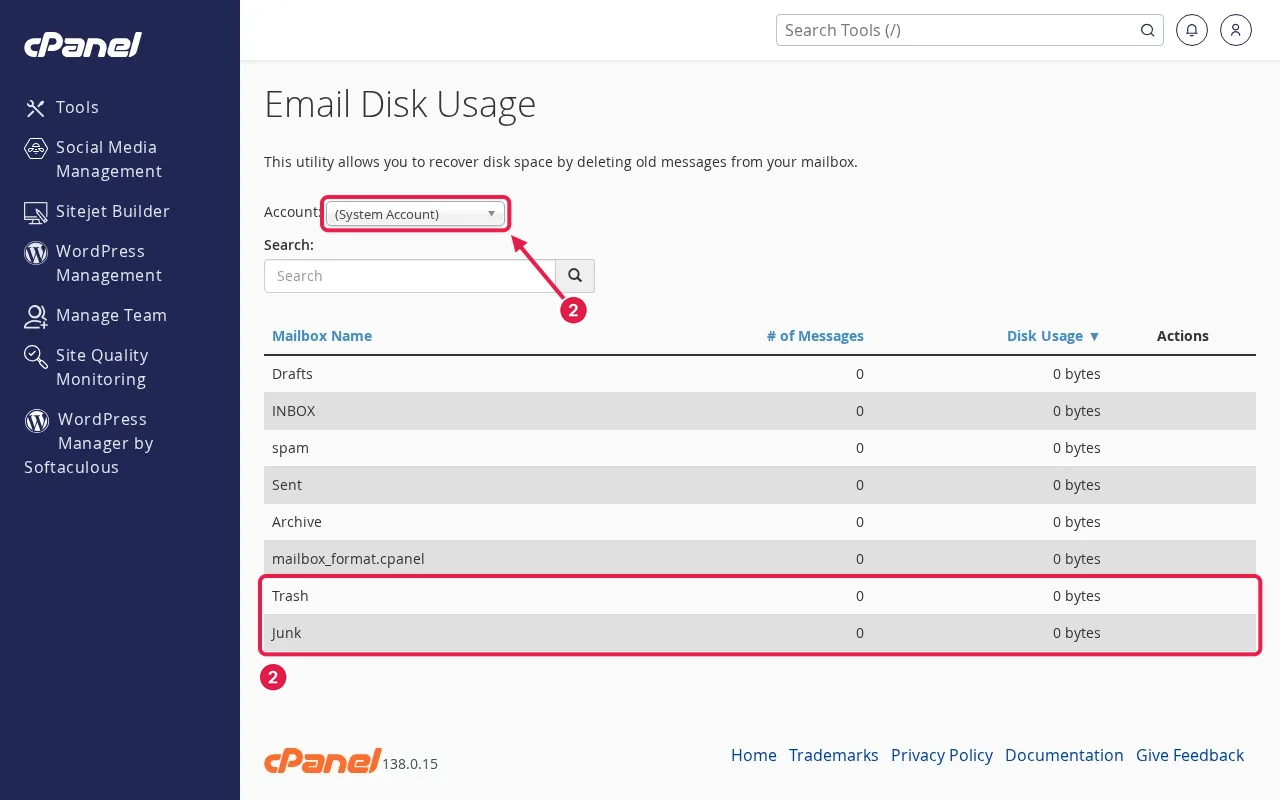
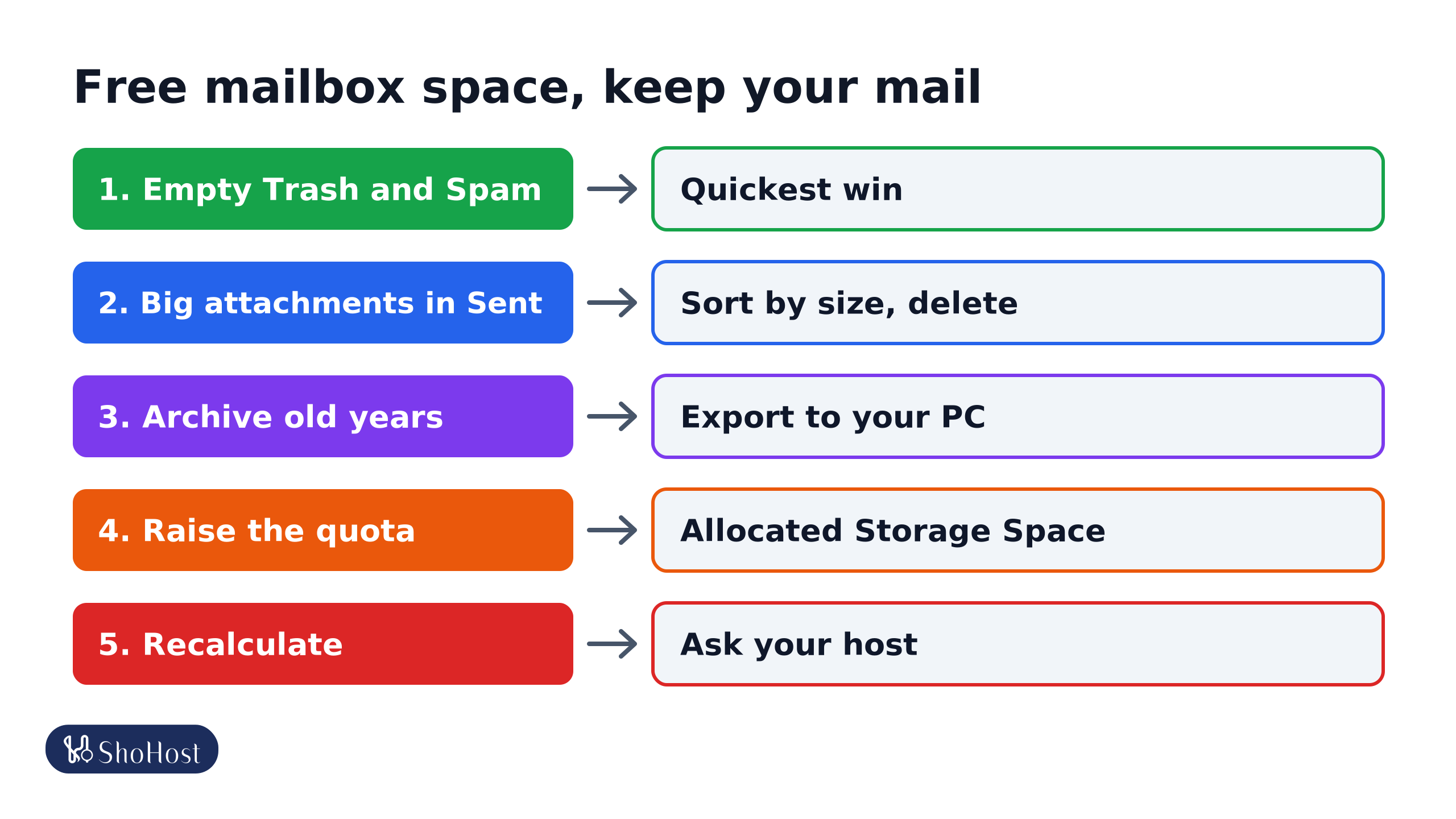
- Empty Trash and Spam (Roundcube: right-click the folder → Empty). Mail in Trash still counts. It’s usually the quickest win.
- Remove big attachments, often in Sent: sort a folder by size, save the attachments you need, then delete those messages.
- Archive old mail: in Outlook or Thunderbird, move older years to a local folder or export to a PST or mbox file on your computer, then delete them from the server.
- Check other apps: an old phone set up with POP3 and ‘keep a copy on server’ can quietly fill the mailbox.
Step 3: Raise the quota if your plan allows
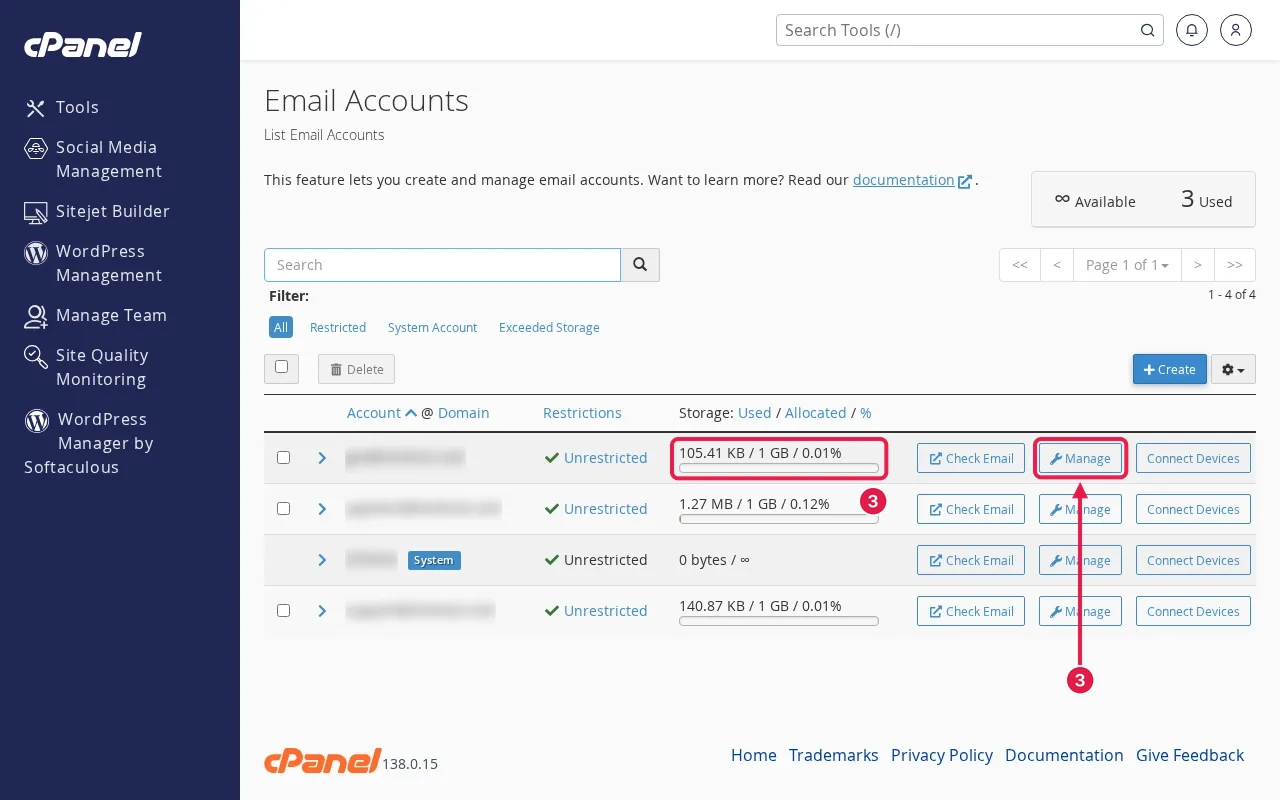
In cPanel open Email → Email Accounts, click Manage next to the address and change Allocated Storage Space. The space comes from your hosting plan’s disk, so check overall disk use too (see our disk and inode limit guide).
If the size doesn’t go down
cPanel tracks mailbox use in a small file, and it can be out of date after big deletions. Wait a little and reload. If it still shows full, ask your host to recalculate the mailbox quota.
FAQ
Is mail sent to me while the mailbox was full lost?
The sender gets a bounce, so it isn’t delivered to you. Some sending servers retry for a while on a temporary error, but ask important contacts to resend.
Does deleting mail on my phone free server space?
With IMAP, yes, once the messages are removed from Trash too. With POP3, deleting on the phone usually doesn’t touch the server copy.
Can I set the mailbox to unlimited?
Some plans allow it, but it can still fill the account’s total disk. A fixed quota per mailbox is easier to manage.
Mailbox full again? If your email is on ShoHost, WhatsApp +91 94880 91432 and we’ll clean up and resize the mailbox with you.