Too Many Redirects (ERR_TOO_MANY_REDIRECTS) After SSL or Cloudflare

Tested on 12 October 2026 in a ShoHost sandbox with PHP 8.4: a small origin site with a force-HTTPS rule, behind a stand-in proxy that, like Cloudflare’s Flexible SSL mode, receives HTTPS visitors but connects to the origin over plain HTTP. No Cloudflare account was used.
ERR_TOO_MANY_REDIRECTS (Chrome) or The page isn’t redirecting properly (Firefox) means the site keeps sending the browser to another URL, which sends it back. It often starts right after installing SSL or turning on Cloudflare.
The most common cause: Cloudflare Flexible SSL
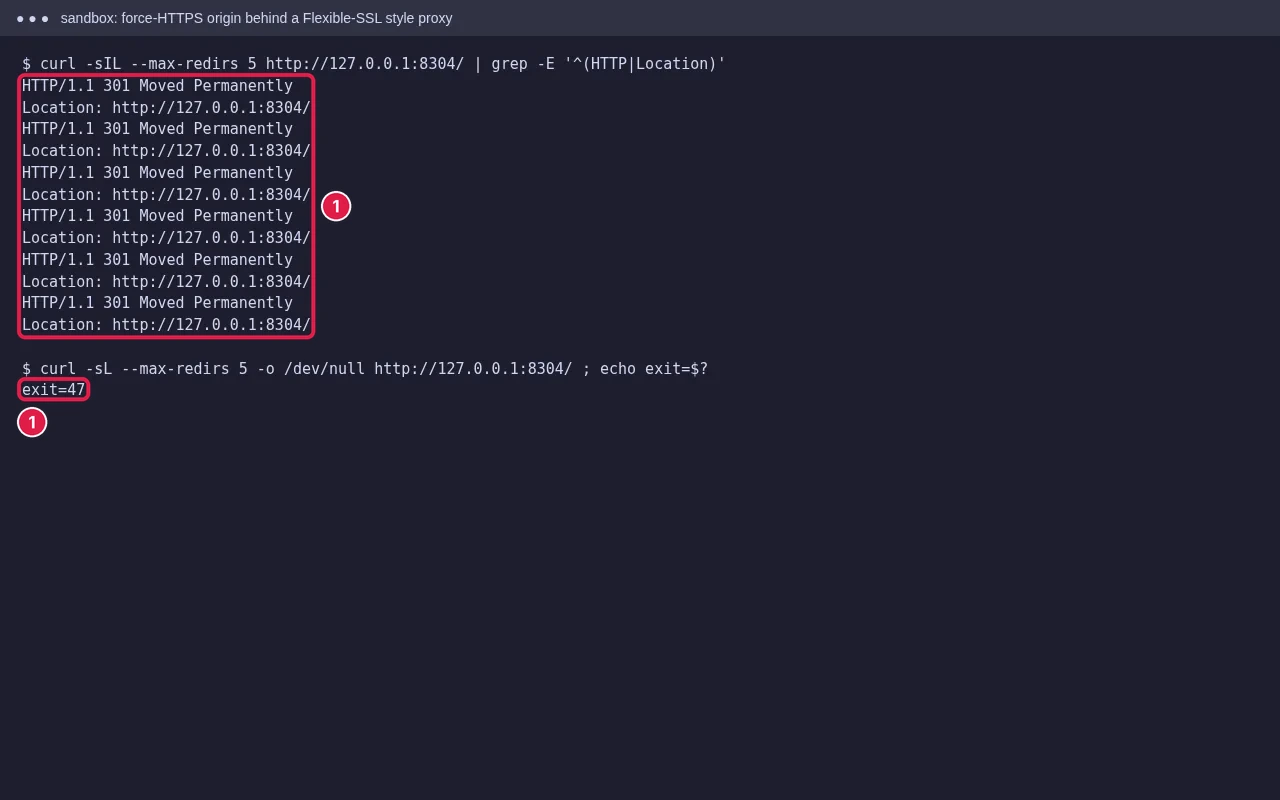
In Flexible mode, visitors use HTTPS to Cloudflare, but Cloudflare connects to your server over HTTP. Your server sees an HTTP request, redirects to HTTPS, Cloudflare fetches it over HTTP again, and so on. Our test shows exactly that loop.
Fix
- Make sure your server has a valid SSL certificate (cPanel AutoSSL gives one free).
- In Cloudflare, go to SSL/TLS → Overview and set the mode to Full (strict).
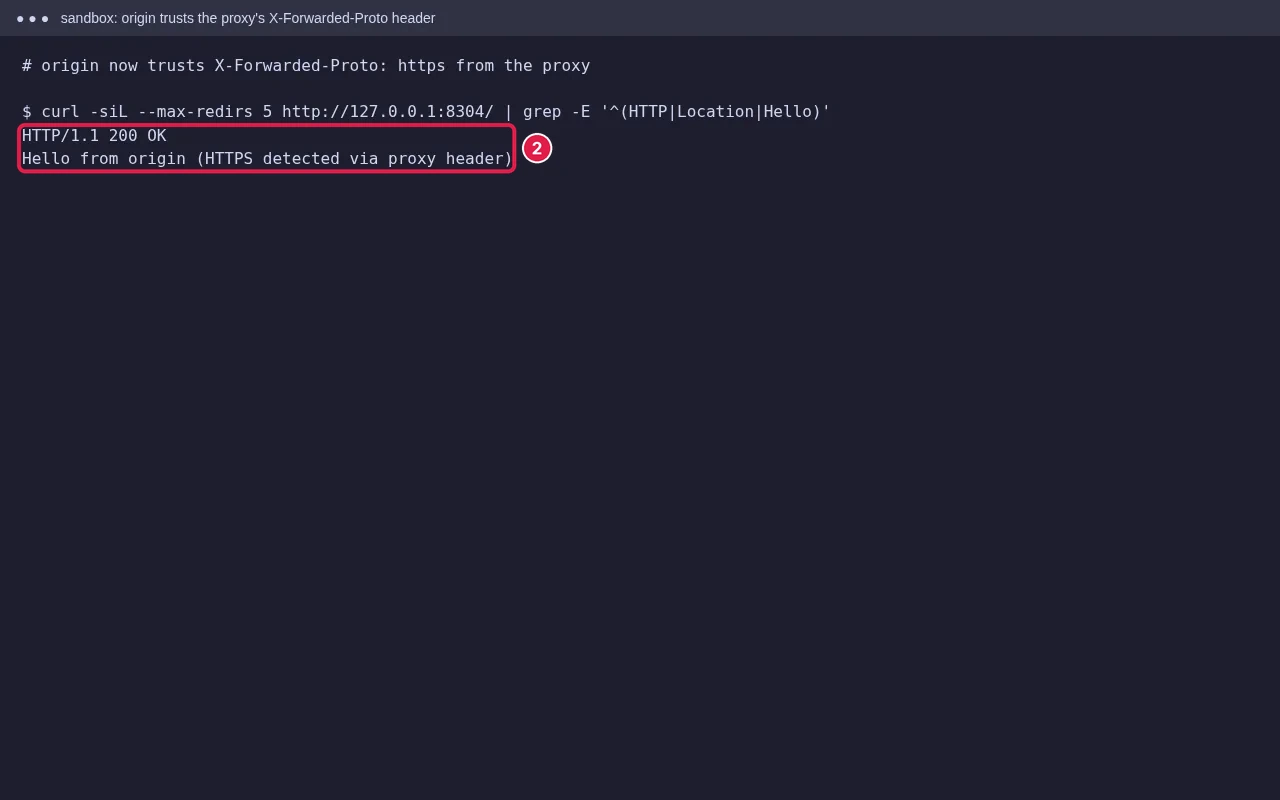
- If you must keep the origin on HTTP for now, make the site trust the
X-Forwarded-Protoheader instead of forcing HTTPS itself.
Other causes
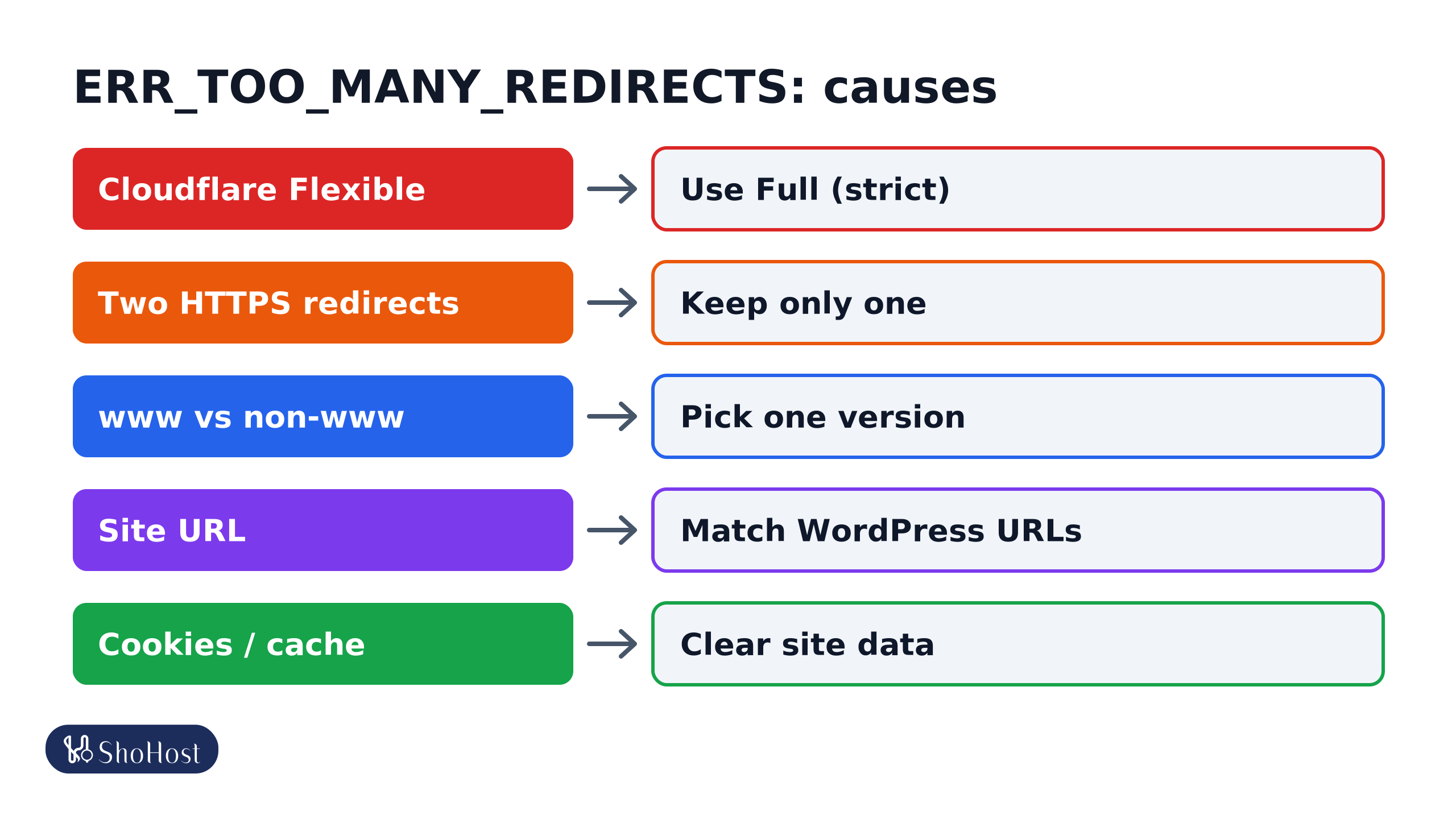
- Cloudflare Flexible: the origin sees HTTP and redirects forever. Use Full (strict), as above.
- Two HTTPS redirects: cPanel’s Force HTTPS Redirect, an
.htaccessrule and a plugin all doing it. Keep one. The usual.htaccessrule is below. - www and non-www fighting: one rule sends
wwwto non-www, another sends it back. Pick one version and use it in every setting. - Wrong site URL: in WordPress, WordPress Address and Site Address must match the version you redirect to. See WordPress too many redirects.
- Old cookies or cached redirects: test in a private window, and clear site data for the domain.
RewriteEngine On
RewriteCond %{HTTPS} off
RewriteCond %{HTTP:X-Forwarded-Proto} !https
RewriteRule ^ https://%{HTTP_HOST}%{REQUEST_URI} [L,R=301]
See the loop yourself
Run curl -sIL --max-redirs 5 https://example.in/ | grep -iE '^(HTTP|location)' on your computer. The Location lines show where each redirect goes, which usually points at the rule causing it.
FAQ
Why did the loop start when I turned on Cloudflare?
Most likely the SSL mode is Flexible while your server also forces HTTPS. Set Full (strict).
Can clearing cookies fix it?
Only if the loop comes from old cookies or a cached redirect. Test in a private window to check.
Is it safe to remove the .htaccess redirect?
Yes, if another method (cPanel Force HTTPS or Cloudflare’s Always Use HTTPS) still redirects. Keep one.
Redirect loop still there after changing the SSL mode? If your site is on ShoHost, WhatsApp +91 94880 91432 and we’ll trace the redirects with you.